Lifetime Promo: Get every feature + all future upgrades for one super-low monthly price, for life!Lock in Access

36 features, one login

Everything it takes to run the job, start to finish

From the missed call at nine at night to the invoice that pays itself, here is the whole thing, in the order you actually live it.

Start Free Trial14 days free. No credit card.

Estimate, follow up, close

Win the work

The business that gets an estimate out first, gives the customer a choice and follows up best is the one that gets the job. None of that should cost you an evening.

Most used

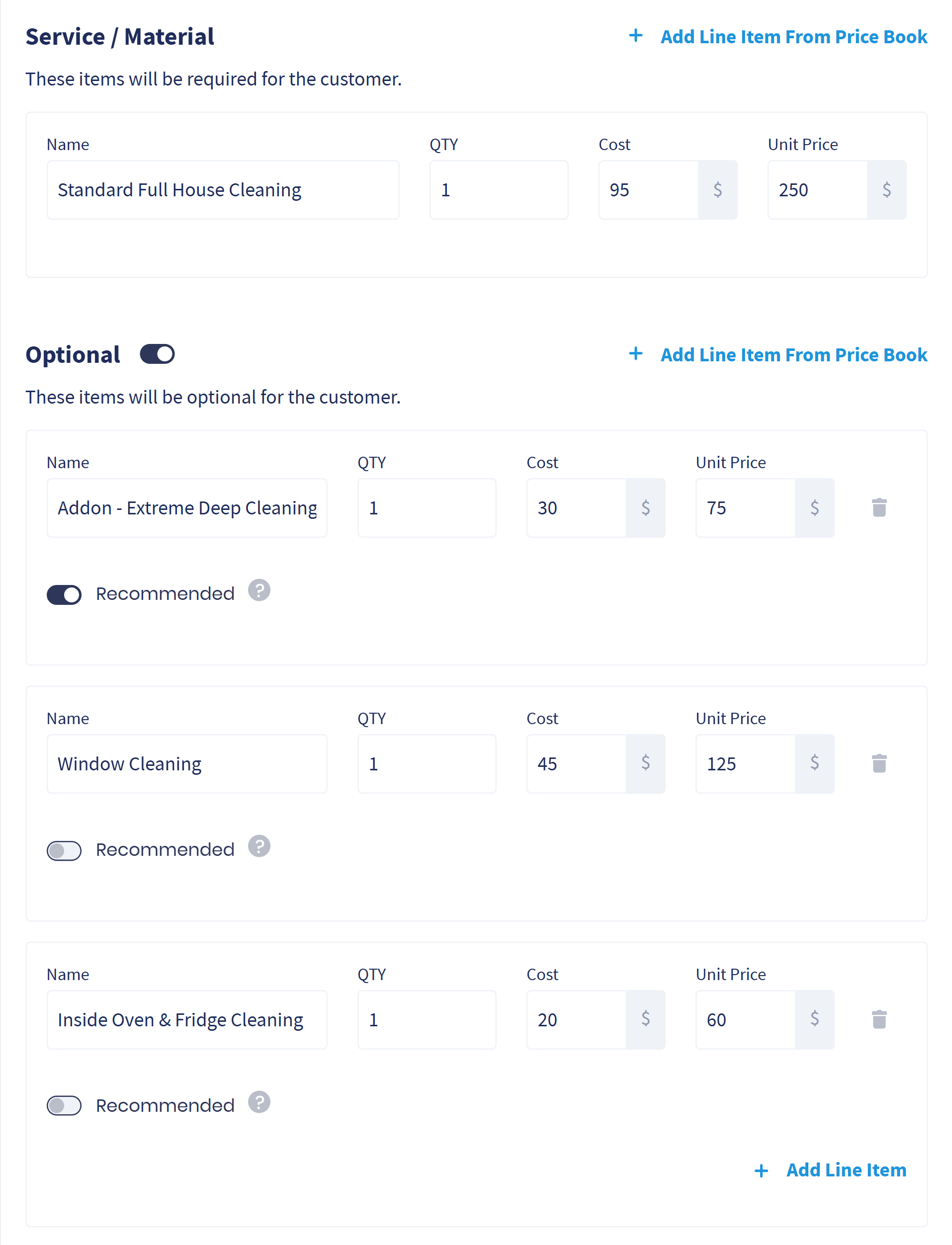
Estimating with Options

Put good, better and best on one estimate and let the customer pick, instead of estimating one number and hoping.

  • Options they can pick: Add the upgrades under the main service, each with its own price, straight from your price book.
  • They approve the one they want: Every option itemized, approved with a signature and a deposit if you ask for one.
  • Quiet estimates get chased: An automated follow-up workflow nudges the estimates you have not heard back on.
Explore Estimating with Options
A Servgrow estimate with a main cleaning service and three optional add-ons, the deep clean marked Recommended

Field Service CRM

Every customer, property, job, photo and invoice in one record your whole team can see.

  • Nothing gets lost: Past estimates, jobs, visits, invoices and notes all sit on the customer record.
  • Answers in a couple of clicks: Pull full history without digging through folders or old email.
  • Tags that sort themselves: Group customers, jobs and properties by area or service type, with auto-tagging workflows doing it as things happen.
Explore Field Service CRM
Field Service CRM

Job & Estimate Templates

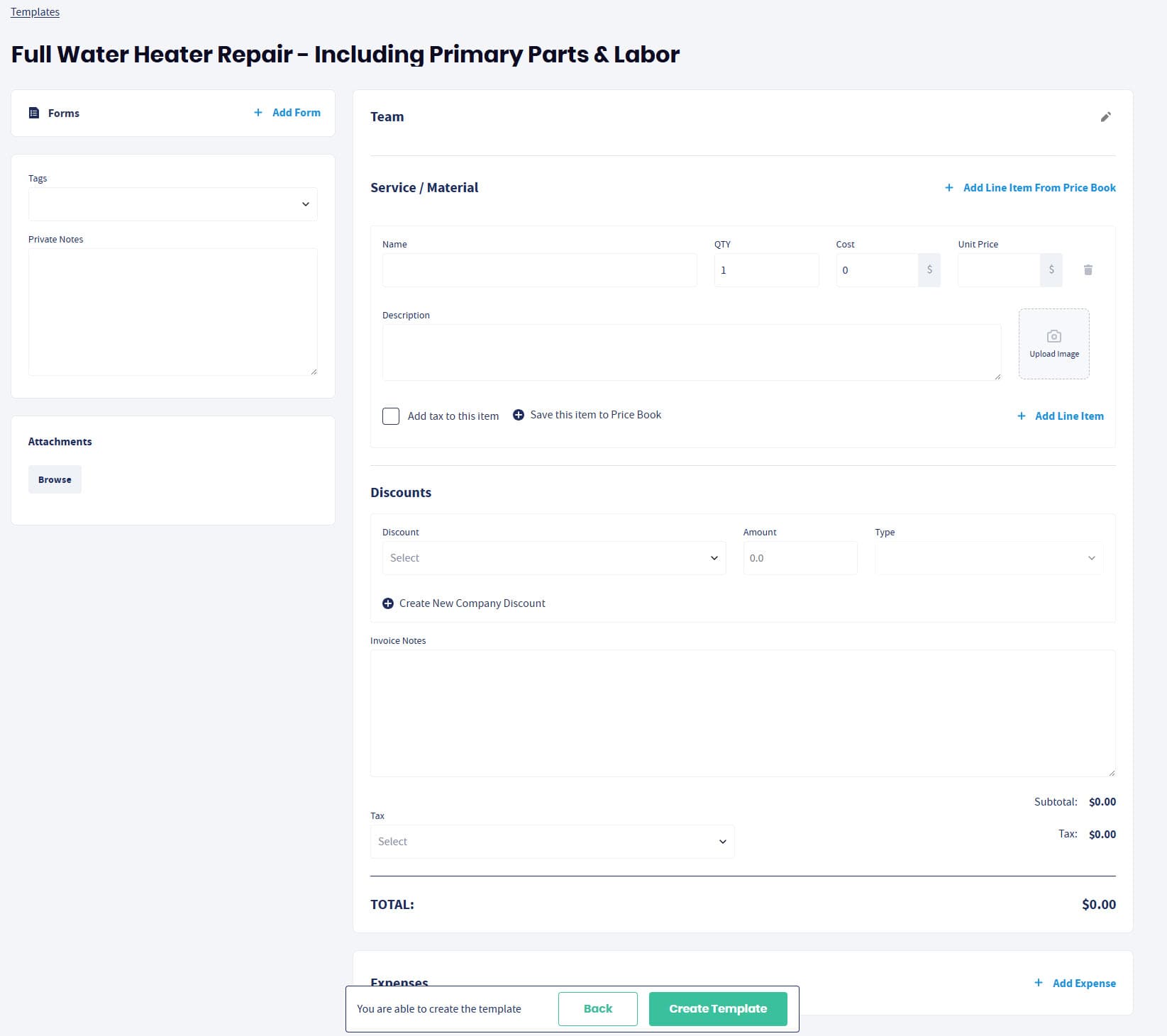
Save your most common work once and generate a full, accurate job or estimate in a couple of clicks.

  • Built in seconds: Stop rebuilding the same line items and options by hand every time.
  • Pricing stays consistent: The whole team estimates the same work the same way.
  • Respond first: Send a professional estimate while your competition is still typing.
Explore Job & Estimate Templates
Job & Estimate Templates

Customer Portal

A branded, self-service place where customers approve estimates, book work and pay invoices at midnight if they want to.

  • They see what is happening: Visits, with the name and photo of who is coming.
  • Approve and sign anywhere: Digital estimate approval with an eSignature, from any device.
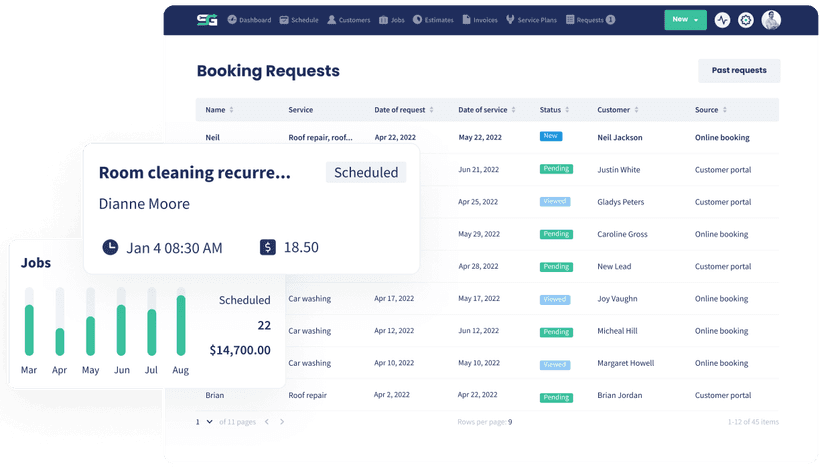
  • Requests without phone tag: Customers ask for work whenever it suits them and it lands straight in Servgrow.
Explore Customer Portal
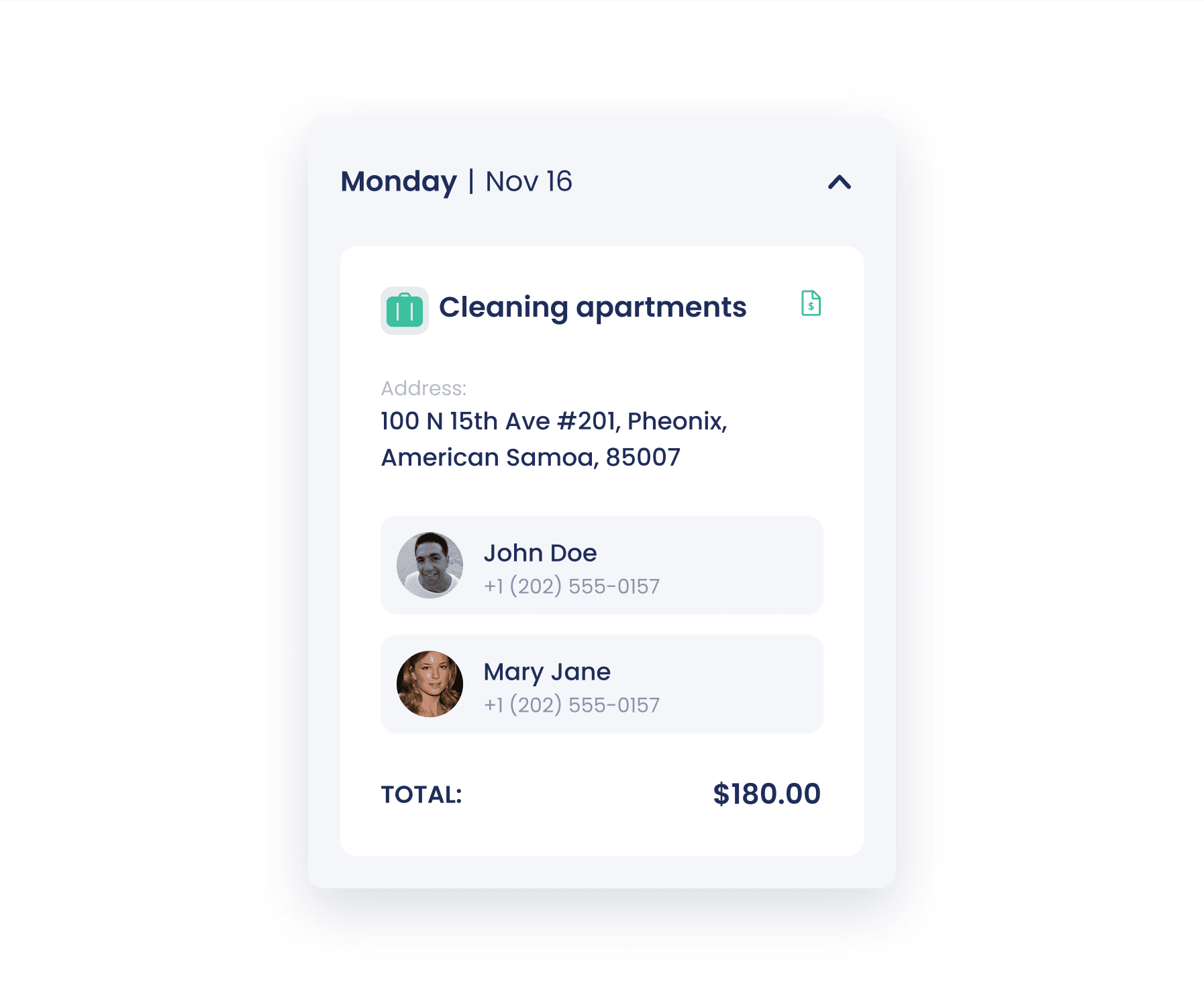
A customer's upcoming visit in the Servgrow customer portal, with the assigned technician's name and photo

Service Plans & Agreements

Turn one-time work into revenue that arrives on a schedule, with an automated workflow booking the visits and billing them, and the agreement e-signed.

  • Income you can count on: Plans lift retention and average ticket at the same time.
  • The visits book themselves: The plan workflow puts service on the calendar and bills it, with optional reminders.
  • Harder to lose: Customers on a plan rarely go shopping for a competitor.
Explore Service Plans & Agreements
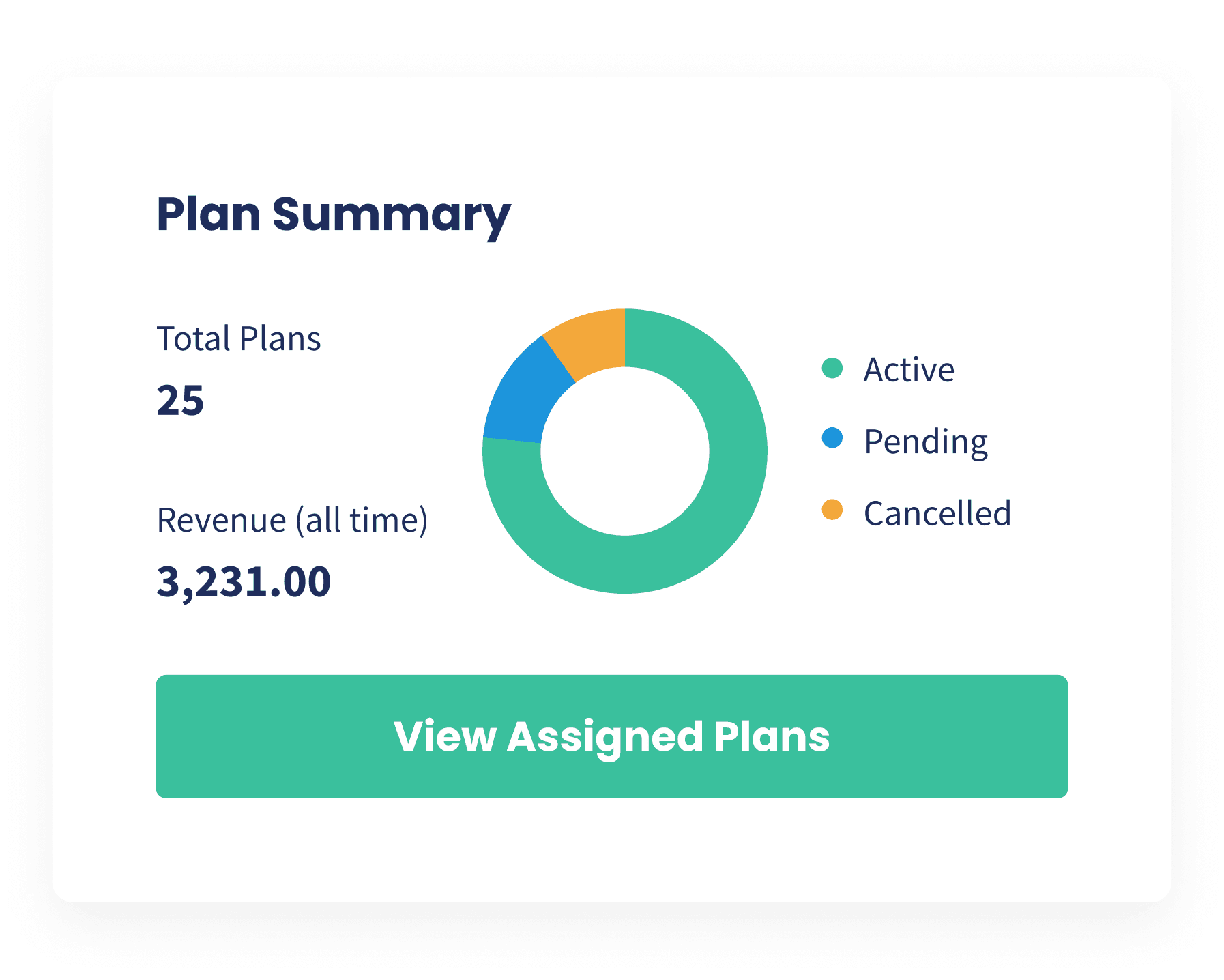
Setting up a recurring service plan for a customer in Servgrow

Online Booking

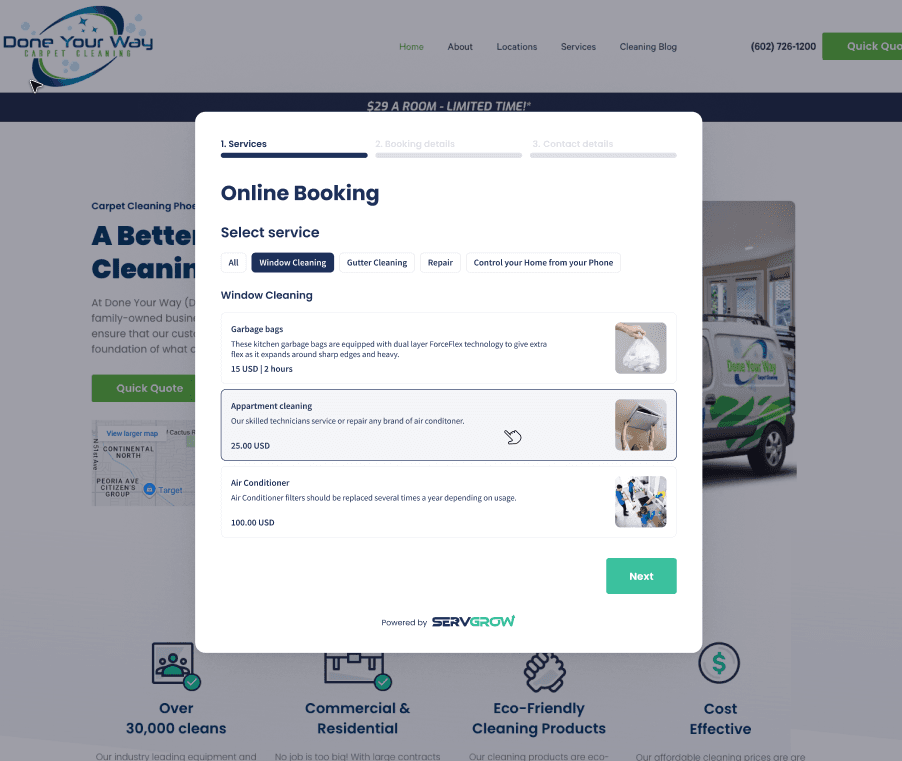
Customers request service or estimates around the clock, from your site, your socials and the portal.

  • Always-on lead capture: Embed the form anywhere and never miss the after-hours caller again.
  • Qualified before you call: Custom questions and photo uploads mean your estimate is built on real information.
  • First to respond: An automated workflow creates the lead, alerts your team by email and text and confirms with the customer.
Explore Online Booking
Online Booking

Call Center

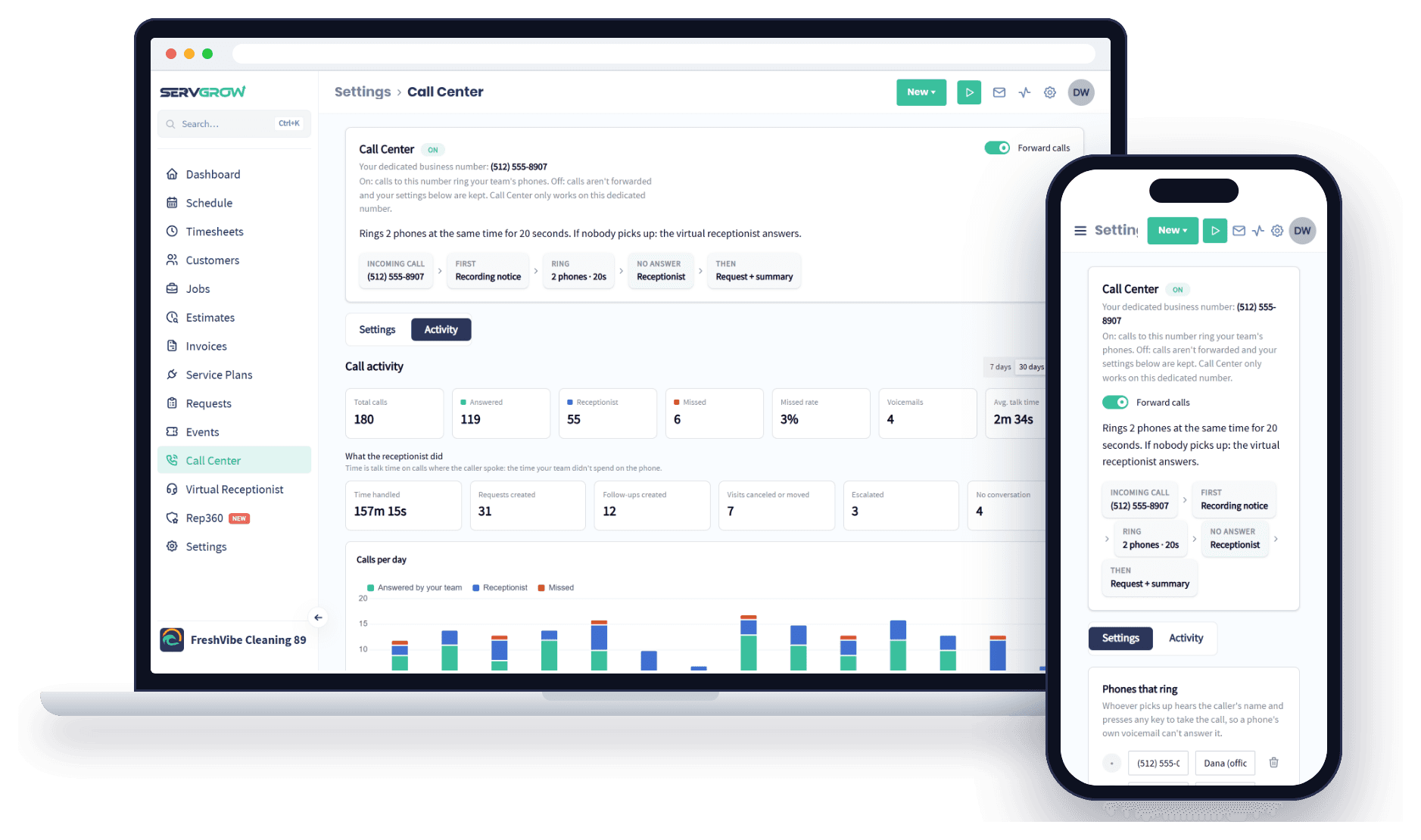
Every call to your business number rings your whole crew, and the ones you miss get a voicemail or a text back.

  • Ring the right phones: All at once or one at a time, with the caller announced before anyone picks up.
  • Every call logged: Recordings, voicemail and call activity in one place.
  • Keep your number: Forward the number customers already know, or pick a new local one.
Explore Call Center
Servgrow Call Center on a laptop with 30 days of call activity, and a phone showing the call flow from the business number to the AI receptionist

AI Receptionist

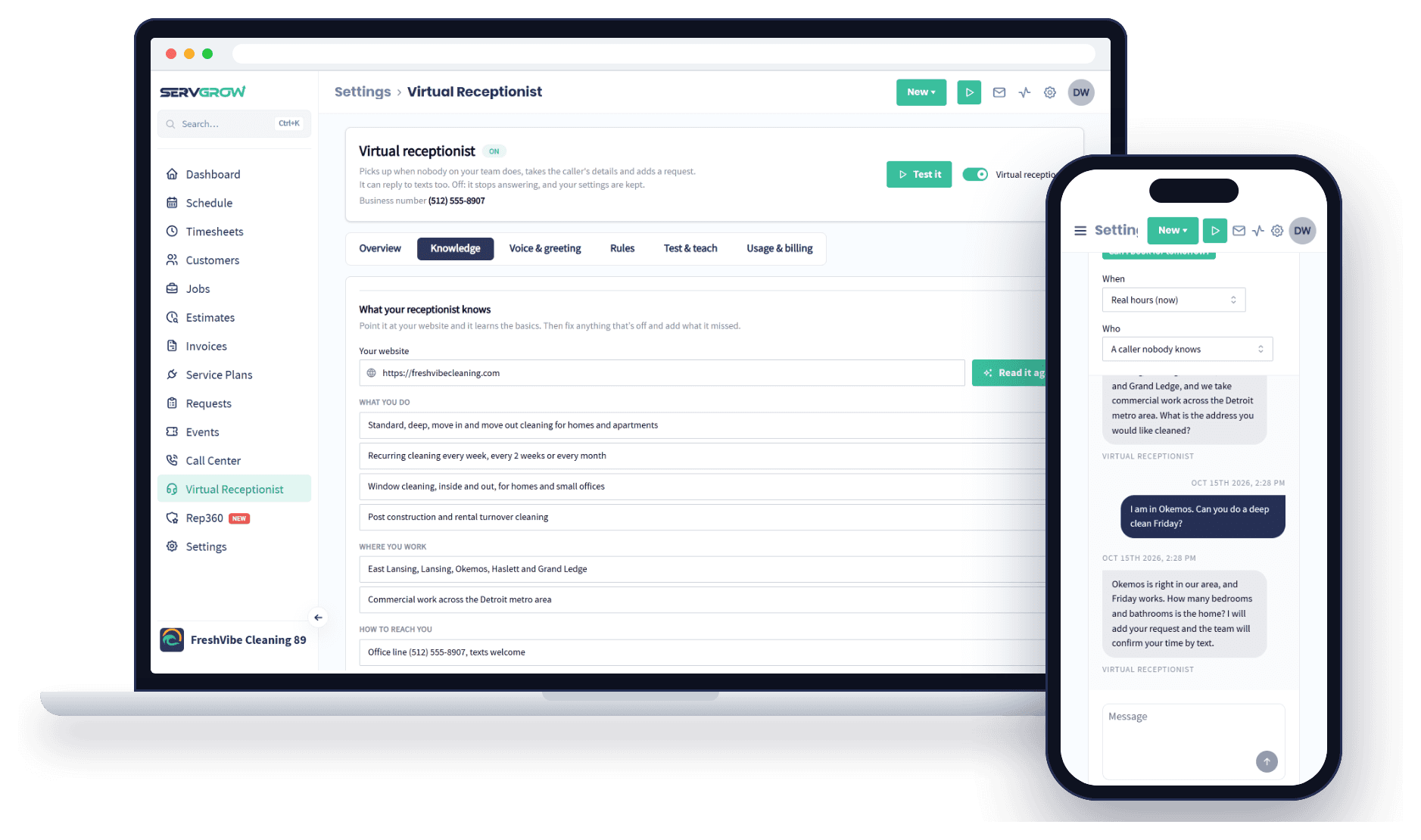
Answers the calls your team can't get to, in your company's name, and turns each one into a request with a summary and transcript.

  • Learns your business: From your own website, then you fill in the rest.
  • Emergencies reach a person: Your trigger words transfer the call or text your team.
  • Every call becomes a request: With a summary and the full transcript, ready to book.
Explore AI Receptionist
The Servgrow AI Receptionist on a laptop showing what it learned from a cleaning company's website, and a phone with a practice chat
“A couple clicks to estimate, convert to a job, schedule and then invoice. Our customers love the notifications and customer portal. It's just so much professional. Oh, and we get paid faster too!”
Stuart S. · Squeegeezy Window Cleaning

From the board to the driveway

Run the day

Your day changes by the hour. A cancellation at ten, an emergency at noon, your best tech already across town. This is the part that decides whether that costs you money.

Most used

Dispatching

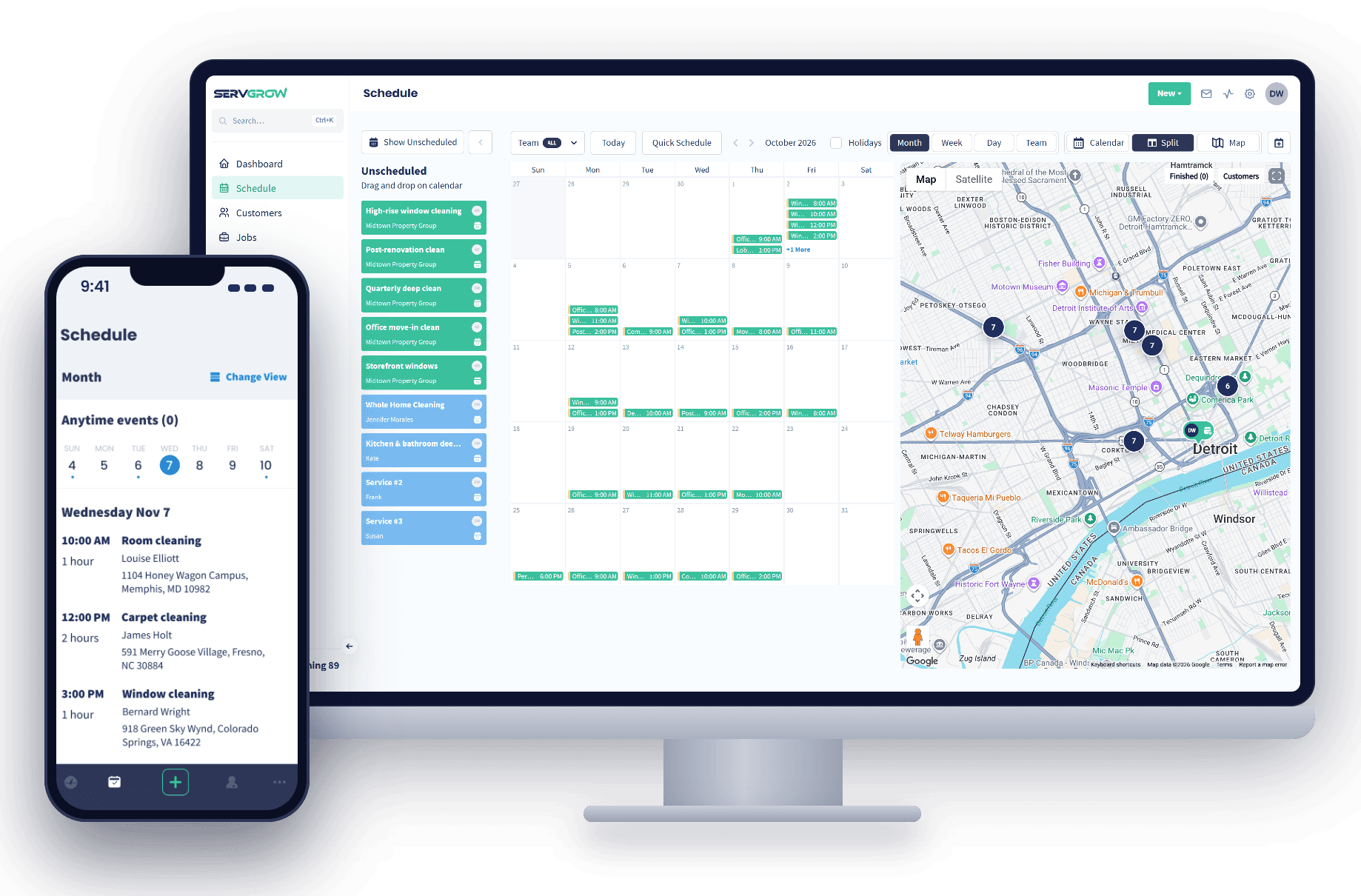
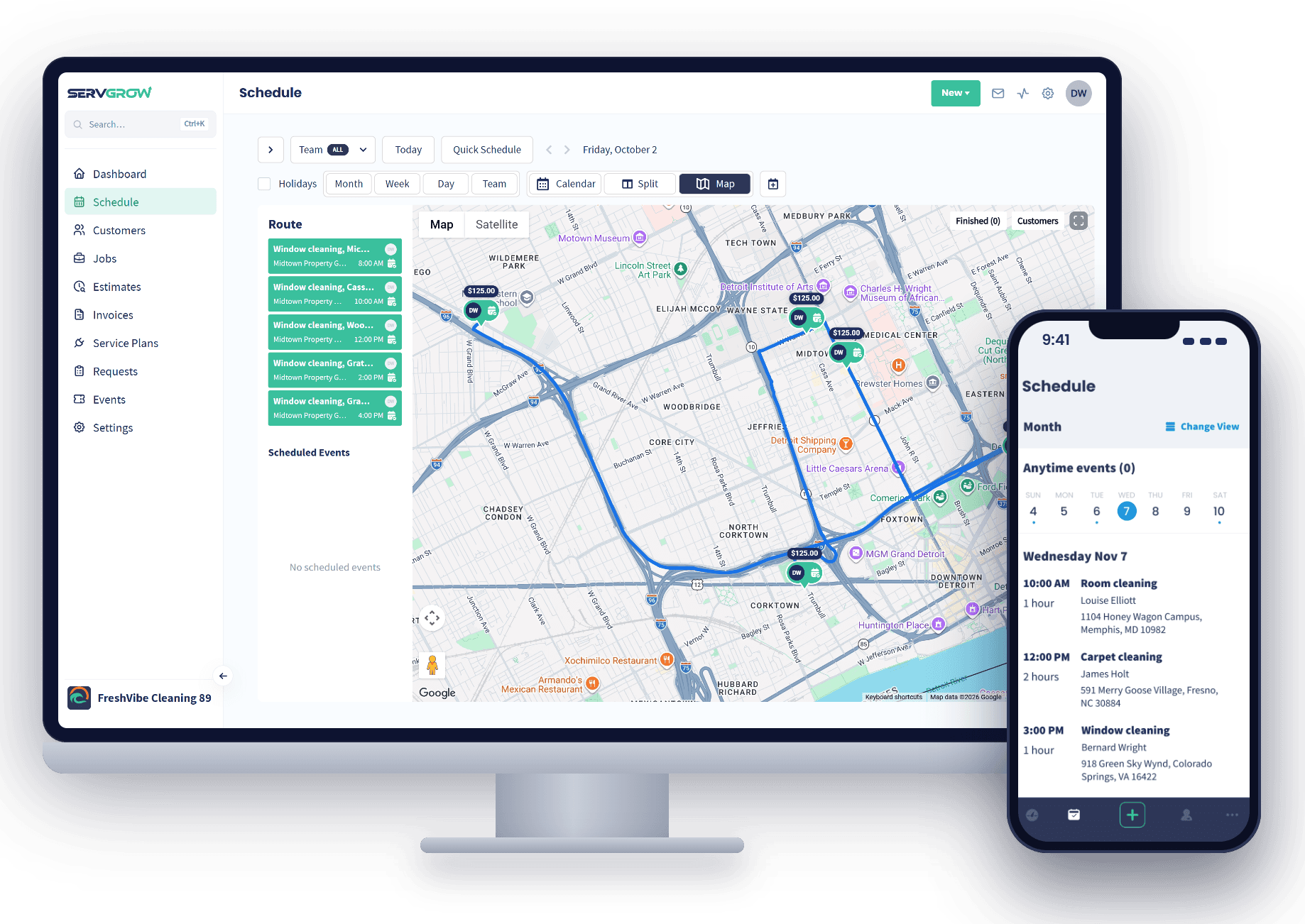
See where every tech is on a live map, drop unscheduled work on whoever is closest, and optimize the route in one click.

  • The whole crew on one board: Assign, reassign and reroute in seconds as the day changes.
  • Fill gaps from the map: Give an unscheduled job to the Pro already working that side of town.
  • Less windshield time: Optimized routes mean more billable jobs per truck, without adding a truck.
Explore Dispatching
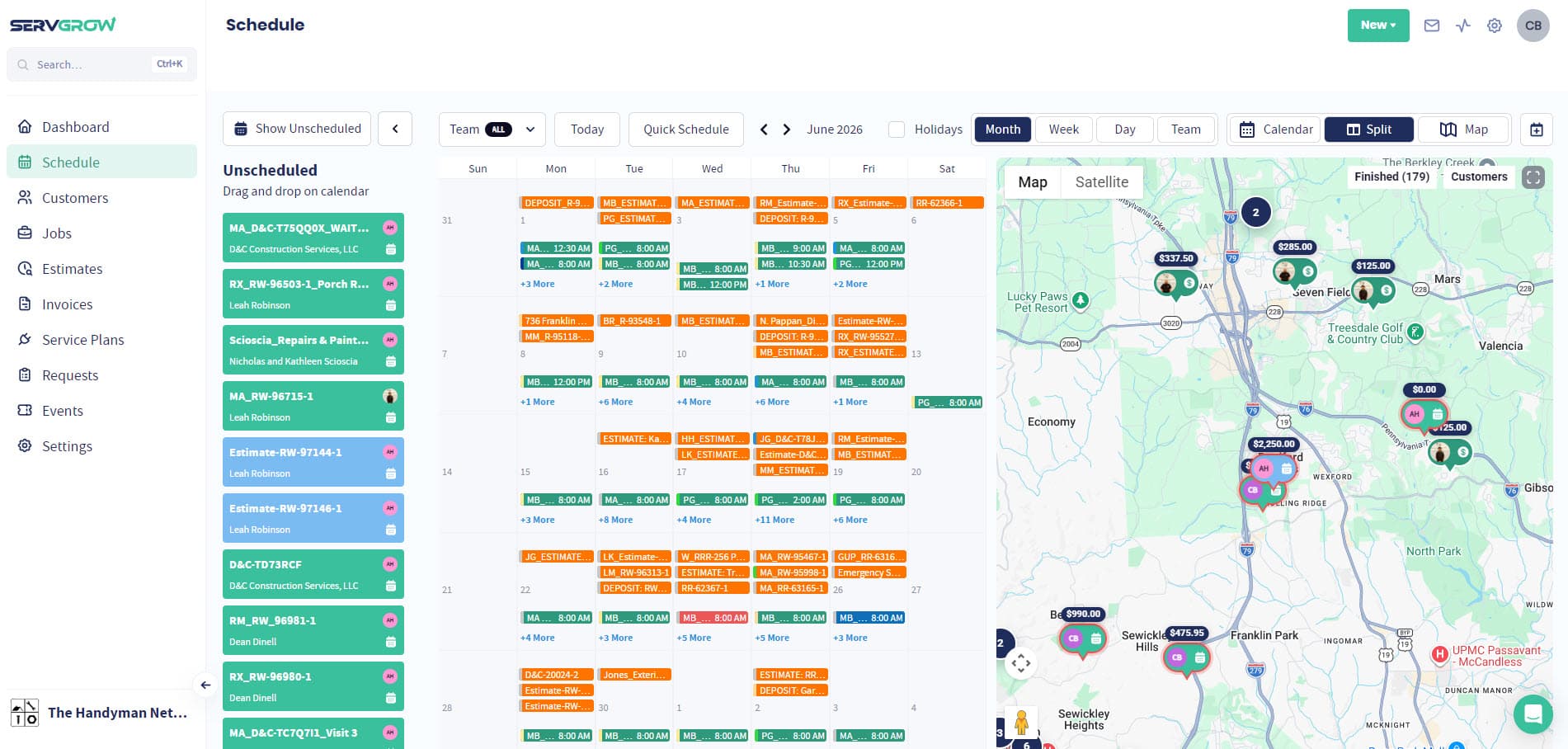
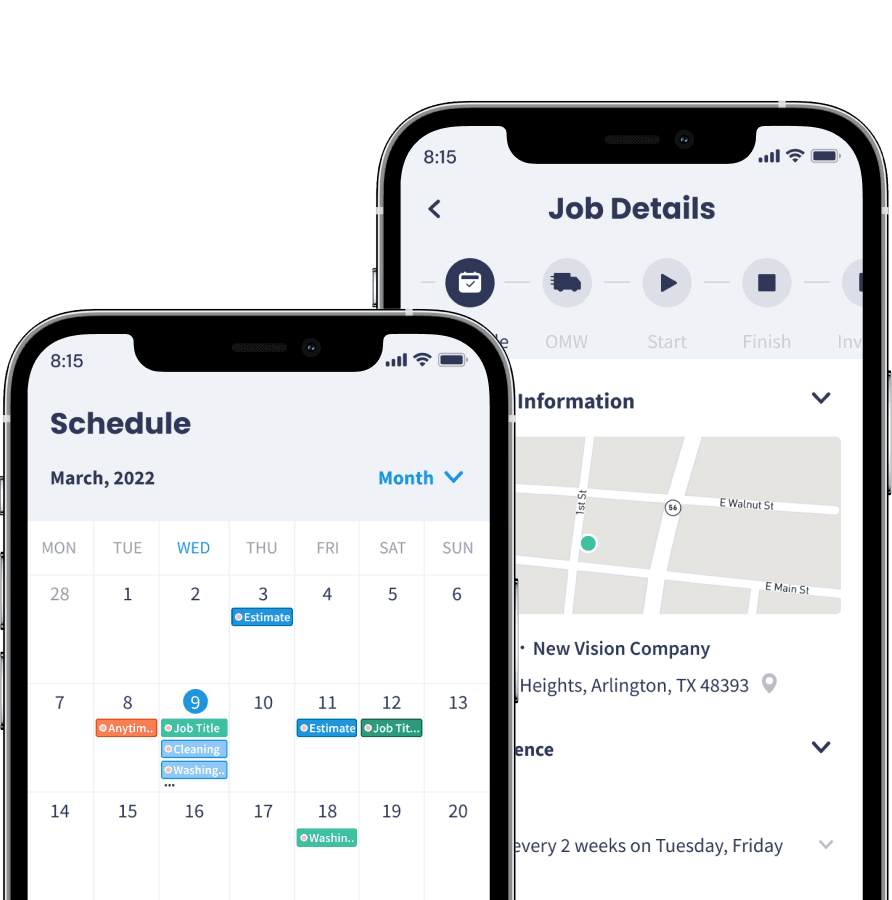
The Servgrow schedule in month view beside a map of the jobs, with unscheduled work ready to drag on, and the Servgrow mobile app on a phone

Optimized Routing

Put the day on a map and build each crew's route in the order the truck should drive it, so they drive less and finish more.

  • The route on one map: Every stop in order, with the line the truck will follow.
  • Drag jobs onto the route: Build or reorder the run in a few drags.
  • Start and end addresses: Plan from the shop and back, or wherever the day begins.
Explore Optimized Routing
A day of five jobs routed across Detroit in the Servgrow schedule on a desktop, with the Servgrow mobile app on a phone

Scheduling

Drag and drop the day across crews and dates, and keep the office and the field on the same calendar.

  • Drag and drop calendar: Move jobs across days and crews in one motion, by day, week or month.
  • One source of truth: Office and field teams always see the same schedule.
  • Syncs with your calendar: What is on the board shows up where your team already looks.
Explore Scheduling
The Servgrow schedule in month view, with unscheduled work ready to drag on and the map beside it

Job Management

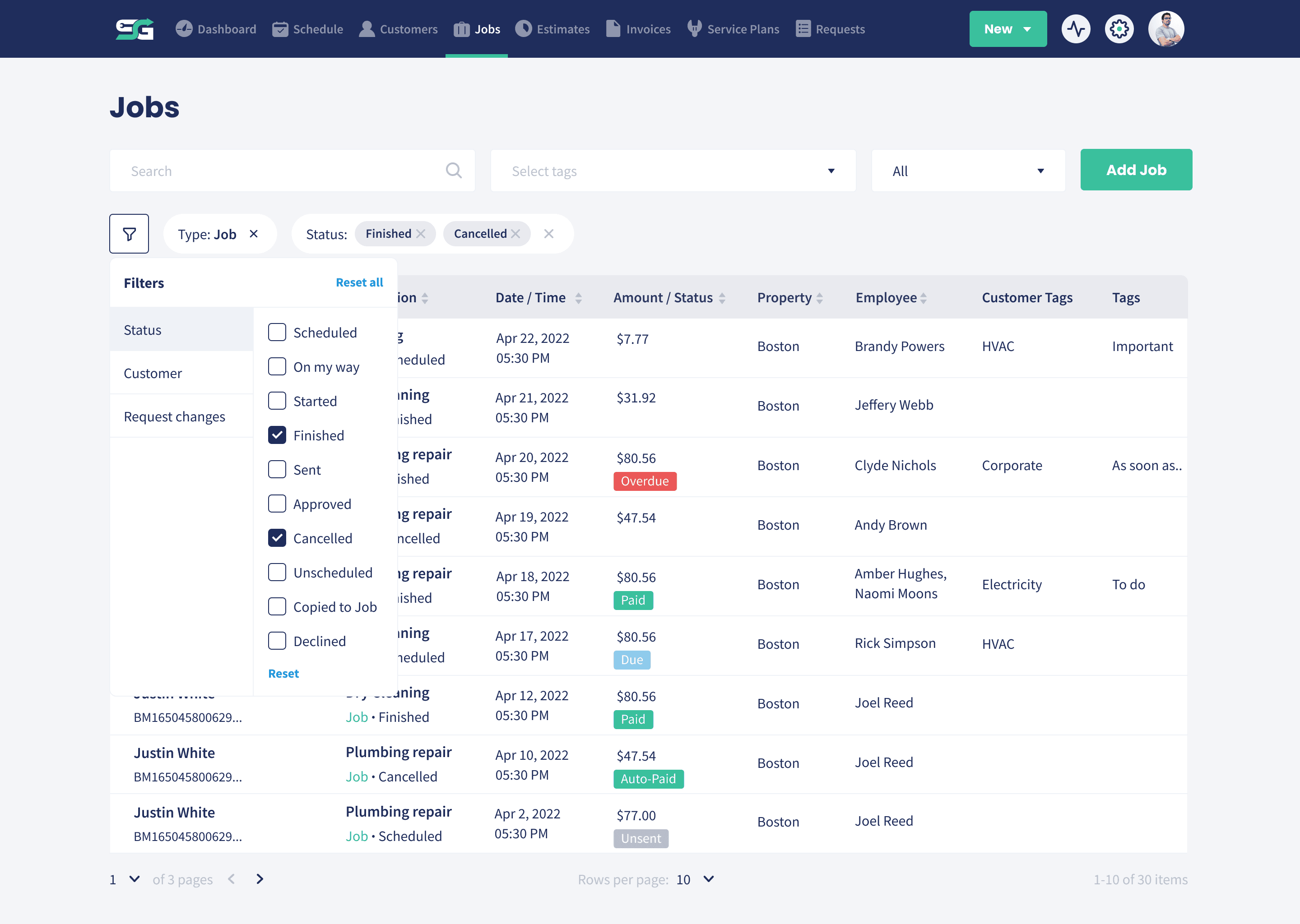
The details, notes and attachments stay with the job from the moment it is booked to the moment it is invoiced.

  • The full picture on mobile: Customer info, address, line items and notes before the tech knocks.
  • Notes and attachments: Context anyone on the team can see, and files kept on the job they belong to.
  • Nothing in a glovebox: The history stays with the business rather than with one person who might leave.
Explore Job Management
The Servgrow jobs list with status and assigned techs

Job Photos & Videos

Capture the work as it happens, keep it on the job forever, and share a live link so the customer watches it come together.

  • Before, during and after: Photos and video captured on the phone while the tech is standing there, straight onto the job.
  • A live link for the customer: Share a public link and they follow the job in real time instead of ringing to ask.
  • Settles questions for good: When somebody asks what was done, the answer is already on file with a date on it.
Explore Job Photos & Videos
Uploading before and after job photos against a job in Servgrow

Custom Forms & Checklists

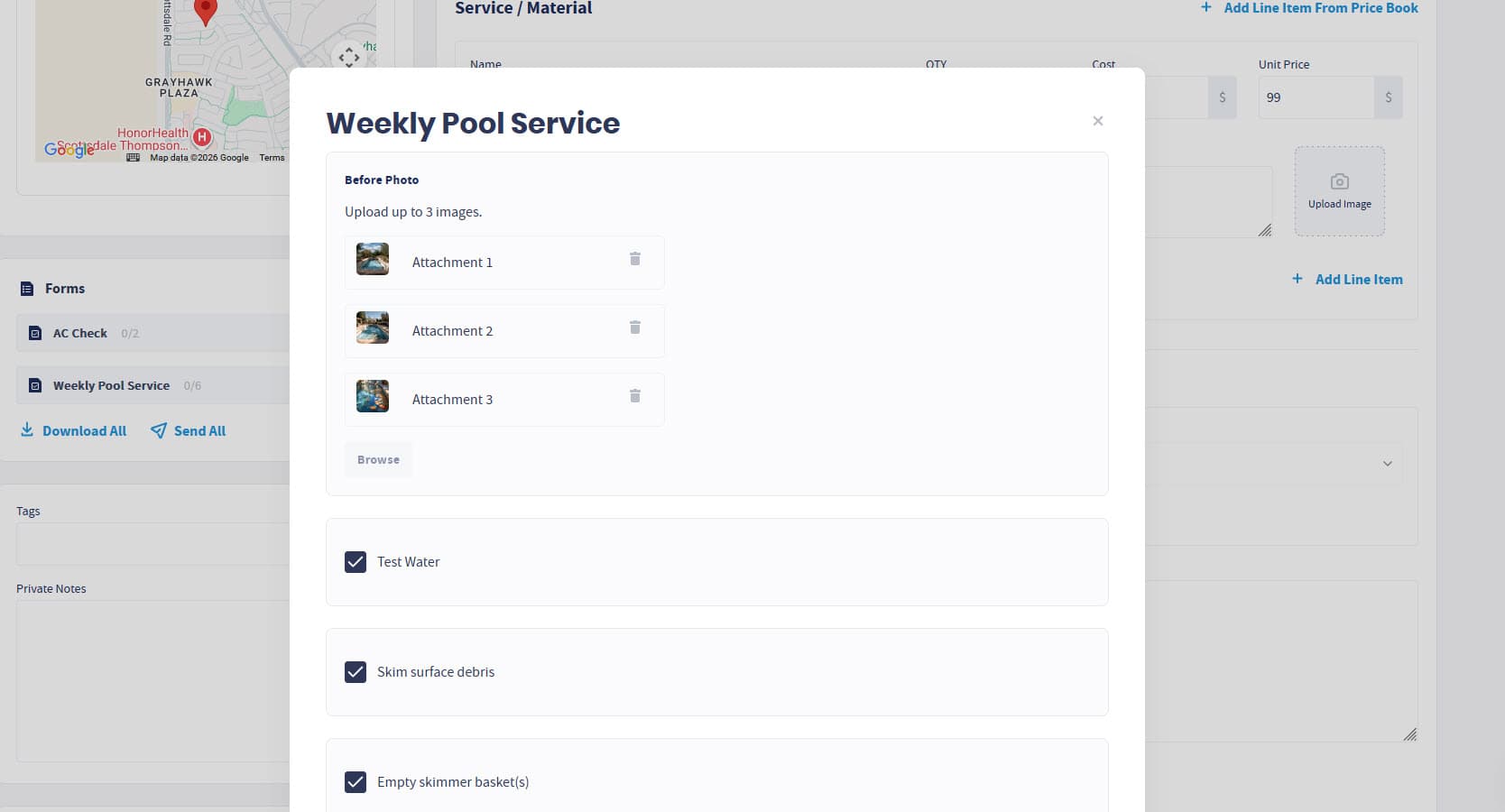
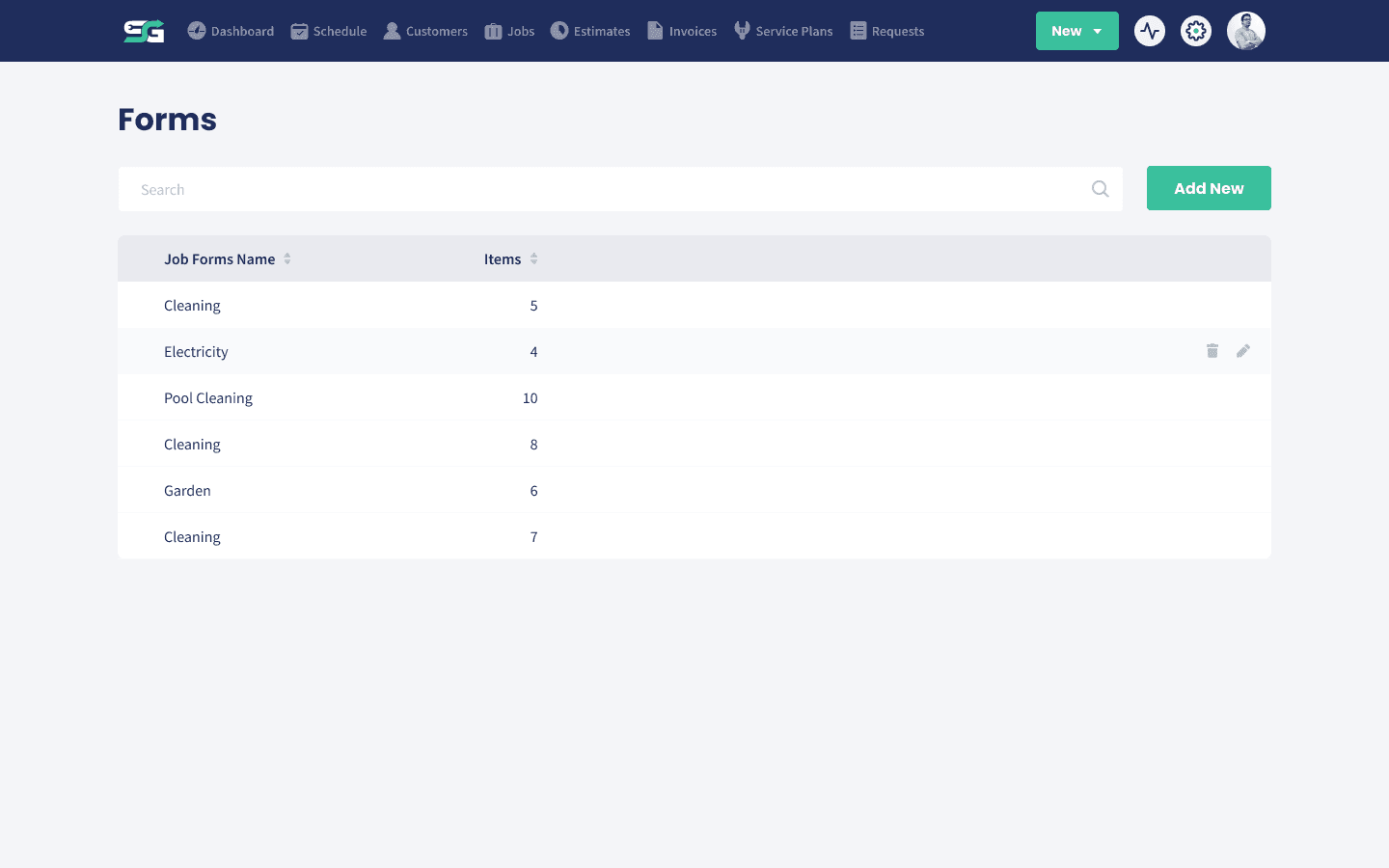
Build the forms your business runs on, attach them to any job, and make the important steps impossible to skip.

  • Made for how you work: Capture readings, answers, photos and sign-off in fields you define.
  • Required stays required: A new tech follows the checklist instead of learning the job by trial and error.
  • Filled in on site: Everything is completed in the app while the tech is standing there.
Explore Custom Forms & Checklists
The custom forms list in Servgrow

Appointment Reminders

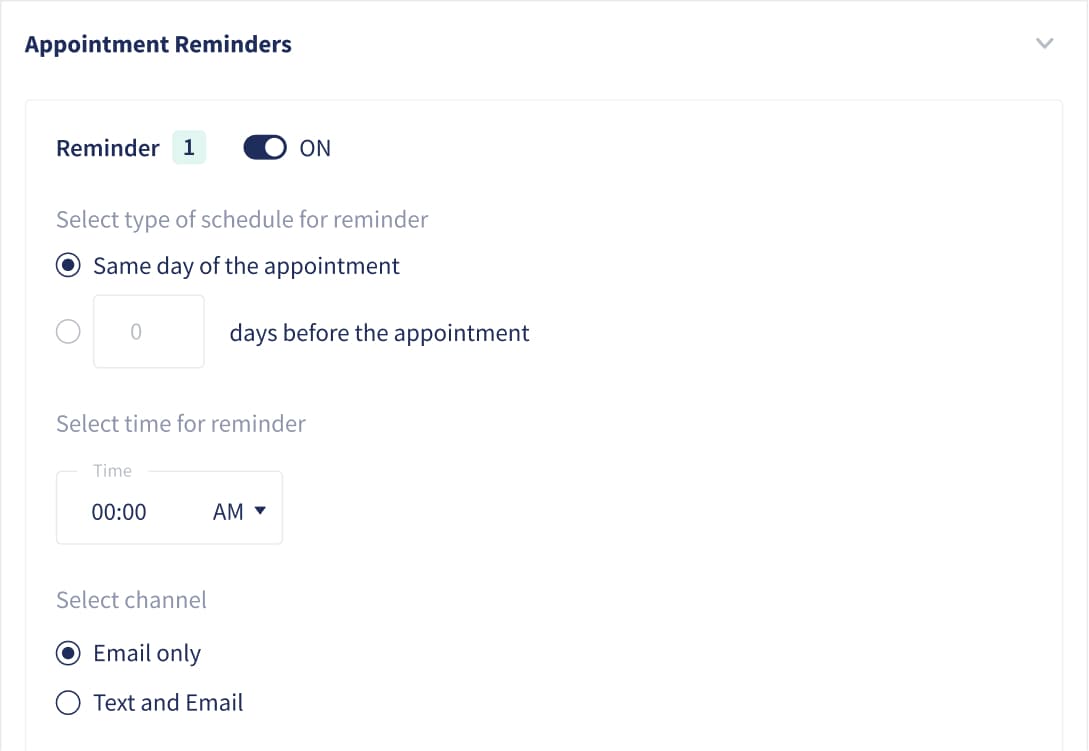
An automated reminder workflow runs before every visit, including a heads up the day of the job, so far fewer people forget you are coming.

  • Set the workflow once: Reminders go out on their own without tying up anyone in the office.
  • In your words: Customize the wording so it sounds like your company, not like software.
  • Email, text or both: Reach people the way they actually read things.
Explore Appointment Reminders
Screenshot of servgrow application showing automatic appointment reminders

On My Way Texts

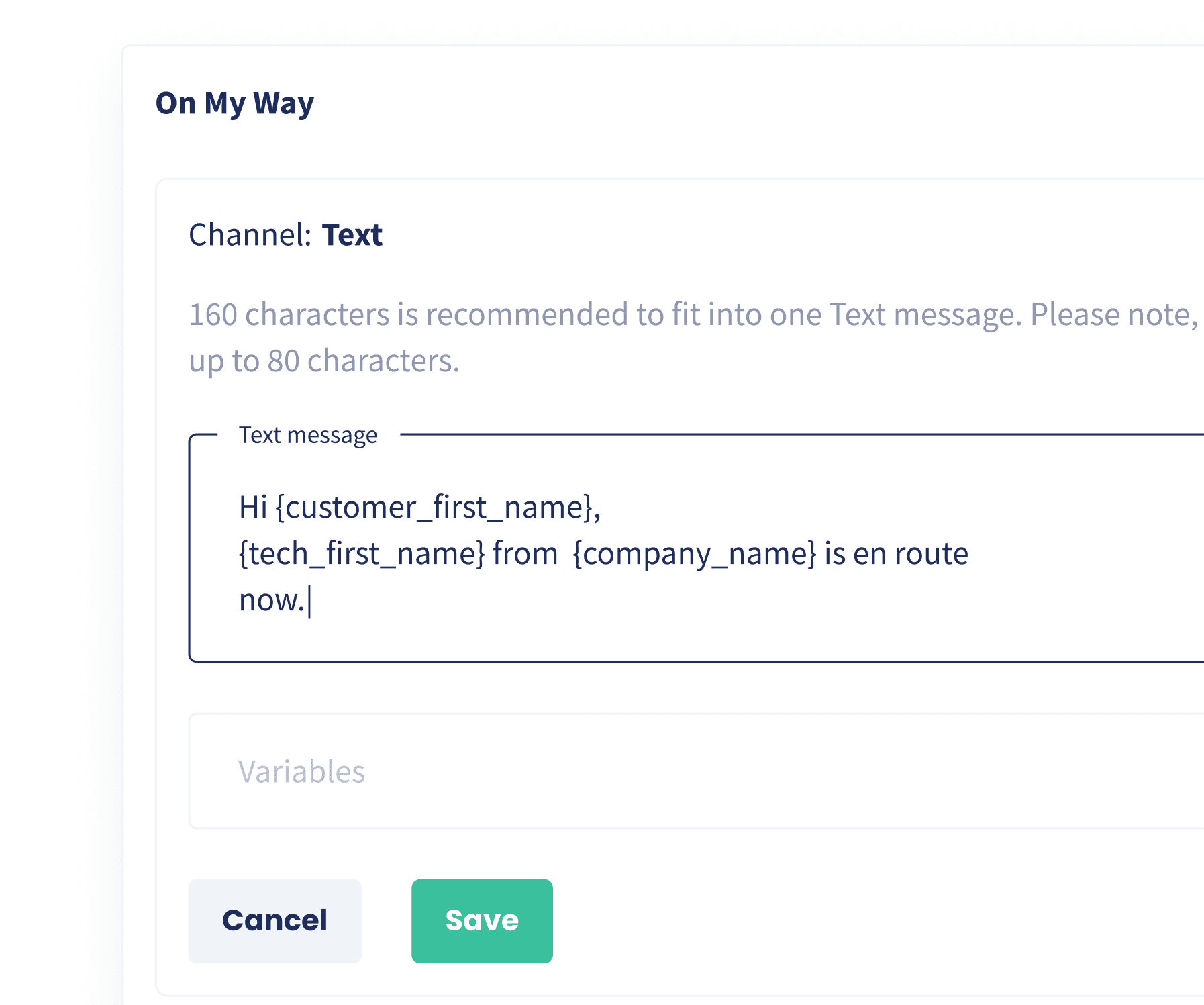
One tap tells the customer the tech is coming and roughly when, instead of a four hour window and a shrug.

  • One click from the field: Send it in a second from iOS or Android on the way to the job.
  • Your wording every time: The workflow fills in the customer details so every tech sends the same professional message.
  • Fewer calls to the office: Customers stop ringing to ask where you are.
Explore On My Way Texts
Editing the On My Way text template, with placeholders for the customer, tech and company name

2-Way Text Messaging

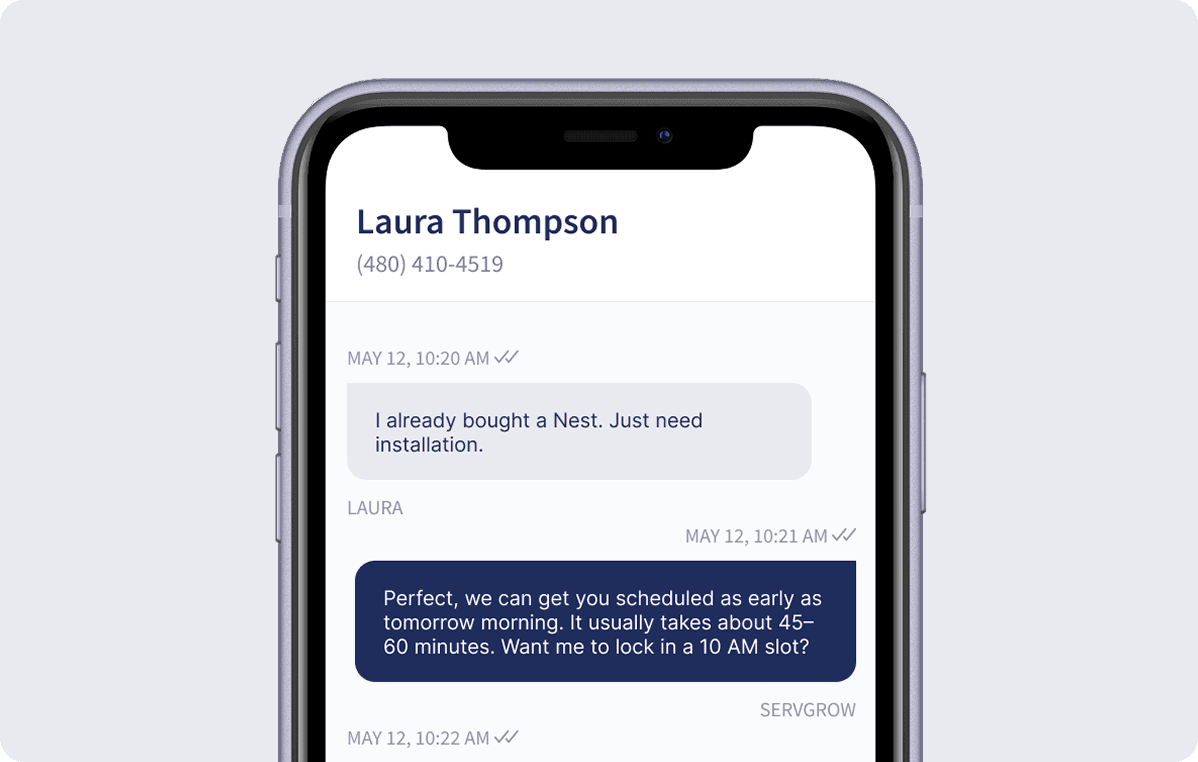
Text back and forth from a dedicated business number, with every conversation saved on the customer record.

  • One place for every thread: Messages live on the customer profile instead of on somebody personal phone.
  • A real business number: Look professional and keep your team personal numbers private.
  • Fill the slow weeks: Send a targeted offer to a segment of customers when the schedule needs it.
Explore 2-Way Text Messaging
2-Way Text Messaging

Mobile App

The schedule, the job, the forms, the photos, the On My Way text and the payment, all from a phone.

  • The day in their pocket: Every visit in order, with the address, the time and the full job details.
  • The record made on site: Photos, notes and forms completed in the app before the van leaves.
  • Paid before you drive away: Take card payments in the field, including Apple Pay and Google Wallet.
Explore Mobile App
The Servgrow mobile app showing a job and the schedule

User Roles & Permissions

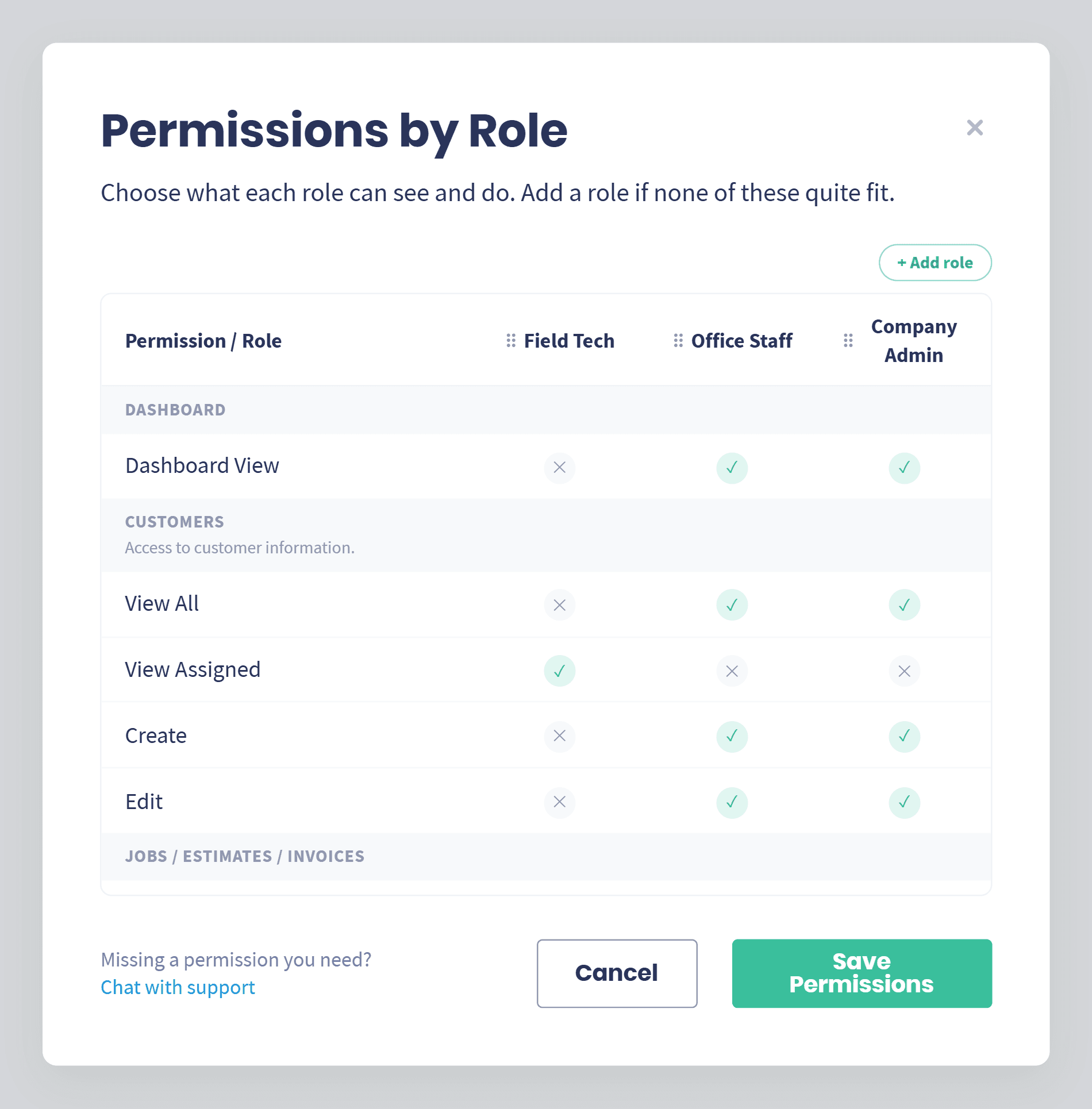
Decide what each person can see and do, so you can grow the team without handing over your pricing or your customer list.

  • Set it by role: Field Tech, Office Staff and Company Admin come ready, and you can build your own.
  • Hide your pricing: Turn Show Pricing off for a role and the totals stay out of sight, invoices included.
  • Same rules on mobile: What you set in Settings is what the crew sees in the app.
Explore User Roles & Permissions
Permissions by Role in Servgrow, with a column for Field Tech, Office Staff and Company Admin

Time & Attendance

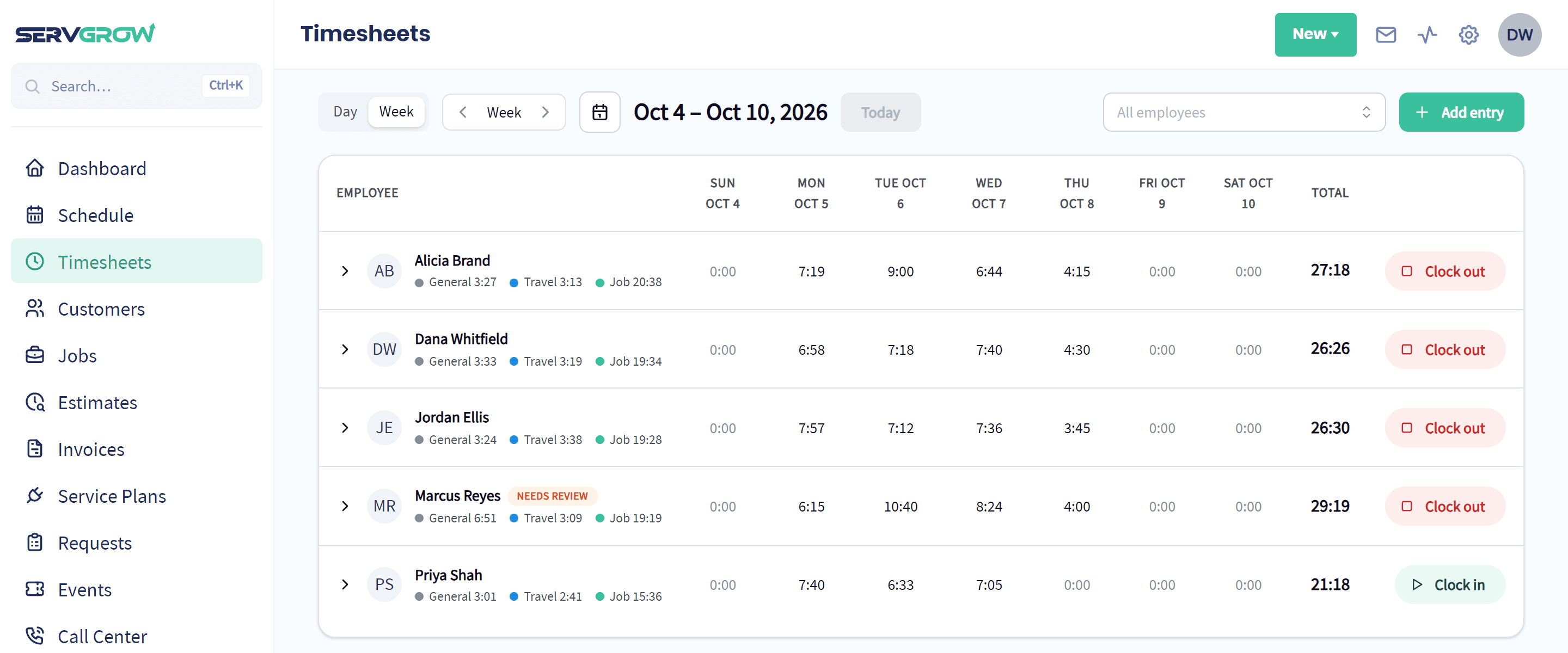
The clock lives on the phone, and every hour lands as job, travel or general time against the work it was spent on.
  • Tracks itself: Clock in once, and On My Way, Start and Finish split the day into travel, job and general time.
  • Problems caught early: Forgotten clock-outs are flagged for review before they reach payday.
  • Schedules and time off: Set working hours for each person and approve time off requests in a click.
Explore Time & Attendance
Servgrow Timesheets showing each employee's hours for the week, split into general, travel and job time
“It has everything we need all in one place and keeps our team on track. We can estimate, schedule, dispatch, invoice and get paid online in just a few clicks. Customer love the experience, reminders and that definitely has them coming back to us!”
Sal S. · Done Your Way Carpet Cleaning

And know what you actually made

Get paid

Finishing the work is not the same as getting paid for it, and revenue is not the same as profit. This is where you find out which jobs are worth doing again.
Most used

Payments

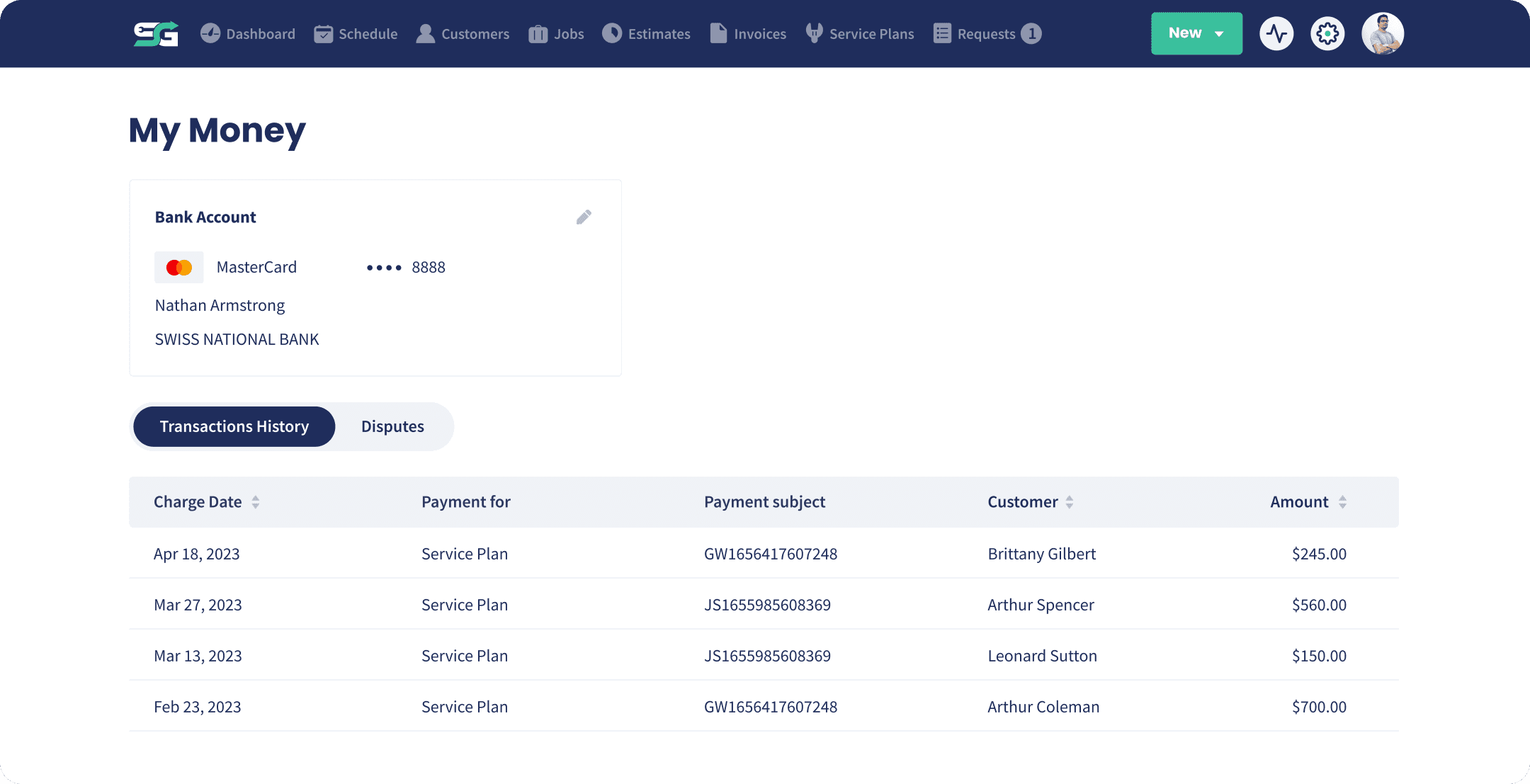
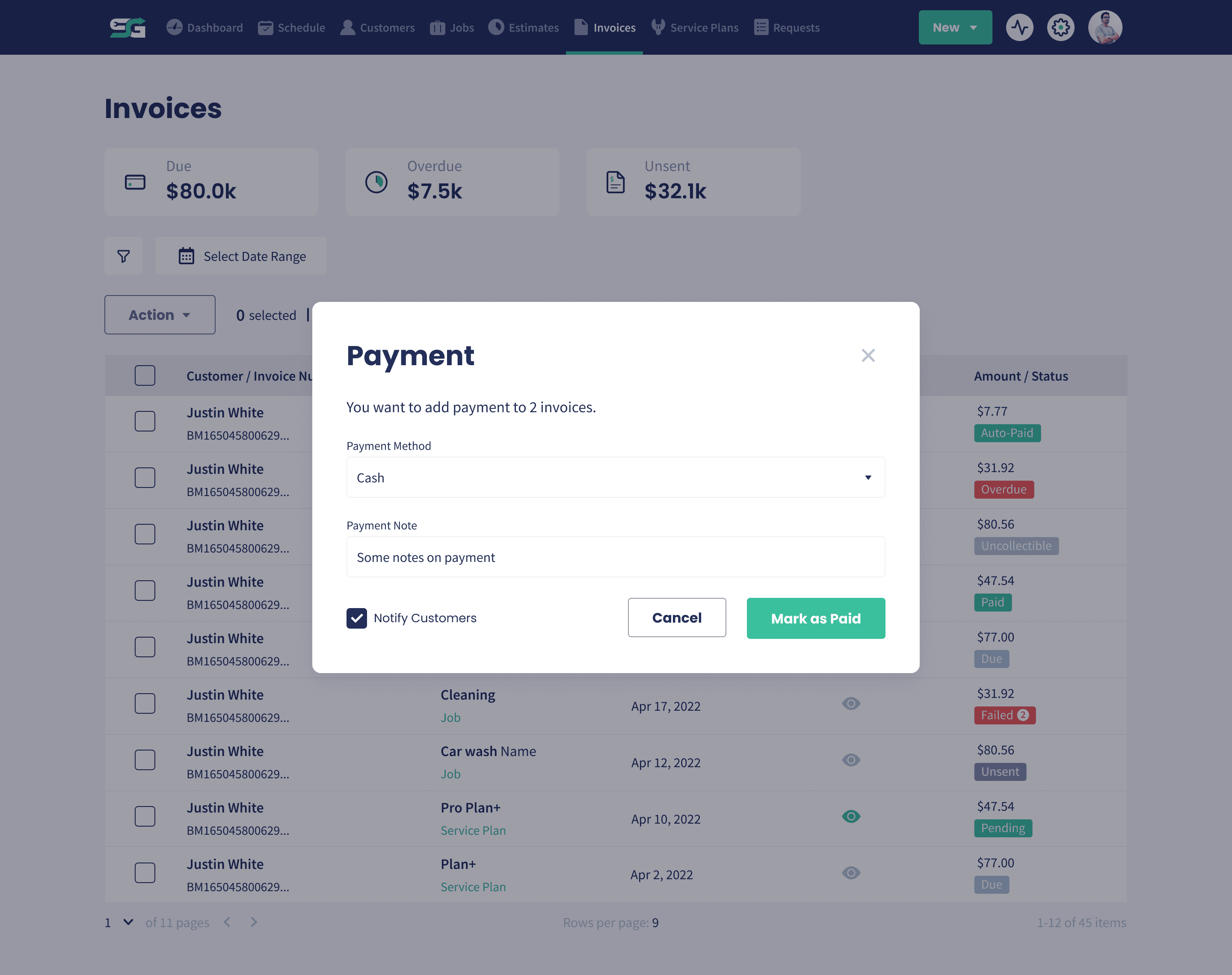
Take the money on site, online, or automatically on the card you already have on file.
  • Paid in the field: Card readers and mobile wallets, so you collect before you leave the driveway.
  • Paid online: Online invoices are typically settled in about a day instead of waiting on a check.
  • Paid automatically: Save a card on file and let the recurring billing workflow charge it, without lifting a finger.
Explore Payments
The My Money page in Servgrow, showing the connected bank account and recent transactions

Deposits

Collect money up front, including at the moment a customer approves the estimate, so you are not funding the job out of your own pocket.

  • Collect it on estimate approval: Turn a deposit on and the customer pays it in the same step where they approve, so the job is funded before it is even scheduled.
  • Fixed amount or percentage: Ask for a set figure or a percentage of the total, whichever suits the job.
  • The balance is all that is left: What they paid up front comes off the total, so the final bill is only the remainder.
Explore Deposits
Collecting a deposit before the job starts

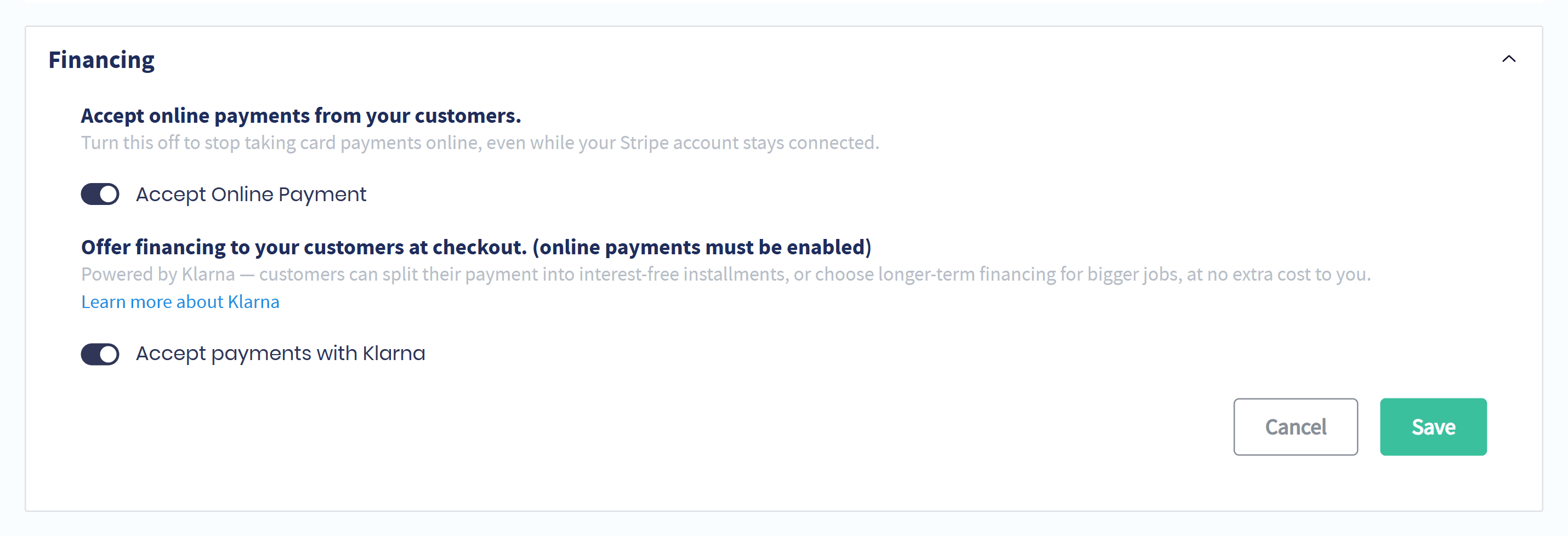
Customer Financing

Customers pay over time through Klarna and you are paid in full up front, so the bigger option stops being out of reach.

  • Interest-free installments: Or a longer plan when the job is a big one.
  • Paid up front: You get the full amount at checkout and Klarna collects the rest.
  • One switch: Turn financing on in invoice settings and it shows up at checkout.
Explore Customer Financing
The financing setting in Servgrow: accept payments with Klarna, switched on

Invoicing

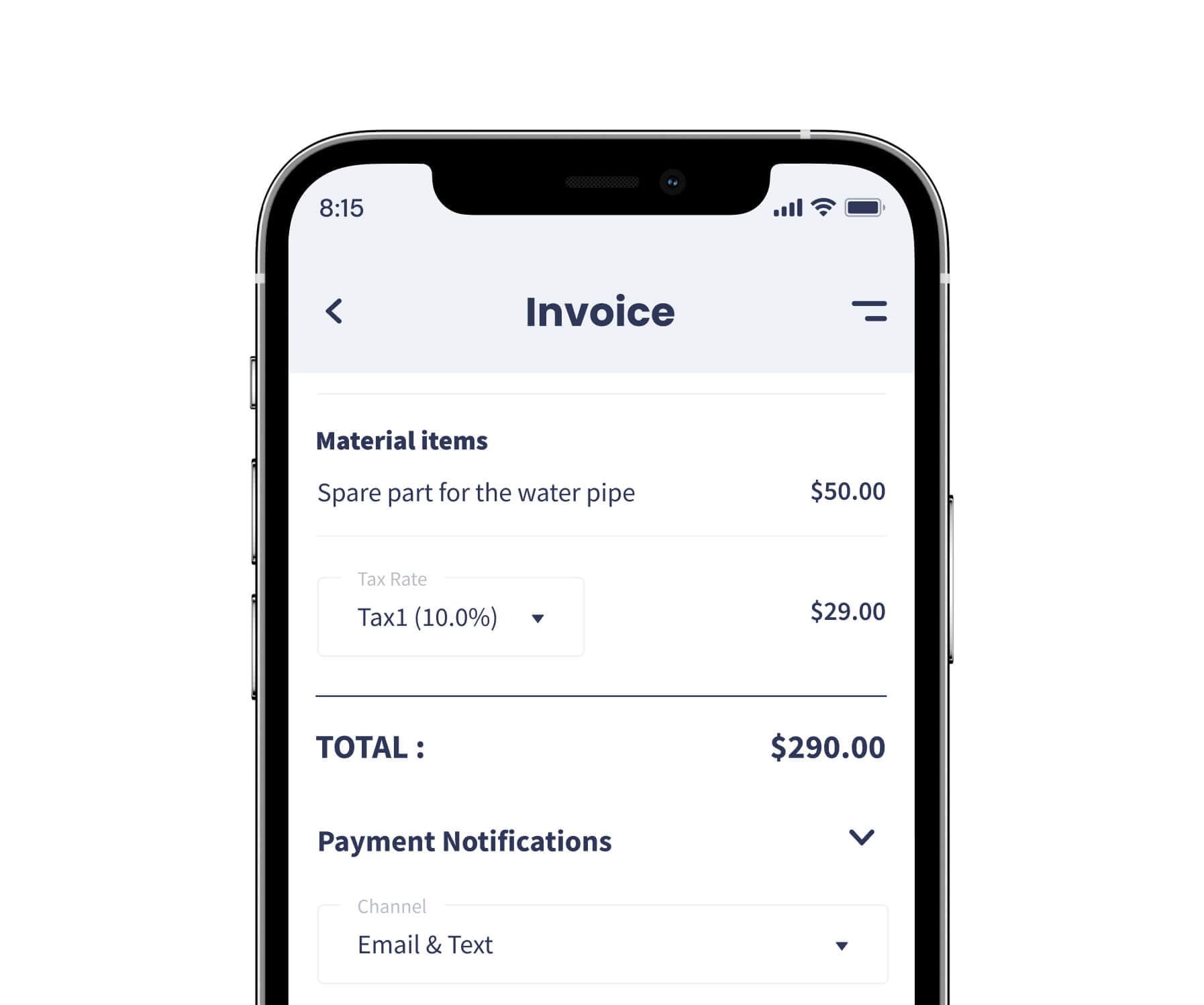
The invoice builds itself from the finished job, goes out branded, and chases itself when it is late.

  • Built from the job: Completed job details become a finished invoice with nothing to re-type.
  • It does the nudging: An automated follow-up workflow chases overdue invoices in your wording.
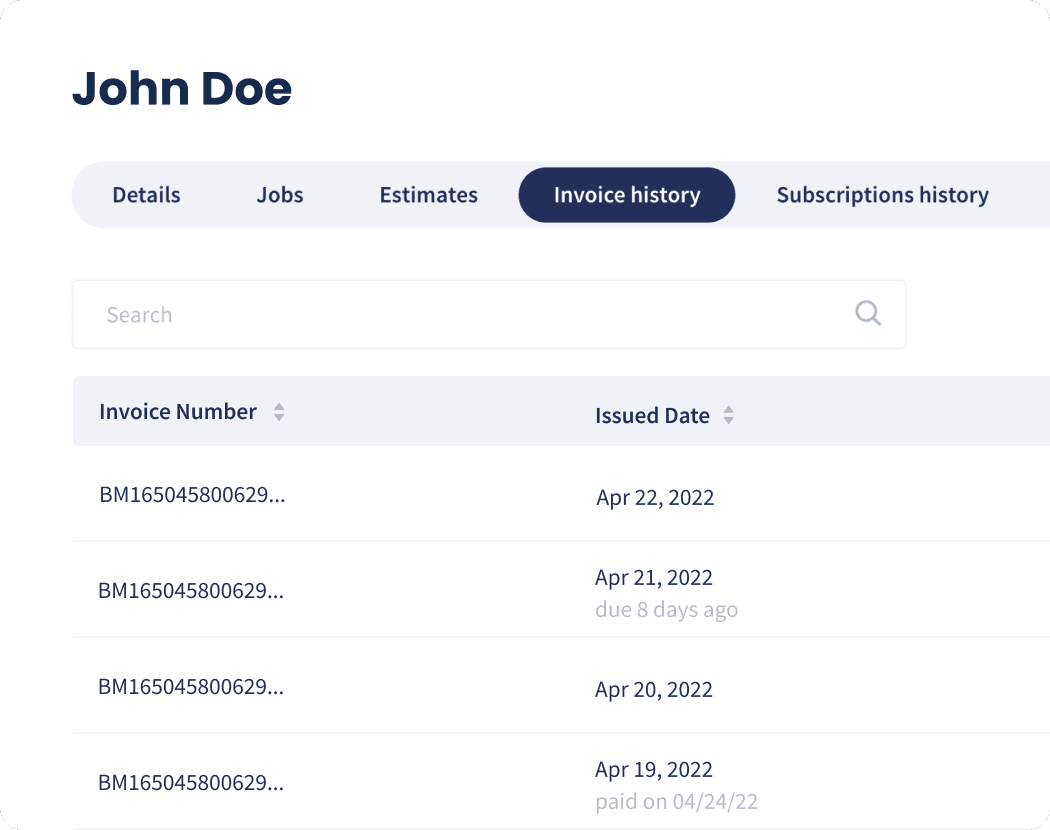
  • Know where you stand: See what has been sent, what is outstanding and what is paid, in one list.
Explore Invoicing
A professional Servgrow invoice with company branding and line items

Price Book

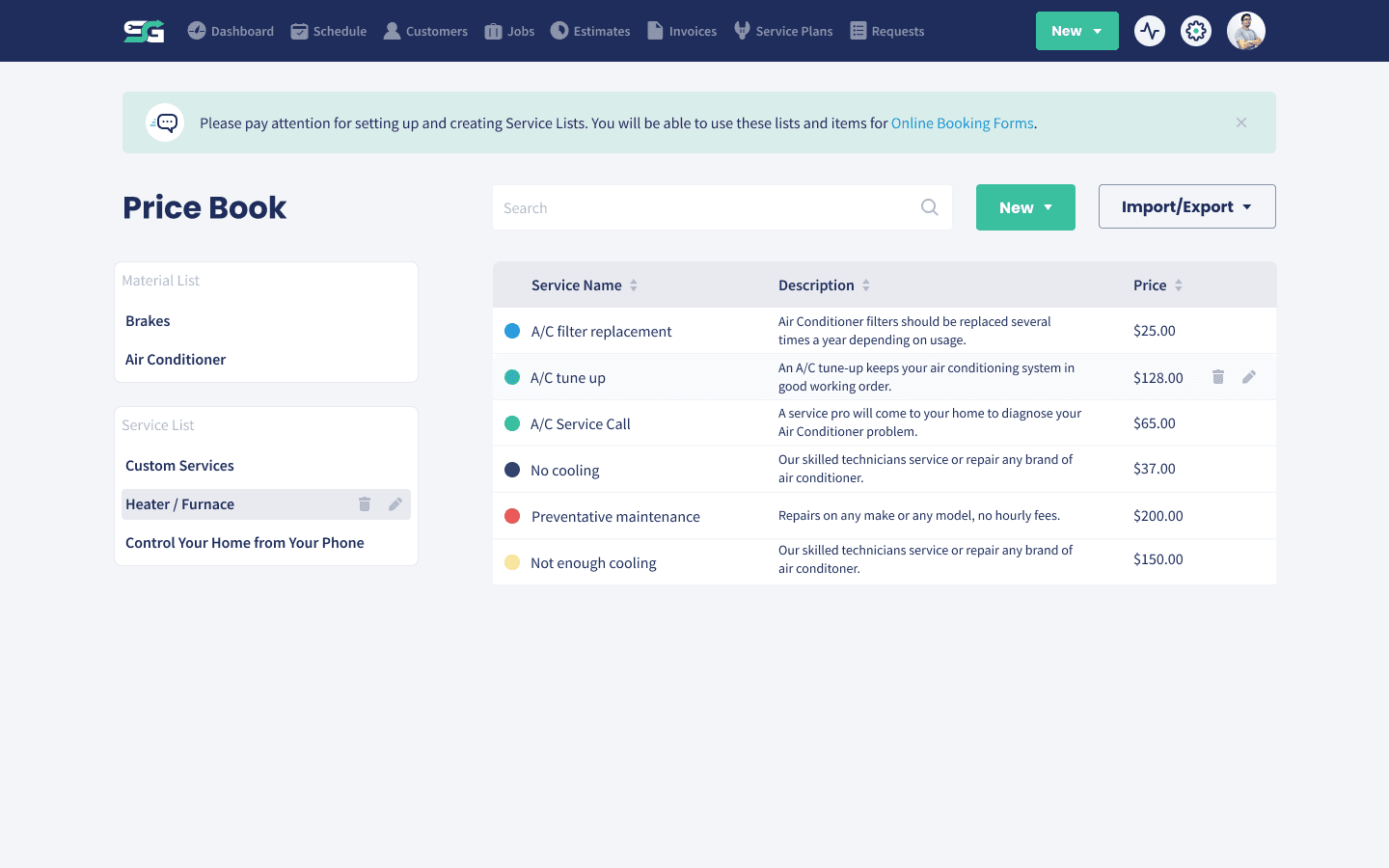
Every service and material priced once, with the cost behind it, so the whole team prices from the same numbers.

  • One book, one price: Change a price once and every new estimate uses it.
  • Estimate by picking, not typing: Drop price book items onto an estimate or a job in a couple of clicks.
  • Margin at a glance: Cost tracking shows which services carry the business and which do not.
Explore Price Book
The Servgrow price book with service and material lists

Expense Tracking

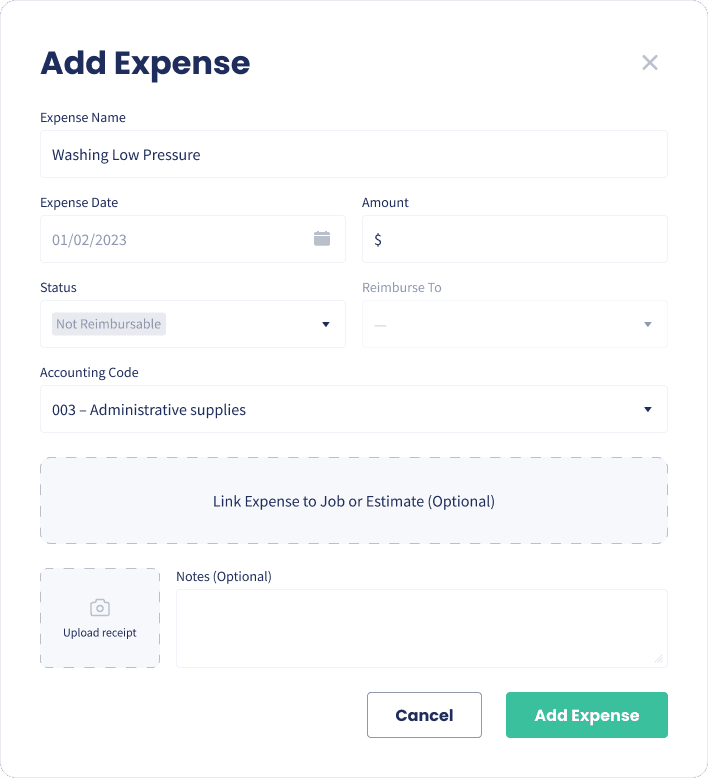
Log the spend at the counter with the receipt attached, linked to the job it belongs to.

  • Captured while it is fresh: Name, date, amount and a photo of the receipt, in seconds.
  • Reimbursable or not: Flag it and say who is owed, so payday is not a shoebox of receipts.
  • Real job profit: Link it to the job and see what the work actually cost you.
Explore Expense Tracking
Adding an expense with a receipt in Servgrow

Sales Reporting

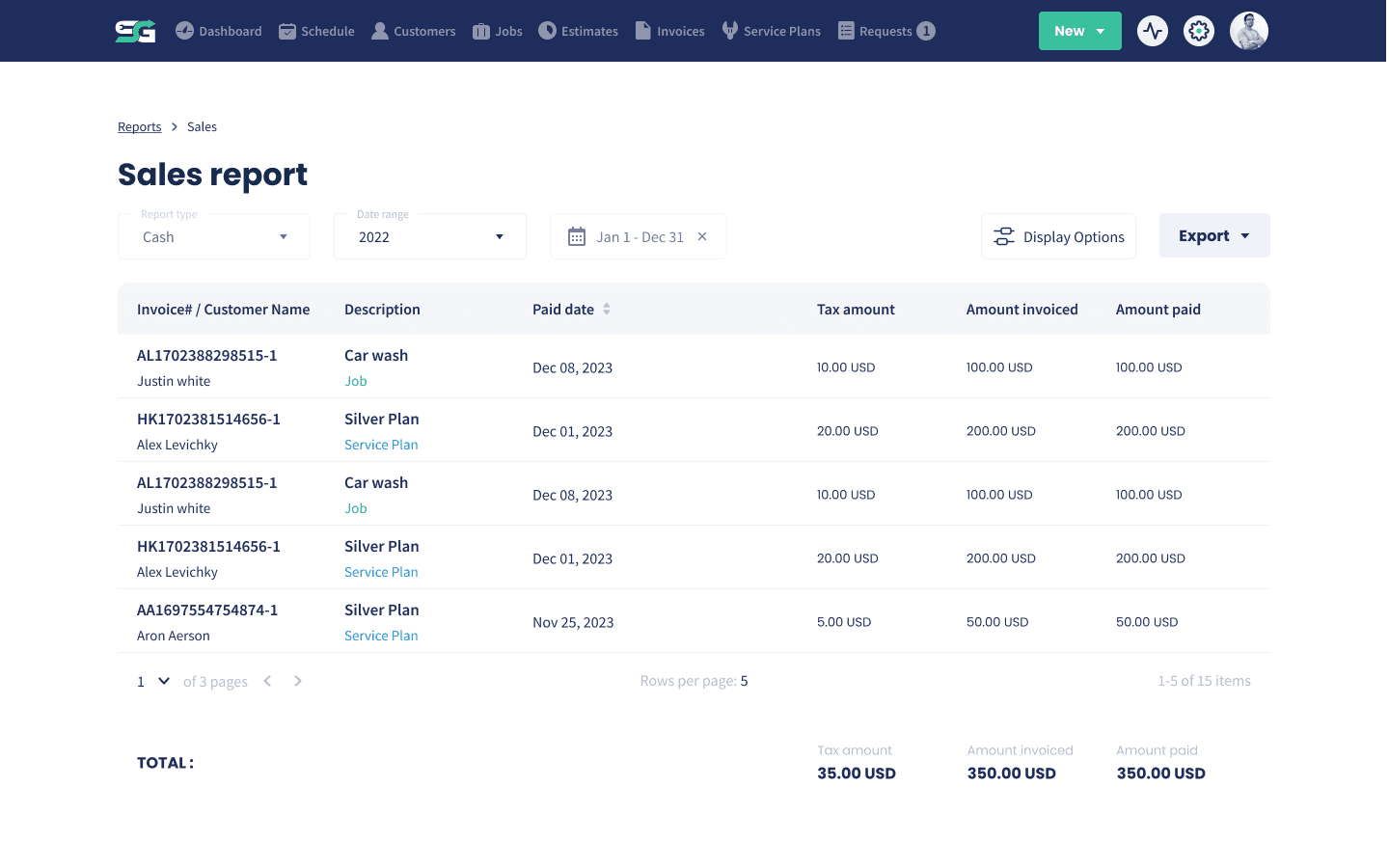
What you sold, what you collected and where it came from, over any date range, in the columns you care about.

  • The real number: Revenue by the work you did, not a rough feeling about the month.
  • Slice it your way: Any date range, your choice of columns, filters and sorting.
  • Export in a click: Send it to your accountant without rebuilding it in a spreadsheet.
Explore Sales Reporting
The Servgrow sales report
“Before adopting Servgrow, our business operations were fragmented, relying on 5-10 different software solutions. With Servgrow, we've consolidated our processes into one seamless and efficient system, enhancing both productivity and user experience.”
Tina B · Precision Pest Control

Fill the schedule

Marketing

Most of the work you lose, you never hear about. It goes to whoever turned up in the search, answered at nine at night, or stayed in touch after the last job.

Most used

Automated Follow-Ups (SMS & Email)

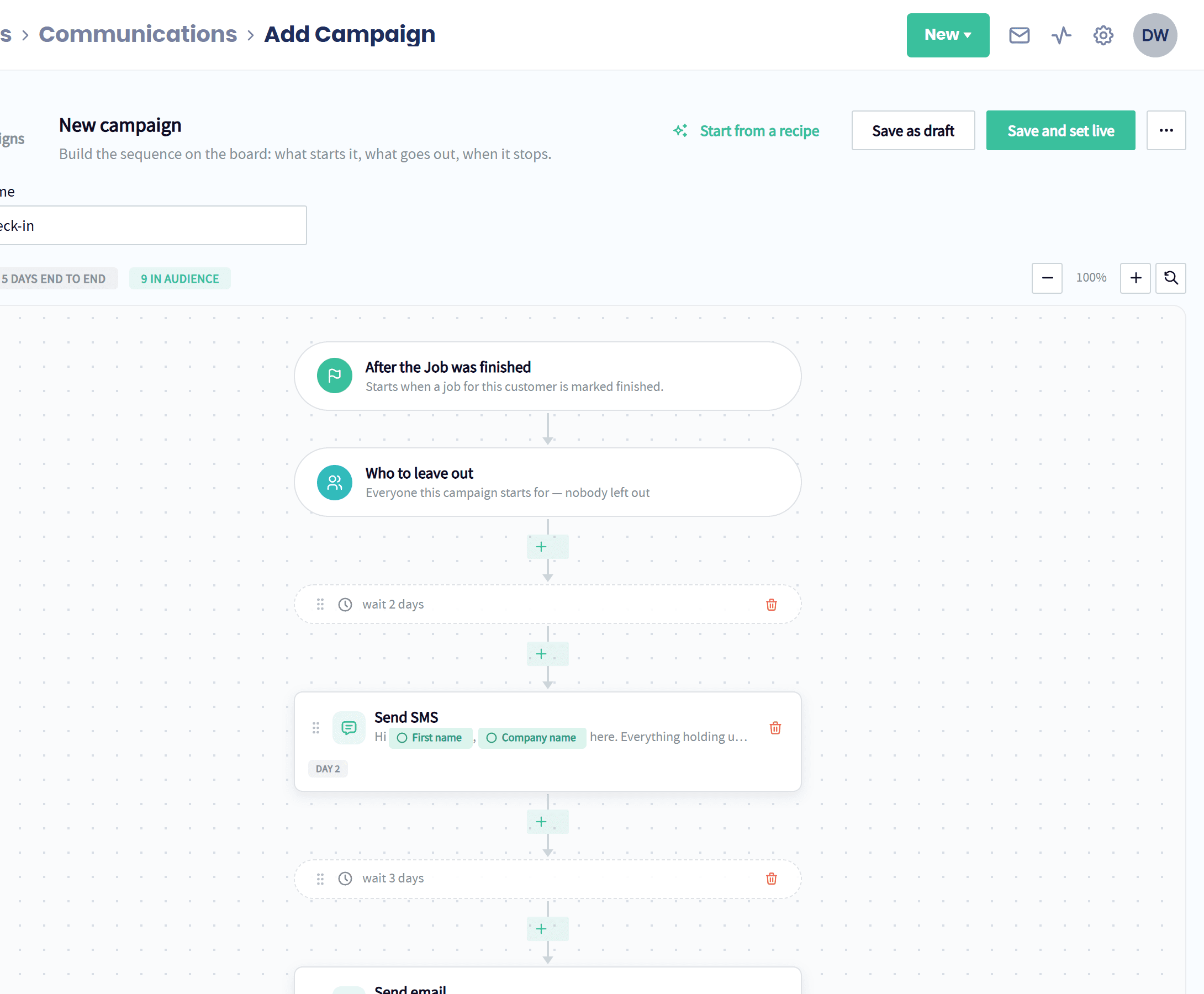
The follow-up you mean to send, sent every time: texts and emails that start on their own when a job finishes, an estimate is approved or an invoice comes due.

  • Triggered by your business: Jobs, estimates, invoices, new customers, booking requests and birthdays can each start a sequence.
  • Text and email in the right order: Mix texts, emails and waits on a simple board.
  • Stops when they respond: A reply, a click or a tag like Booked ends the sequence.
Explore Automated Follow-Ups (SMS & Email)
A post-job check-in in Servgrow: when a job is finished, wait two days, send a text, wait three days, send an email

SMS & Email Blasts

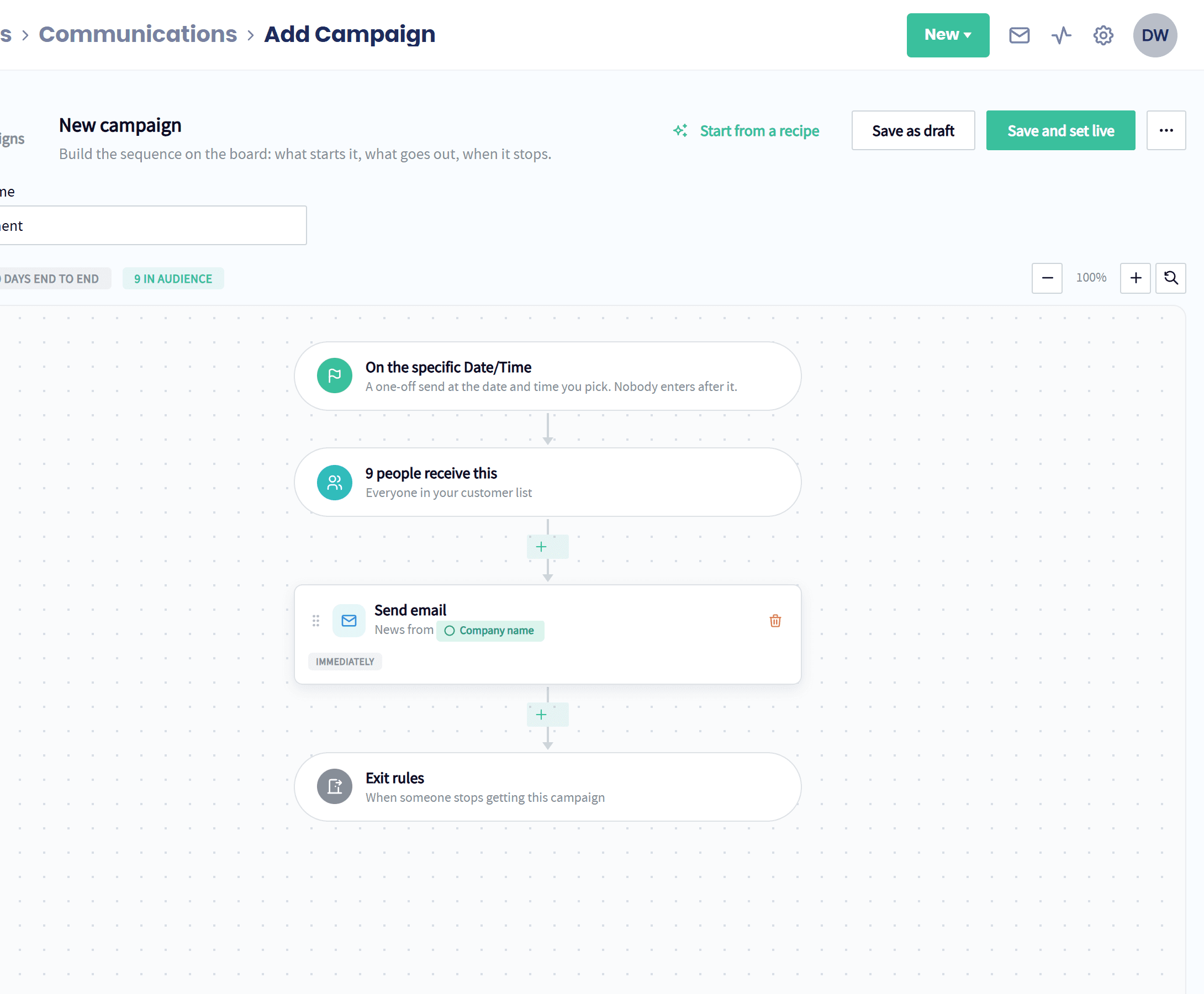
One text or email to every customer, or just the right ones, filtered by tags, hand-picked and scheduled for the moment it lands best.

  • Filter by tags: Include and exclude customers by the tags you already use.
  • See the final list: Review every name, leave anyone out and preview as any customer.
  • Written with AI: Personalized messages with rich text and images, in minutes.
Explore SMS & Email Blasts
A one-off email announcement set up in Servgrow, going to everyone in the customer list on a date you pick

Customer Reactivation

Servgrow spots the customers who have gone quiet and wins them back with an automatic text and email sequence.

  • Quiet for as long as you choose: Three months, six months or a year, checked every day.
  • Skips anyone already booked: Customers with work ahead on the calendar are left alone.
  • Use cases for every trade: Annual services, seasonal work, one-time customers and estimates that never closed.
Explore Customer Reactivation
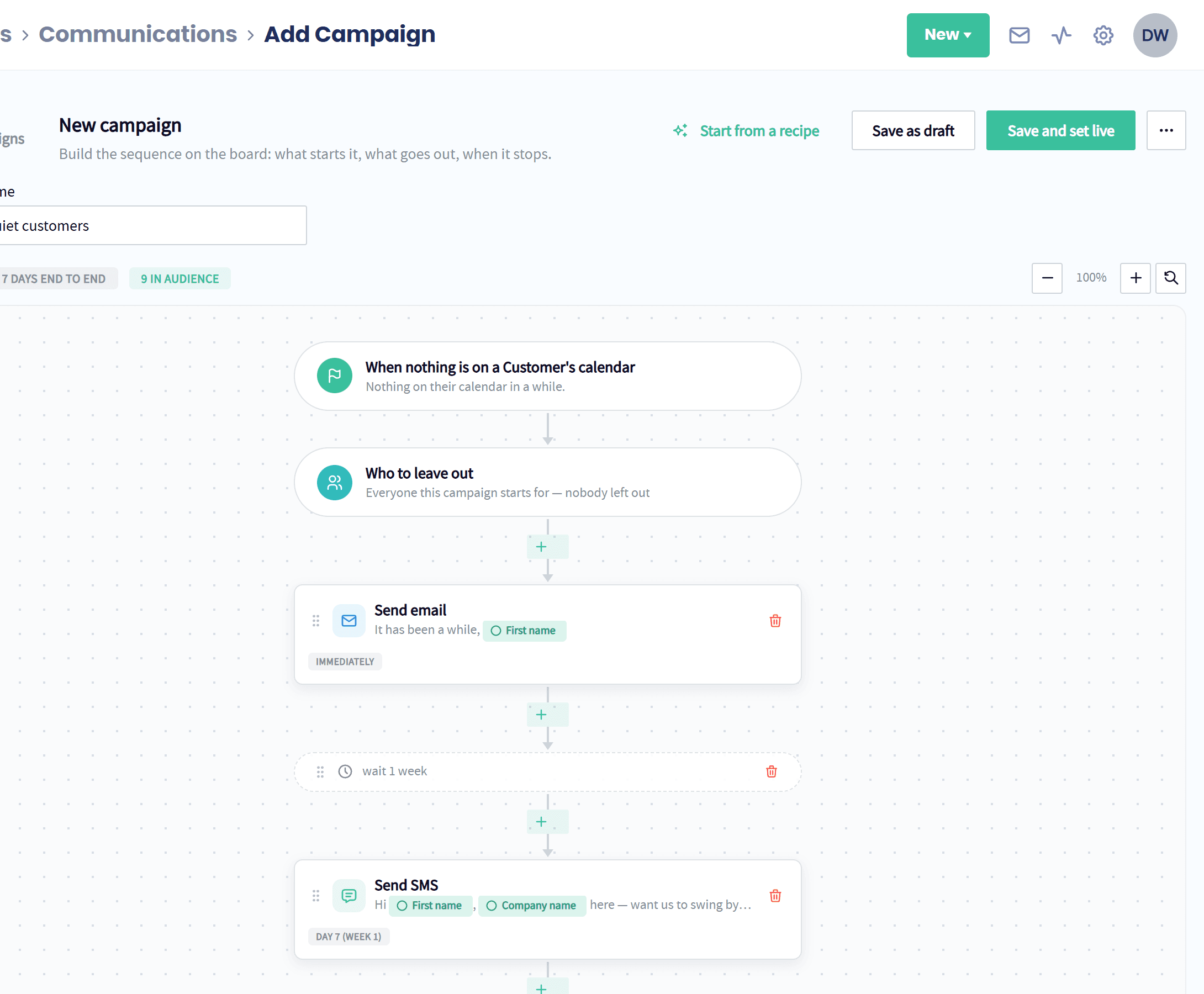
A win-back campaign in Servgrow: when nothing is on a customer's calendar, send an email, wait a week, then send a text

Custom Pro Website

A professional site built to turn traffic into booked work, because most customers judge you on it before they call.

  • Call and Book on every screen: A pinned Call Now and Book Online bar on every phone, and online booking built right in.
  • A page for every service and town: Built to be found on Google, with a perfect 100 SEO score on every site we have launched.
  • Built for you: Your brand, your photos and your services, designed and written by us.
Explore Custom Pro Website
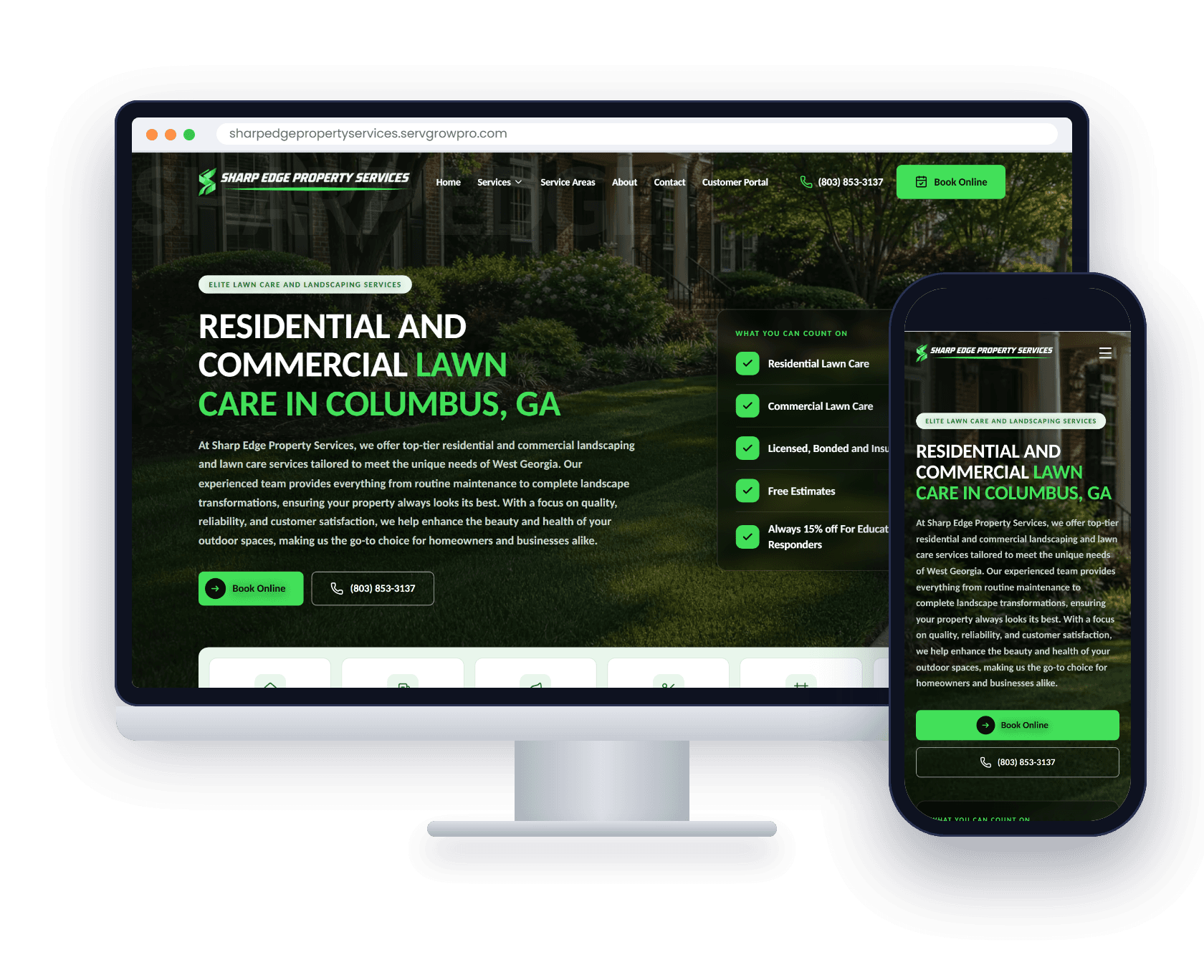
Sharp Edge Property Services' Servgrow Pro website on a desktop and a phone

Local Business Listings

Your business listed accurately across the directories customers actually search, and search engines take notice.

  • Everywhere they look: Google, Yelp, Bing, Facebook, Foursquare and dozens more.
  • Consistent details: The same name, address and phone everywhere, which is what search engines reward.
  • You look established: 80% of people check you out before they ring, and turning up everywhere builds trust.
Explore Local Business Listings
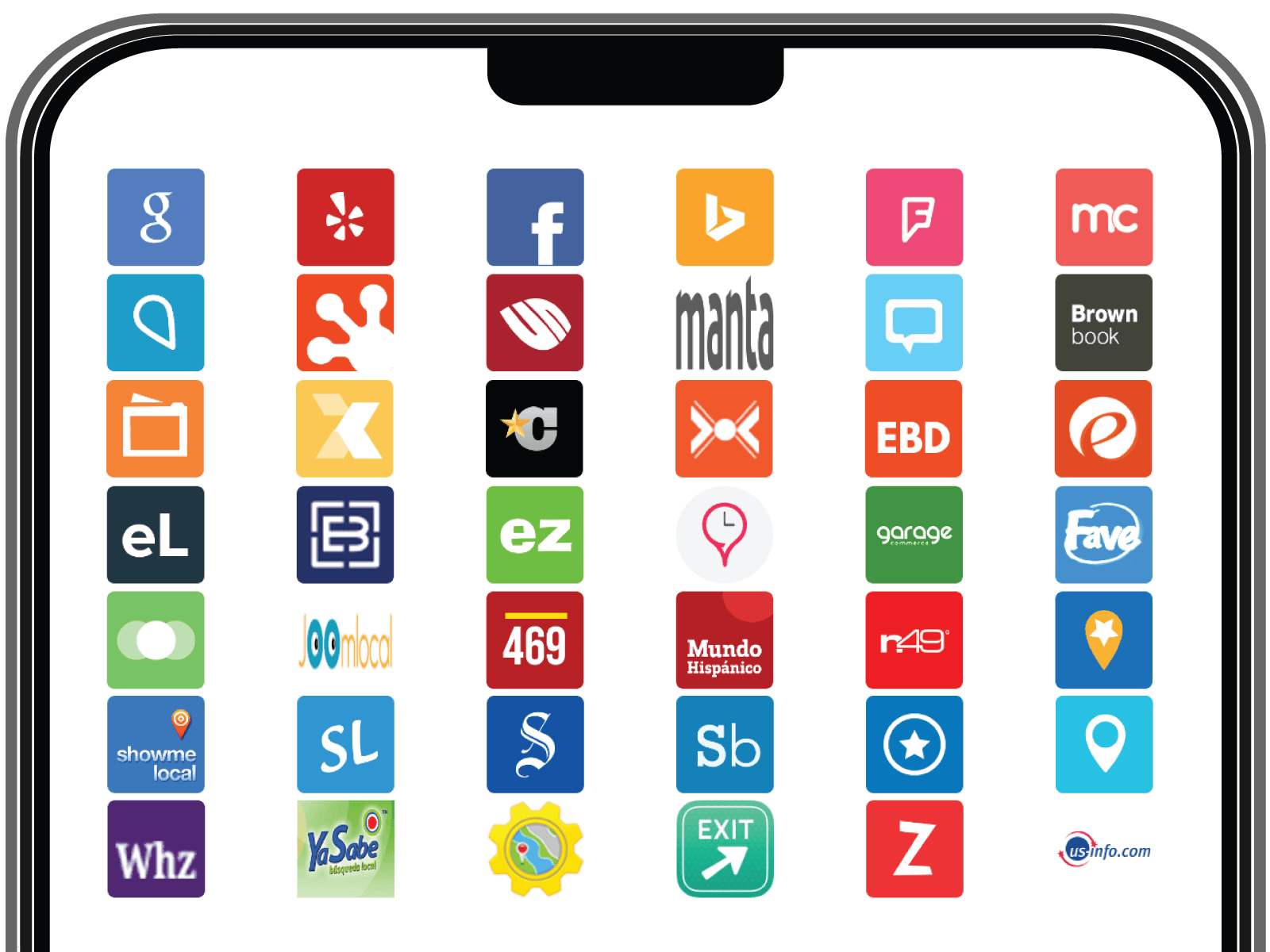
The business directories Servgrow lists your business on, from Google and Yelp to Bing, Facebook and Foursquare

SEO / AEO

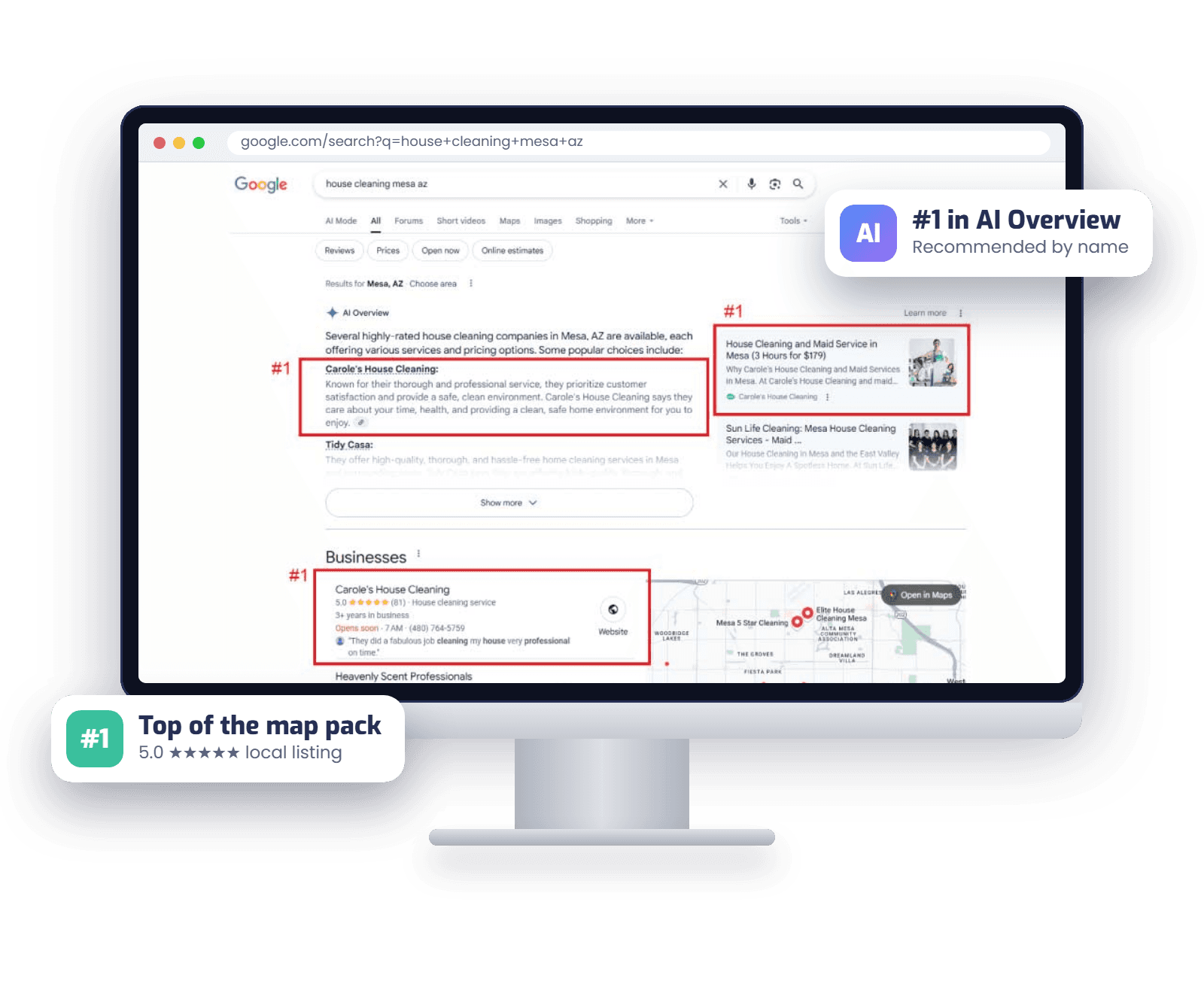
Authority links and Best Of article placements that lift your rankings and help AI answers recommend you.

  • Authority-building links: Backlinks that strengthen your site’s credibility.
  • Best Of placements: Third-party proof that search engines and AI models read.
  • Visible in AI results: More validation means more AI recommendations.
Explore SEO / AEO
A Google search on a desktop screen with the same house cleaning business ranked #1 in the AI Overview, the top result and the map pack

Auto Website Blogging

Fresh blog articles written in your voice and published to your own website on your schedule, then shared to your social profiles.

  • Grounded in your business: Written from what your own site says about your services and area.
  • On your schedule: Daily, weekly or monthly, live or as drafts to review.
  • Shared everywhere: Every new article goes out to your social profiles too.
Explore Auto Website Blogging
An article written by Servgrow, live on the Affordable Windows + Exteriors website on a laptop and a phone

Auto Social Media Posting

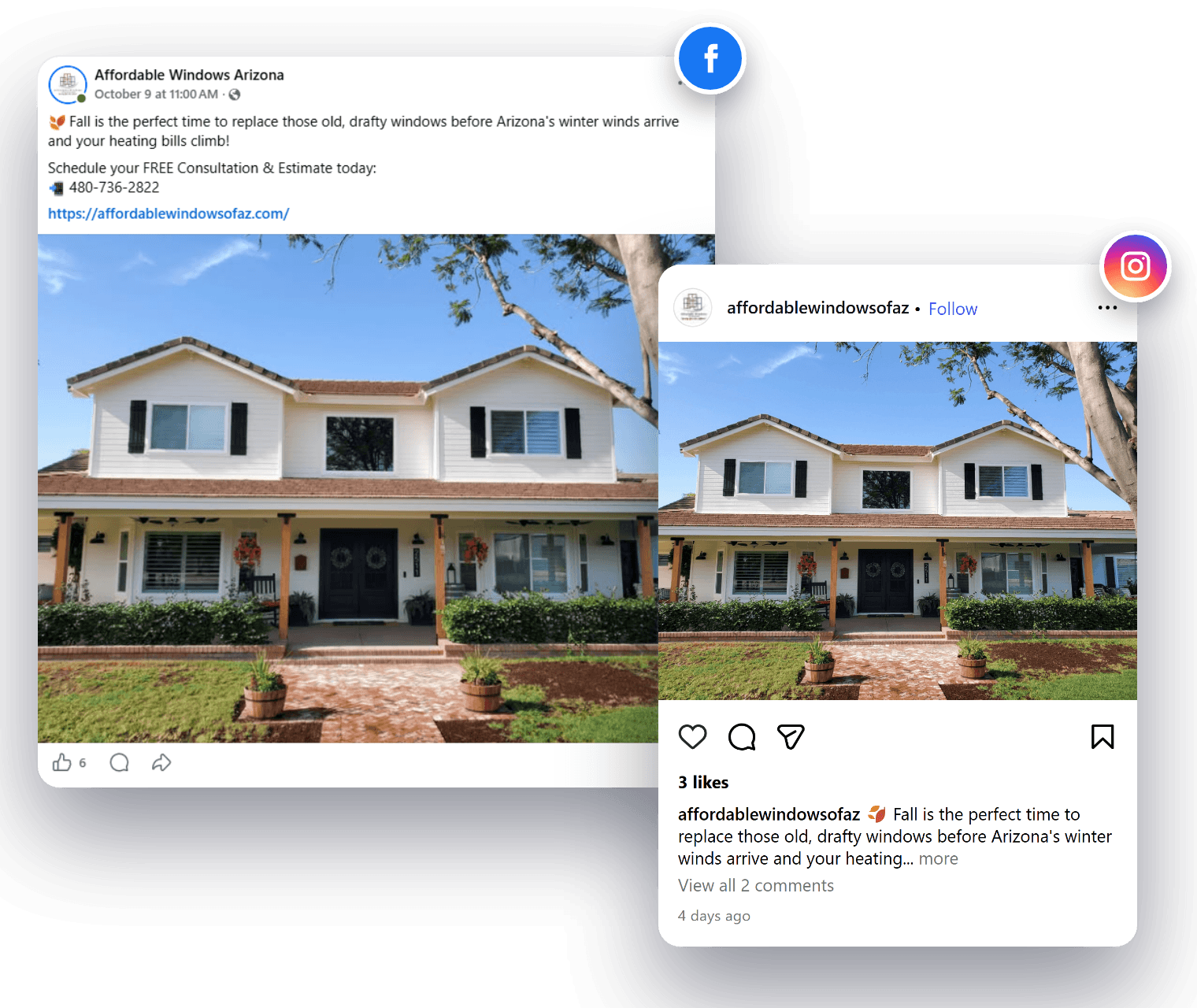
Fresh posts with matching images on Google, Facebook, Instagram, X and LinkedIn, every week, without writing a word.

  • Your brand voice: Posts that sound like you, with images in your colors.
  • Every platform on schedule: Pick the days and the time, and posts go out on their own.
  • Every review shared: New five-star reviews go out as branded posts on their own.
Explore Auto Social Media Posting
One Affordable Windows post, published by Servgrow to their Facebook page and their Instagram

Review Generation & Auto Follow-Up

Every customer asked for a review the moment the job is done, with automatic follow-ups until they leave one.

  • Text and email requests: A direct link to review you in seconds.
  • Auto follow-up: Reminders stop the moment they review, so nobody is pestered.
  • Replies in your voice: Reviews get answered for you, so every customer hears back.
Explore Review Generation & Auto Follow-Up
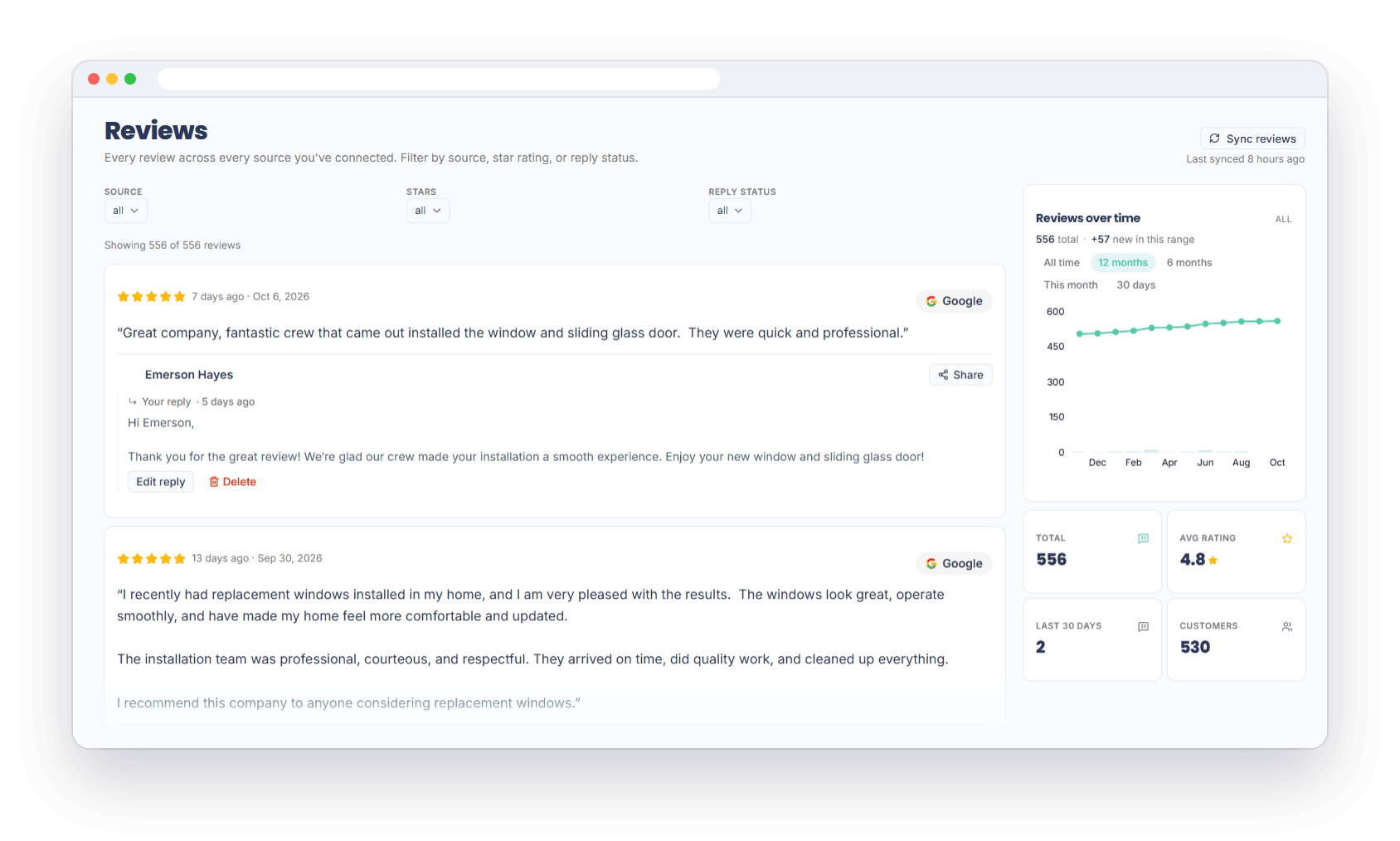
Servgrow Reviews for Affordable Windows of AZ: 556 reviews averaging 4.8 stars, with replies and a 12-month growth chart
“We've been using Servgrow for a while now and it's helped us immensely in our business and relationship with our customers. Customers love the online booking and customer portal and the automated follow-ups save us a ton of time.”
Tim D. · Cooler AC Today

trial

Try Servgrow for free ⚡

14-days free. No credit card required.

Start Free Trial