Estimating Software
Estimates with options that sell for you
Build good, better and best on a single estimate, send it in a couple of clicks, and let the customer pick the option that suits them. You stop estimating one flat number and start giving people a reason to spend more, without a single pushy conversation.
How Estimating with Options Benefits Your Business
A single-price estimate gives the customer one decision: yes or no. Options change the question to which one, and that is a far better question to be asking. Servgrow lets you build good, better and best as separate options on the same estimate, each with its own service and material line items pulled from your price book. The customer opens one link, sees every option priced and itemized, and approves the one they want. You are not upselling at them, you are giving them a choice, and the middle option quietly becomes your new normal ticket.
Upsell Built In
Estimates With Options
Put the upgrades right on the estimate.
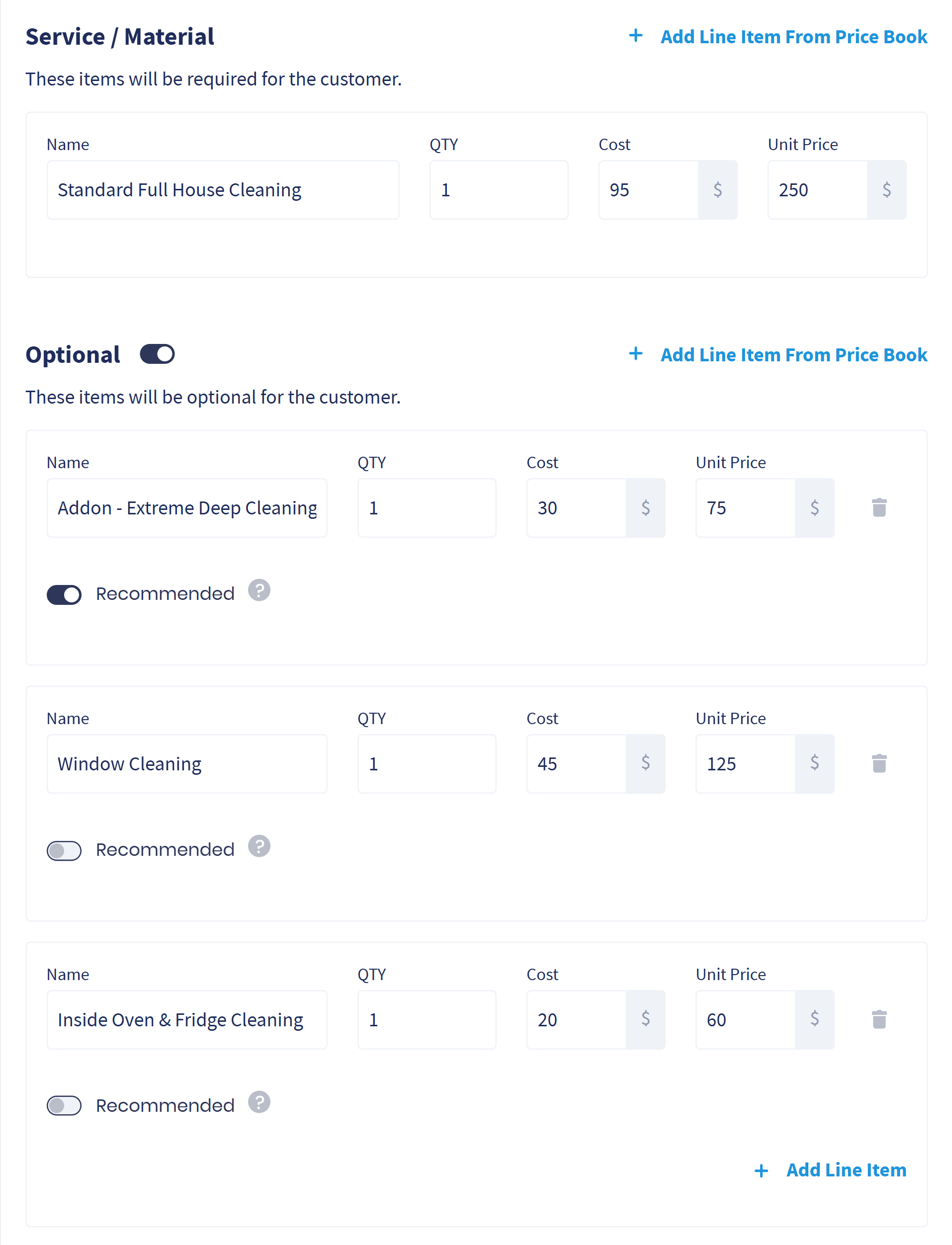
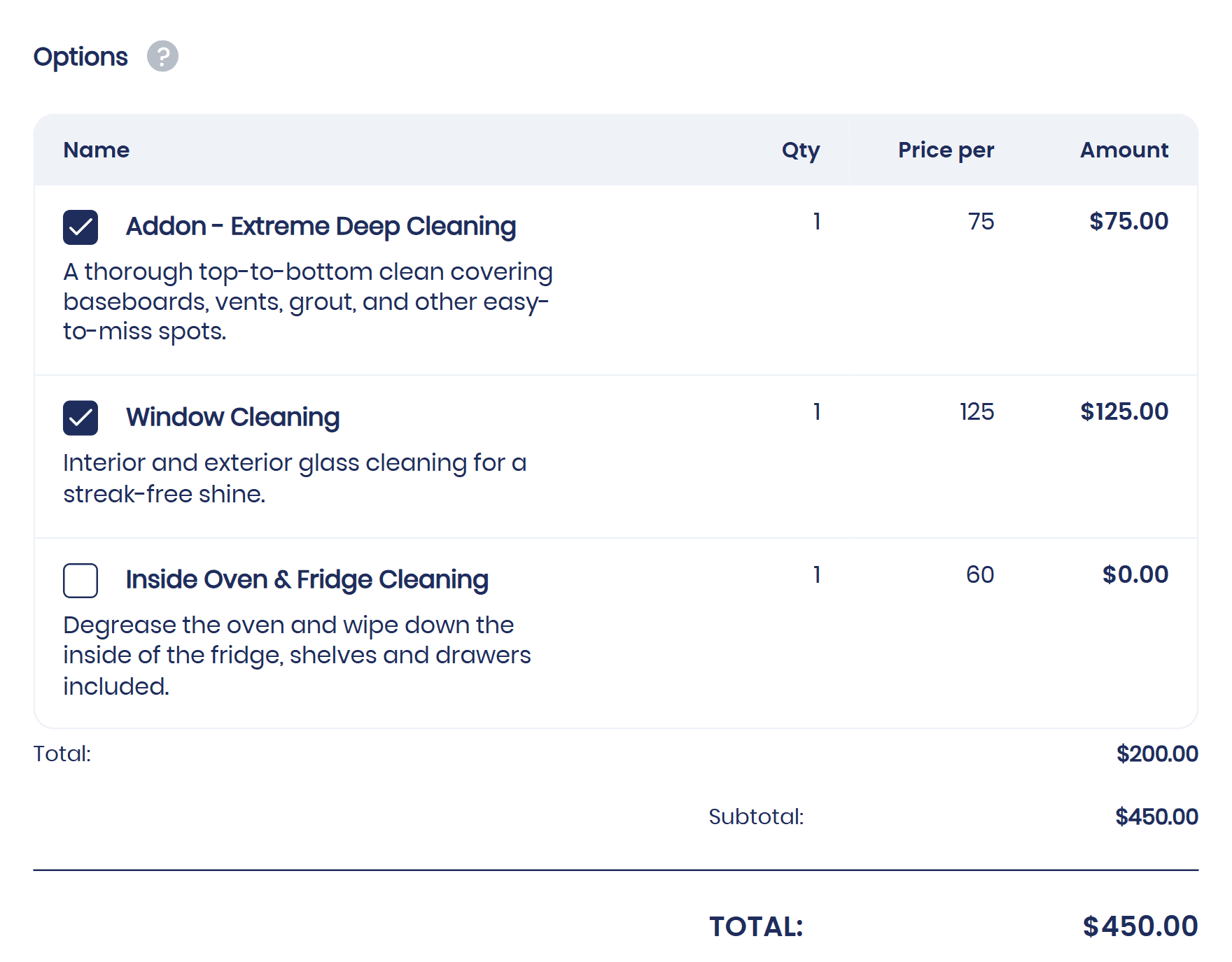
Options under the main service: Turn on Optional and add the extras the customer can pick, like a deep clean, windows or inside the oven and fridge, straight from your price book.
Each option priced on its own: Every option carries its own price, quantity and tax, so the customer sees exactly what each upgrade costs.
Recommend the upgrade: Mark an option as Recommended and it arrives already checked, so the upgrade is the easy yes.
Customer View
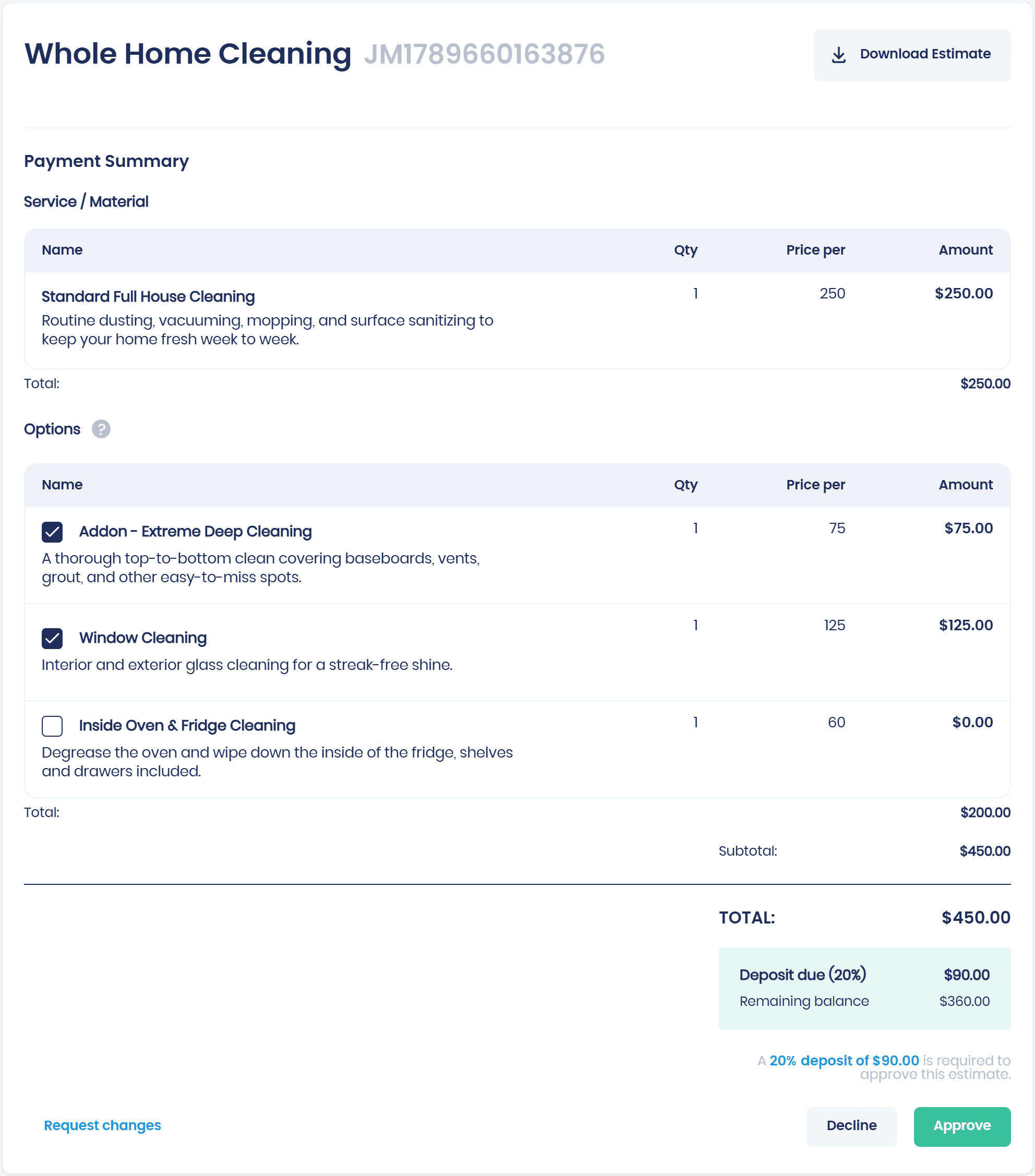
How Your Customer Sees the Options
One link, every option laid out clearly.
Every option itemized: The customer sees exactly what each option includes and what it costs.
They tick what they want: The customer checks the options they want and the total updates as they go, then approves with the deposit.
No phone call needed: The decision happens on their time, from their phone, while you get on with the work.
Fast Estimates
Lightning-Fast Estimate Creation
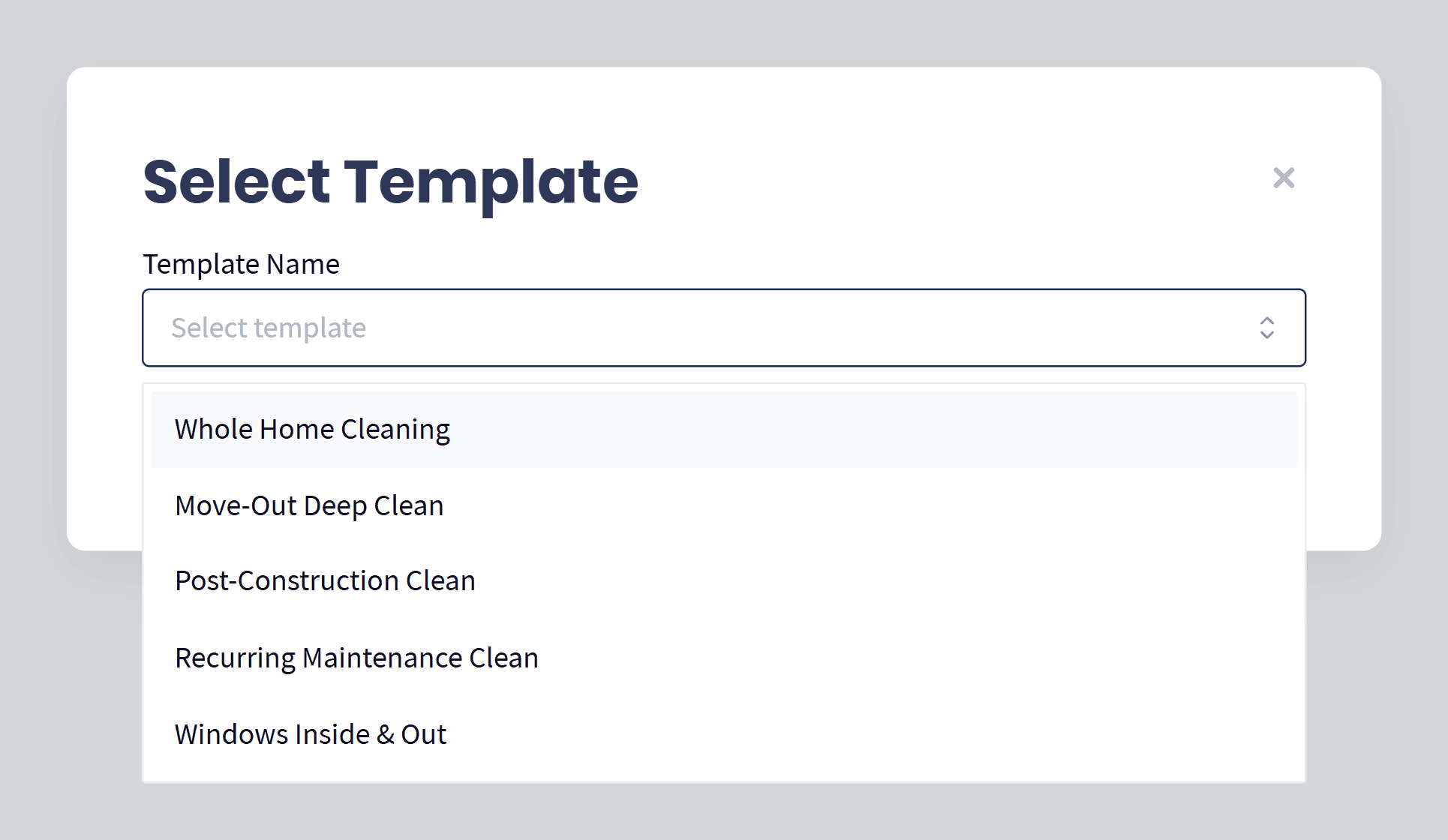
Pick a template and the whole estimate is built, ready to send by email or text, in a couple of clicks.
Start from a template: Save the work you quote most, like a whole home clean or a move-out deep clean, as an estimate template and start any estimate from it.
Built in a couple of clicks: Choose the template and the services, prices and optional upgrades are already on the estimate, so it can go out while you are still on the phone.
The same price every time: Everyone on the team quotes the same services at the same prices, so no estimate goes out underpriced or missing a line.
Never Chase
Automated Estimate Follow-up Workflows
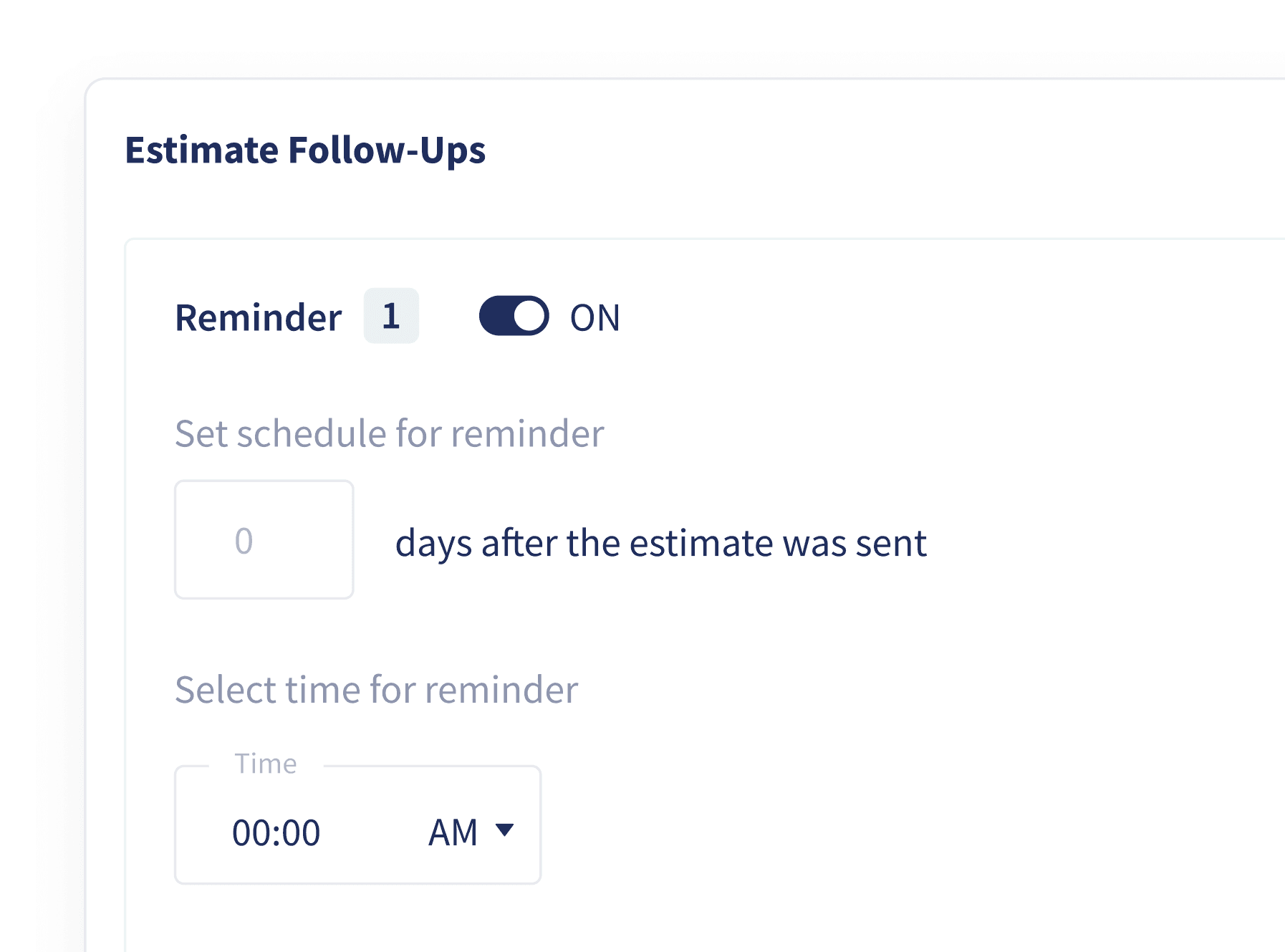
Set the workflow once and stop chasing estimates for approval.
An automated follow-up workflow: Customers you have not heard back from get email or text follow-ups on their own.
In your words: The reminders are customized to your business, not generic.
Less work left on the table: Quiet estimates get another nudge instead of being forgotten.
Sign Off Online
Approvals & Signatures
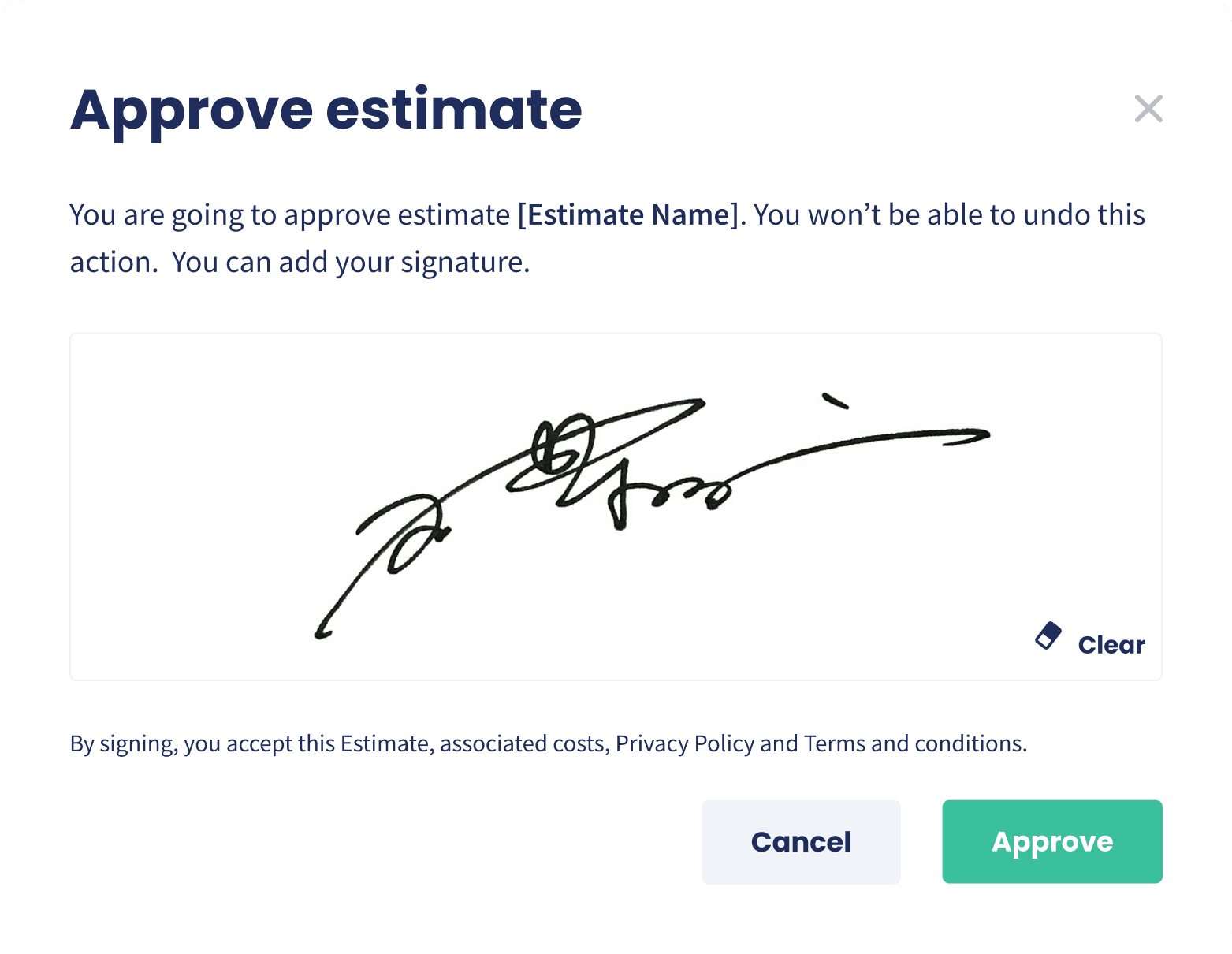
Customers approve, sign and can pay a deposit from wherever they are.
Approve online: Customers accept estimates from their own private customer portal.
Take a deposit on approval: Ask for a deposit as part of the approval, a fixed amount or a percentage, so the customer pays as they say yes instead of after you chase them.
Or ask for changes: They can request changes without a single phone call.
You hear immediately: You are notified on approval so you can move to the next step.
One Click Convert
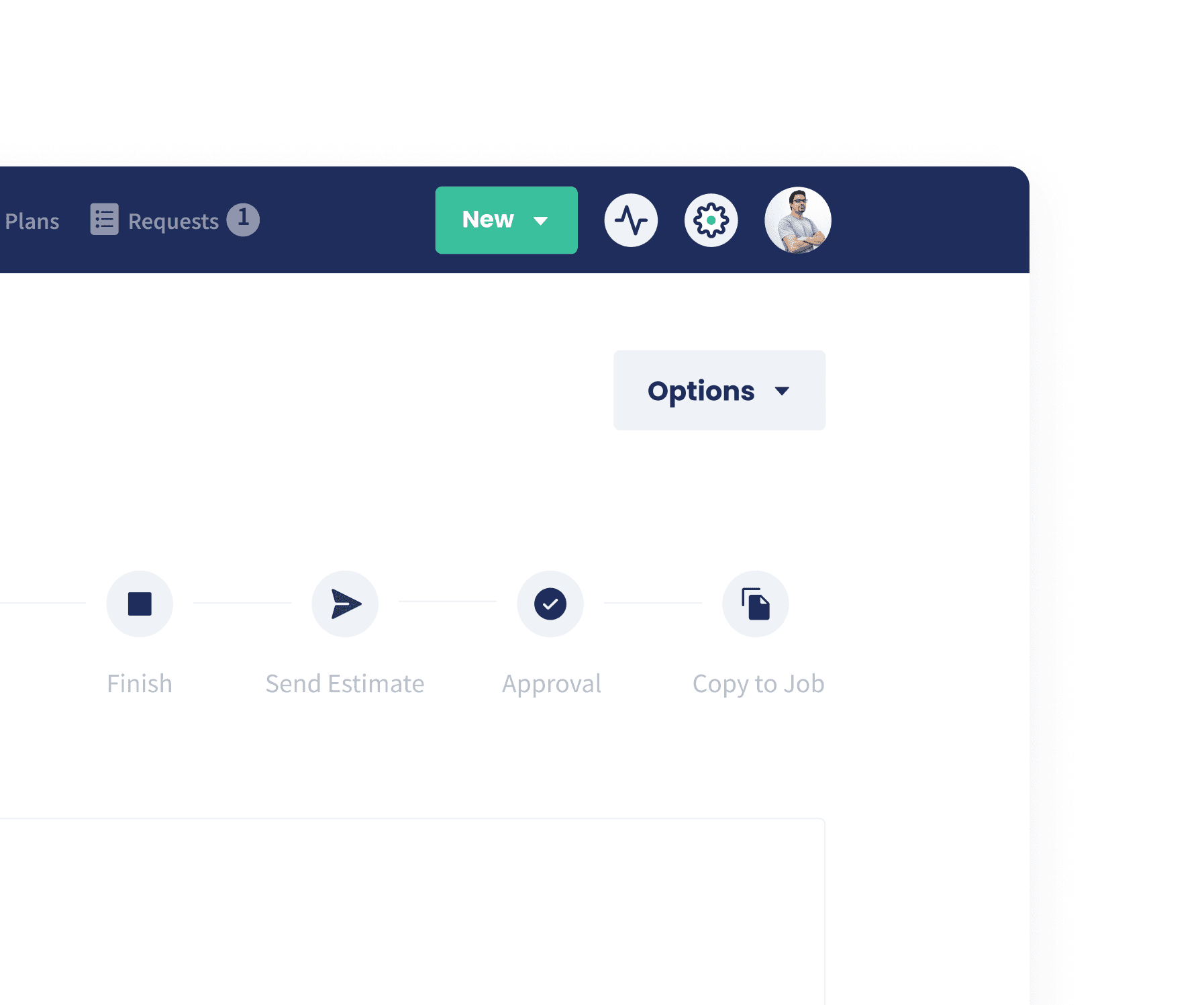
Convert an estimate to a job in one click
An approved estimate becomes a scheduled job instantly.
Everything carries over: Line items, notes and attachments all come with it.
No re-typing: The job is created for you, straight from the estimate.
Straight to work: Get on with the job instead of the paperwork.
Wrap Up: Why Use Servgrow's Estimating Software
The business that gets an estimate out first, gives the customer a choice, and follows up best is the one that wins the work. Servgrow lets you build good, better and best on one estimate, send it in a couple of clicks, and let the customer approve the option they want with a signature and a deposit. Auto follow-ups chase the quiet ones and the approved option copies straight into a job. Bigger average tickets, fewer estimates going cold, and far less of your evening spent on paperwork.