Time & Attendance
Know exactly where the hours went
Paper timesheets get filled in at the end of the week from memory, and memory rounds up. Servgrow tracks your crew's day from the buttons they already tap, splits every hour into job, travel and general time, and keeps working hours and time off in the same place, so you always know who is working, where, and for how long.
Why Time and Attendance Software Pays for Itself
Most service businesses lose money to time long before they lose it to pricing. A quarter hour rounded up here, a drive nobody logged there, a forgotten clock-out that turns into a twelve hour day on the payroll. None of it is dishonest and all of it comes straight off the bottom line. When the clock lives on the phone and every hour is attached to a job, you stop arguing about what happened and start seeing where the day actually went: how much of it was spent working, and how much was spent on the road.
In The Field
Time That Tracks Itself
Techs clock in once. The buttons they already tap do the rest.
One tap to clock in: The day starts from the phone, wherever it begins, with no paper in the truck.
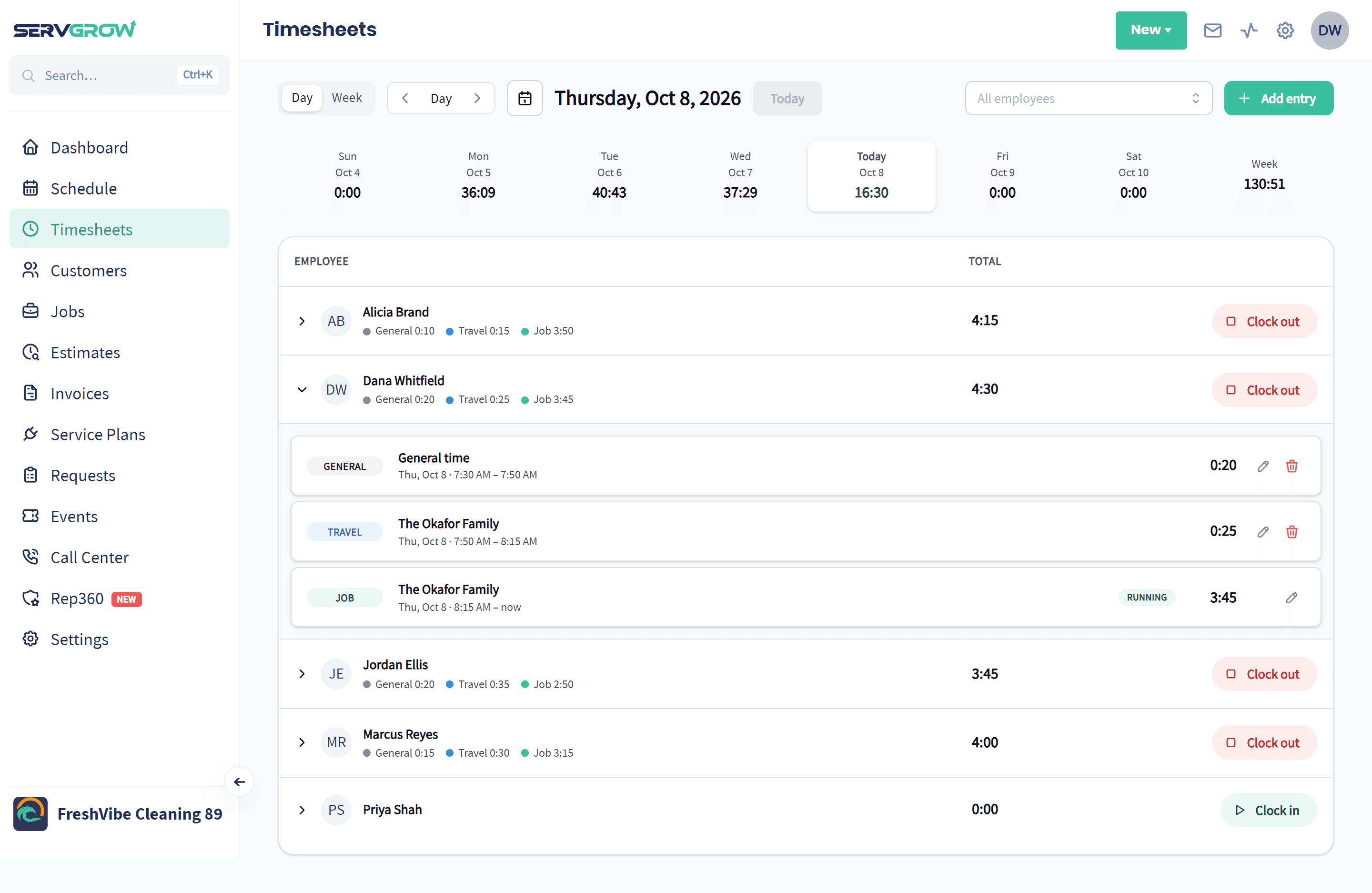
Travel and job time, automatically: On My Way switches to travel, Start switches to job time and Finish switches back, with every block tied to the customer it was spent on.
The whole crew moves together: When one tech taps a status, everyone on that visit who is clocked in switches too.
Estimate visits count too: Time at an estimate is tracked exactly the same way as time on a job.
In The Office
Catch the Problems Before Payday
Every hour your crew works, checked while it still matters.
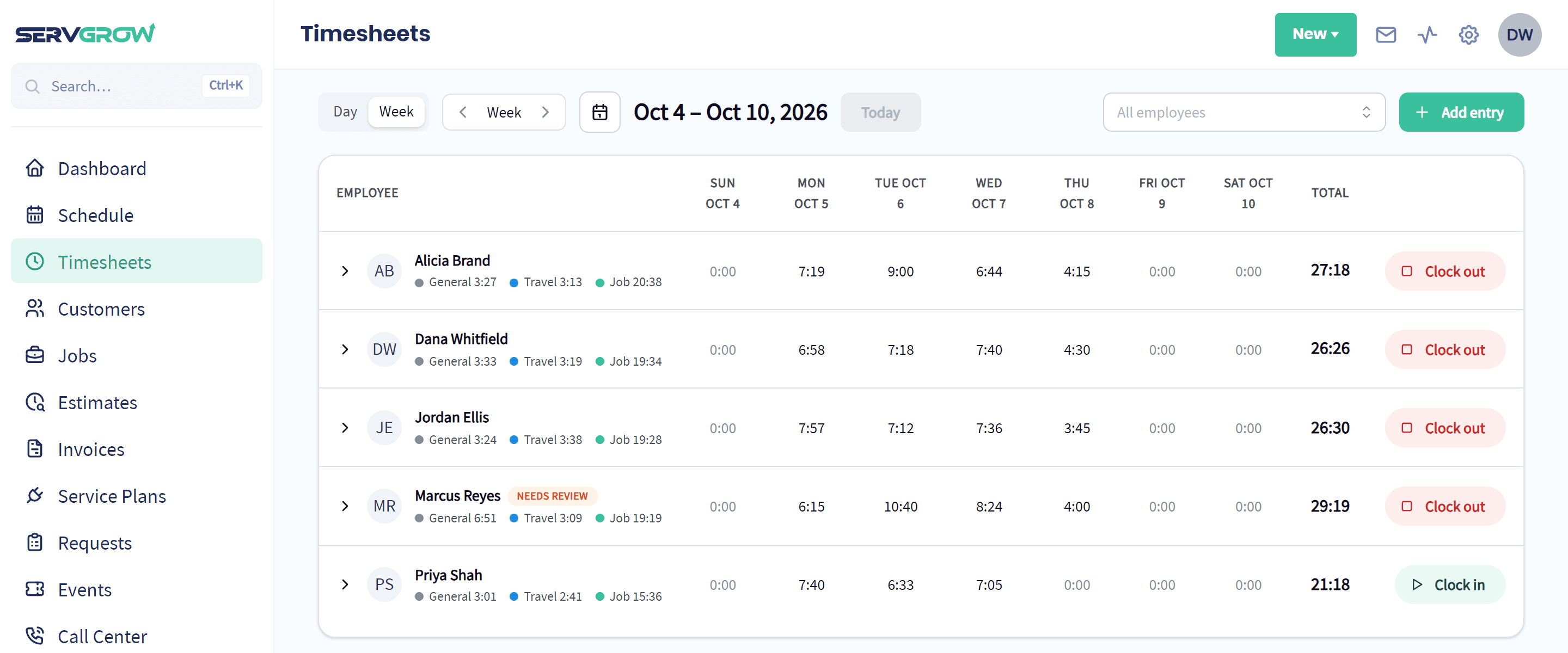
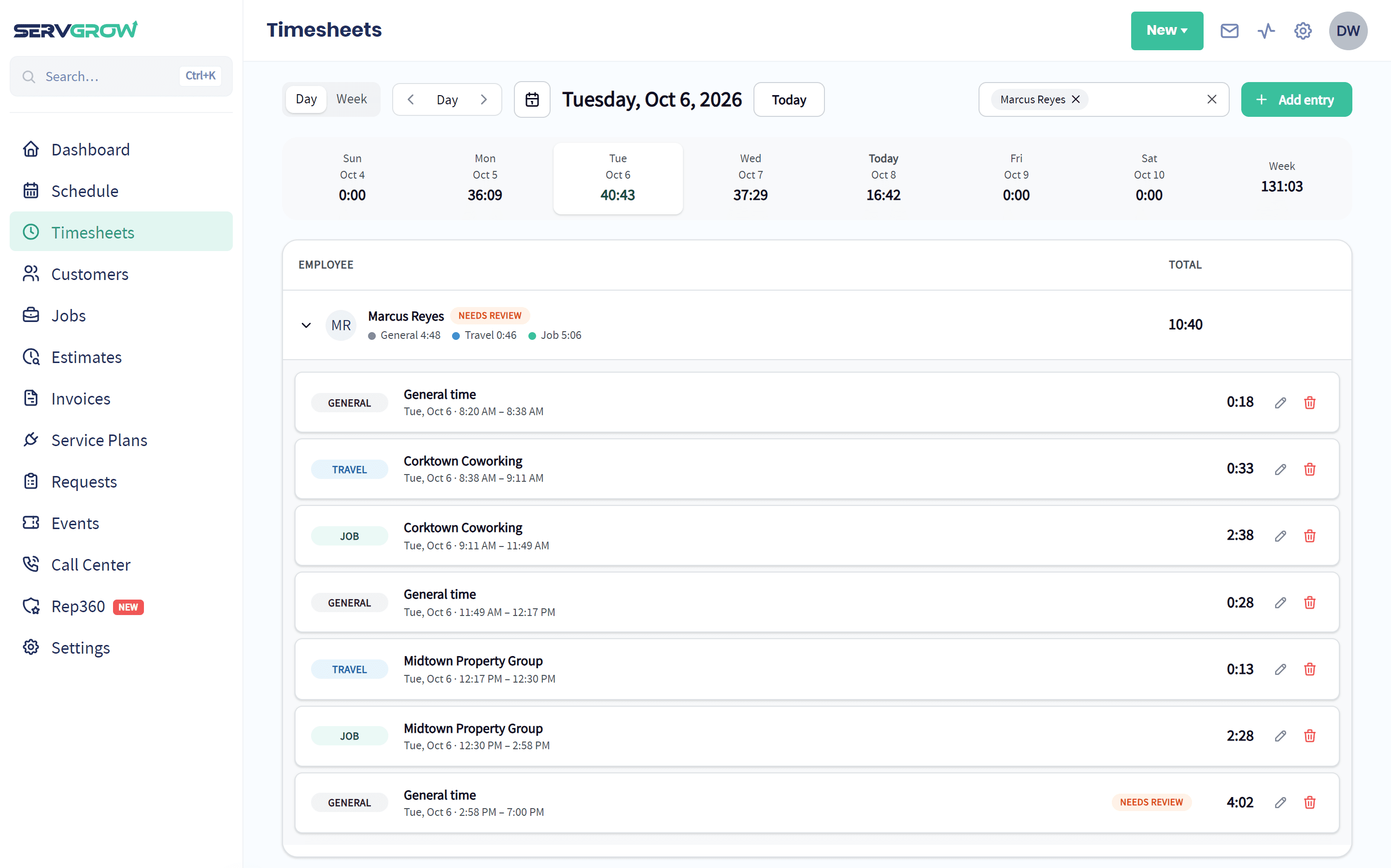
Day or week: Each person's hours by day, with the job, travel and general split under their name and a total for the week.
Forgotten clock-outs caught: Anyone still on the clock after working hours gets a reminder, timers stop on their own at midnight, and the entry is flagged Needs review until a manager fixes it.
Fix it from the office: Managers can clock someone in or out, add a missing entry or correct one that is wrong.
The right people see the right hours: Techs see only their own time. Seeing and editing everyone's time is a permission you give by role.
Employee Schedules
Set Working Hours for Every Employee
Everyone's availability in one place, so jobs land on the people who are actually working.
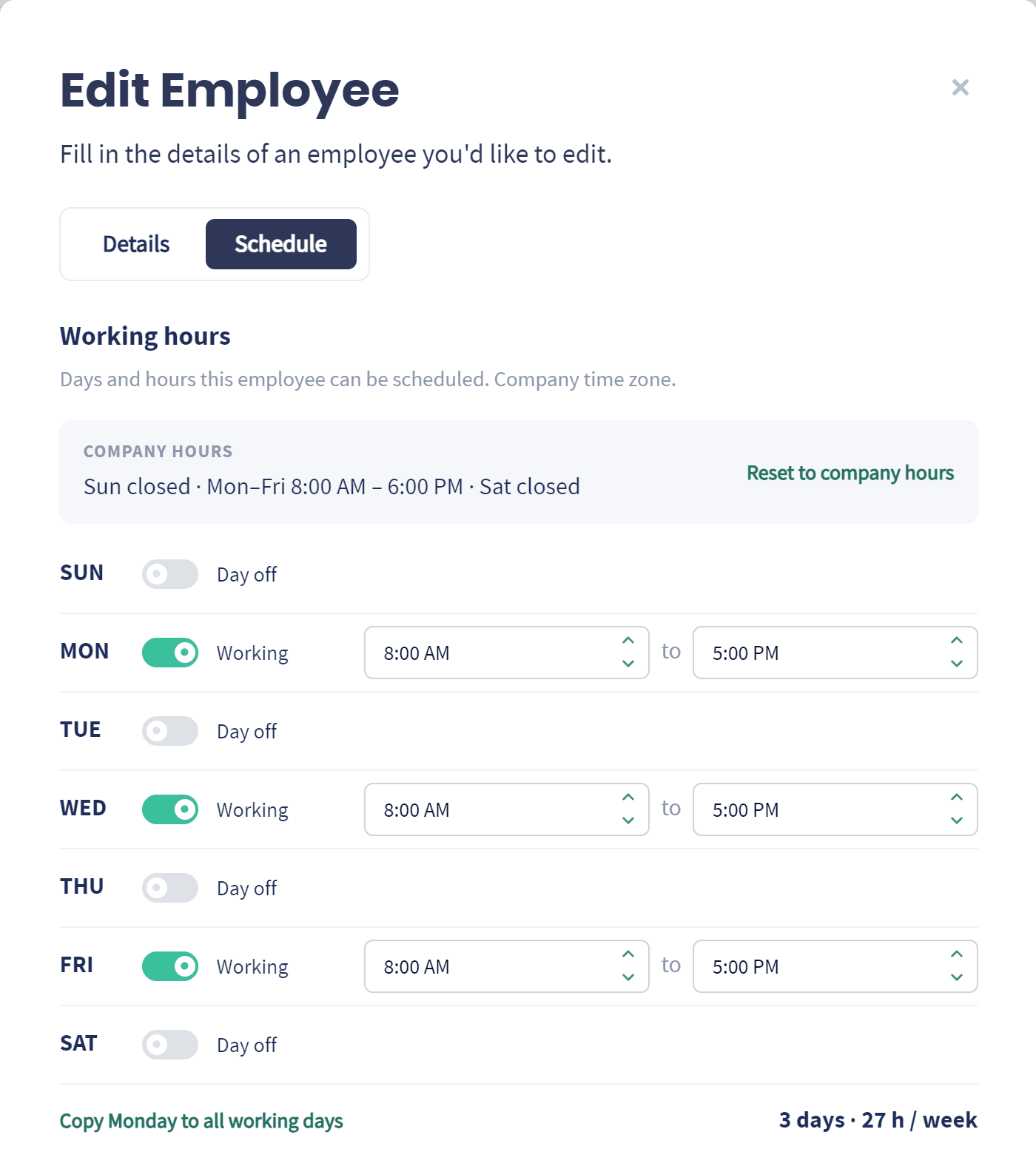
Start from company hours: Every employee begins on your company hours, and you change only the ones who work a different week.
Part-time made easy: Toggle days off, set start and end times, and see each person's days and hours per week at a glance.
Set it once: Copy Monday to every working day instead of filling in each one.
On The Schedule
Schedule Around Who Is Actually In
Working hours and time off show right where you plan the day.
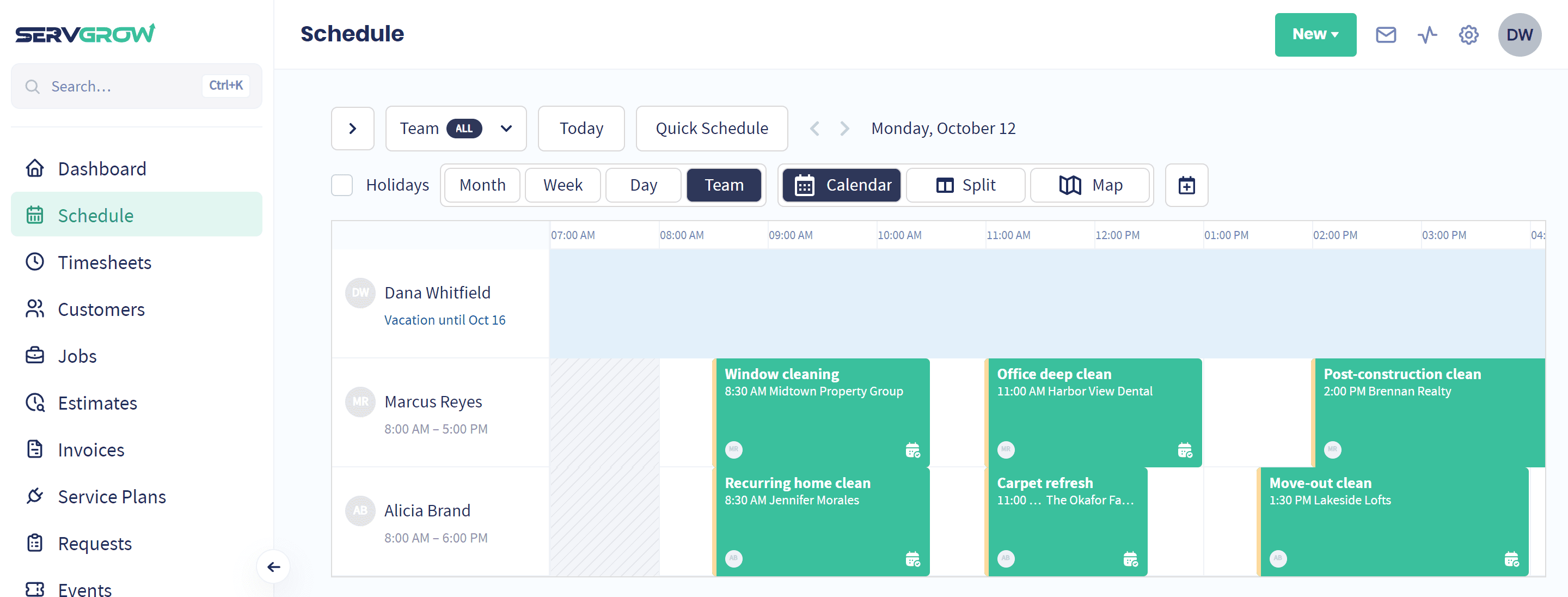
Hours on the calendar: Time outside each person's working hours is shaded on the team schedule, so you see who is free before you assign a job.
Time off where you plan: Approved time off sits on the schedule, so you see who is away at a glance instead of finding out when a job goes uncovered.
A warning before a mistake: Servgrow warns you when you schedule someone outside their hours or during their time off.
Time Off
Time Off Without the Text Message Chain
Requests, approvals and everyone's upcoming time away, in one list.
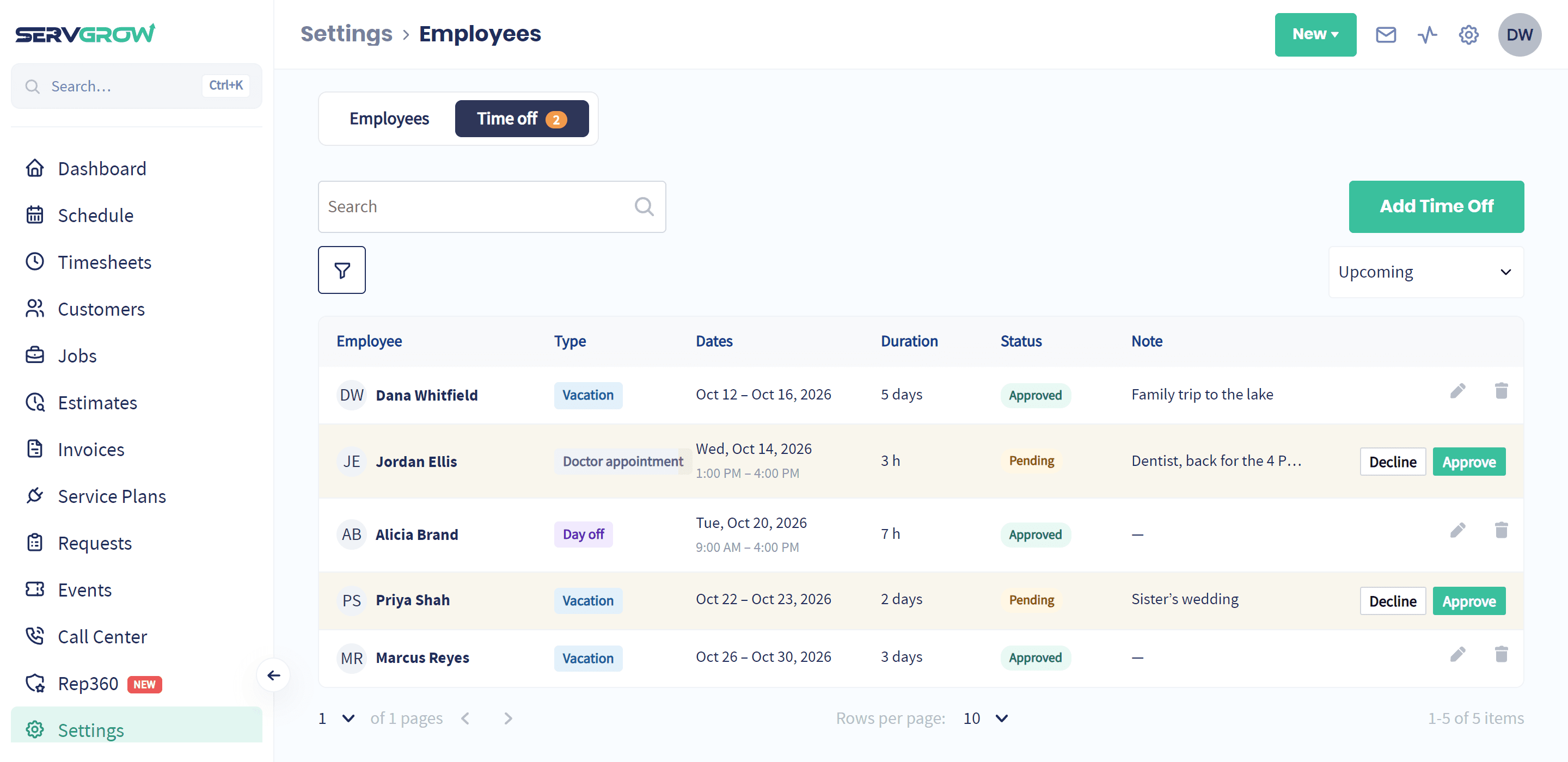
Requests in one place: Vacation, sick leave, appointments and more, each with its dates, hours and a note.
Approve or decline in a click: Pending requests are marked in the list, with Approve and Decline right on the row.
Whole days or a few hours: Book a full week away or just the afternoon of a dentist appointment.
Overlaps caught: Servgrow checks new time off against what is already booked, so two requests never quietly collide.
What is Time and Attendance Software?
Time and attendance software records when your staff start and stop work, attaches those hours to the job they were spent on, and keeps track of when each person is meant to be working and when they are away. For a field service business that matters more than it does in an office, because the work happens somewhere you cannot see it and the day is split across several sites and the drives between them. A good system takes the recording off your crew, takes the chasing off your office, and leaves you with hours you can trust.
Wrap Up: Stop Paying for Hours Nobody Can Account For
Time tracking sounds like admin and turns out to be visibility. Once every hour is split into job, travel and general time, you can see where the day really goes, catch the forgotten clock-out before payday, and schedule around the people who are actually in. Your crew taps the buttons they already tap, and the timesheet fills itself in.