Roles & Permissions
Grow the team without handing over the keys
A new hire can run the schedule all day without ever seeing your invoices, your pricing or your full customer list. You choose what each role can see and do, and it carries through to the phone in their pocket.
How Roles and Permissions Benefit Your Business
Every business hits the point where more people need to be in the software, and the owner starts worrying about what they can see. Your pricing, your margins, your whole customer list, the invoices, all of it sits in one place. Roles and permissions solve that without slowing anybody down: the tech sees the work assigned to them, the office runs the day, and the owner keeps the numbers to themselves. Nobody has to be trusted with more than their job needs, so you can hire, delegate and hand over the schedule with a lot less to lose sleep over.
One Screen
Set Permissions by Role, Not Person by Person
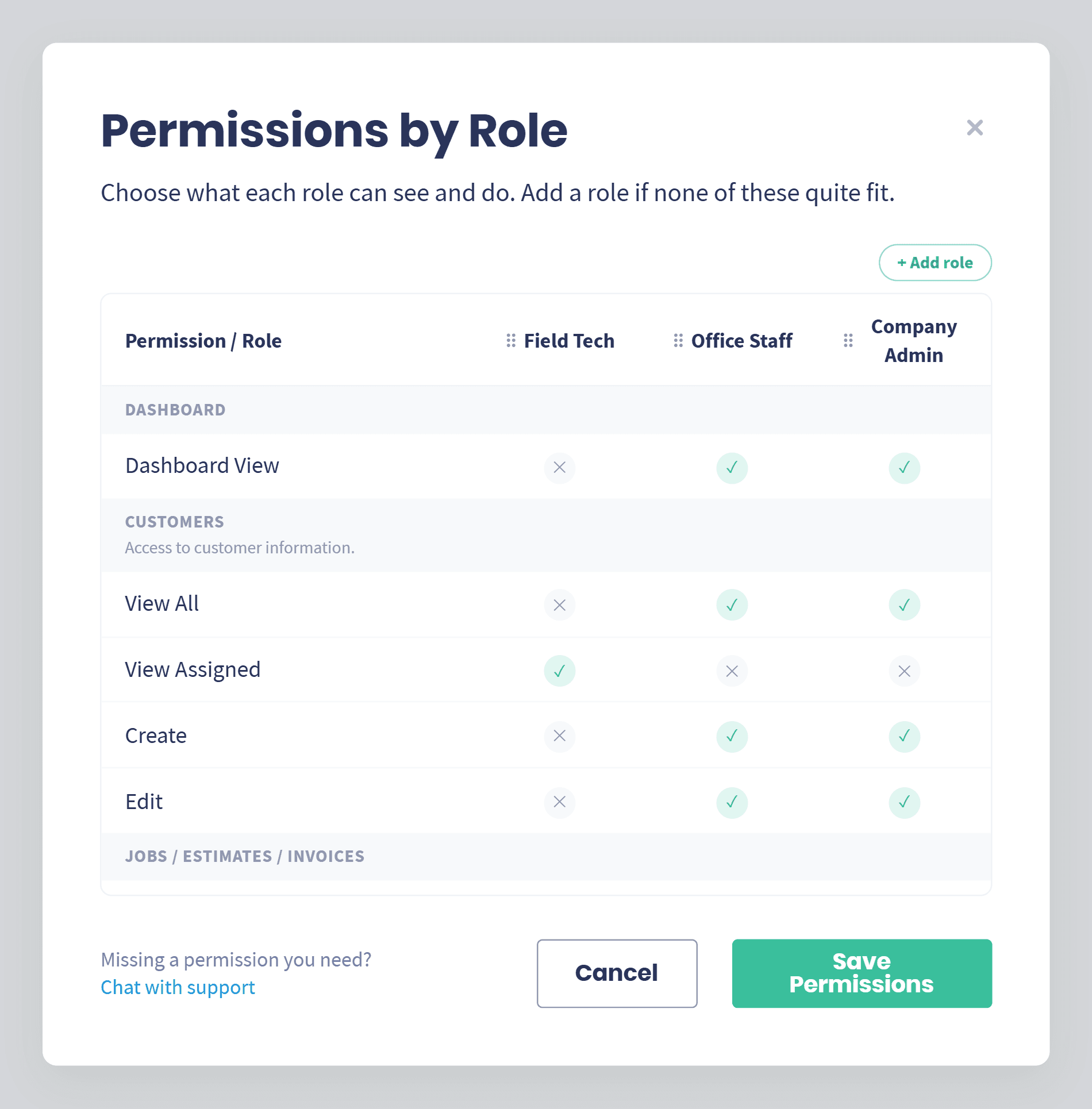
Choose what each role can see and do, in one place.
Every role side by side: Field Tech, Office Staff and Company Admin sit in columns, so you can see who can do what at a glance.
Switch access on and off: Dashboard, customers, jobs, estimates, invoices, texting, service plans and events, each one a simple yes or no.
View all or view assigned: Let someone see the whole board, or only the work with their name on it.
Set once, applies to everyone: Change the role and every person in it moves with it, instead of editing one profile at a time.
Your Numbers
Keep Your Pricing to Yourself
The crew gets the job. You keep the margin.
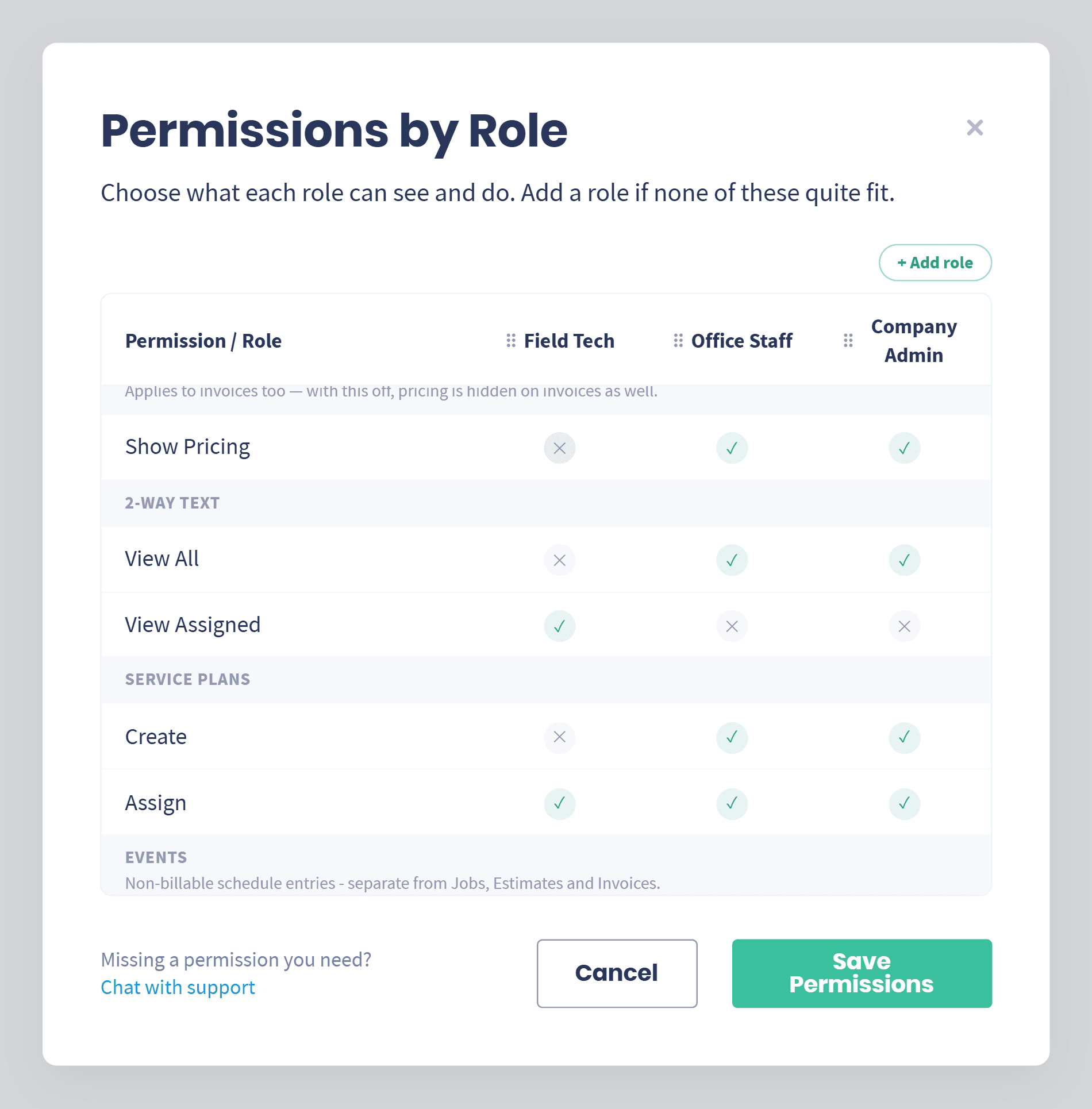
Hide pricing by role: Turn Show Pricing off and that role works the job without seeing what you charge.
Invoices too: With pricing hidden, the totals on invoices are hidden right along with it.
Nothing else changes: They still get the address, the line items, the notes and the photos they need to do the work.
Your Business, Your Roles
Roles That Fit How You Actually Run
Start with the roles that come with Servgrow, then build your own.
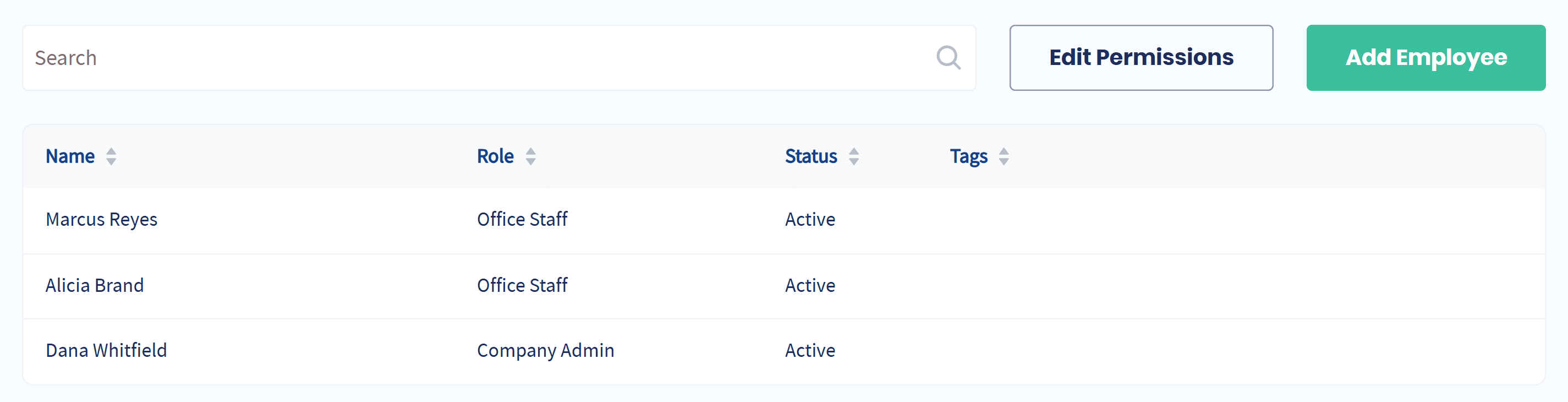
Ready out of the box: Field Tech, Office Staff and Company Admin cover most teams on day one.
Add your own: Build a role for a bookkeeper, a crew lead or a dispatcher when none of the defaults quite fit.
View-only when you need it: Share the board with someone who should see the work but never change it.
Assigned in a click: Every employee carries their role on the team list, so you always know who has what.
Web and App
The Same Rules on Every Phone
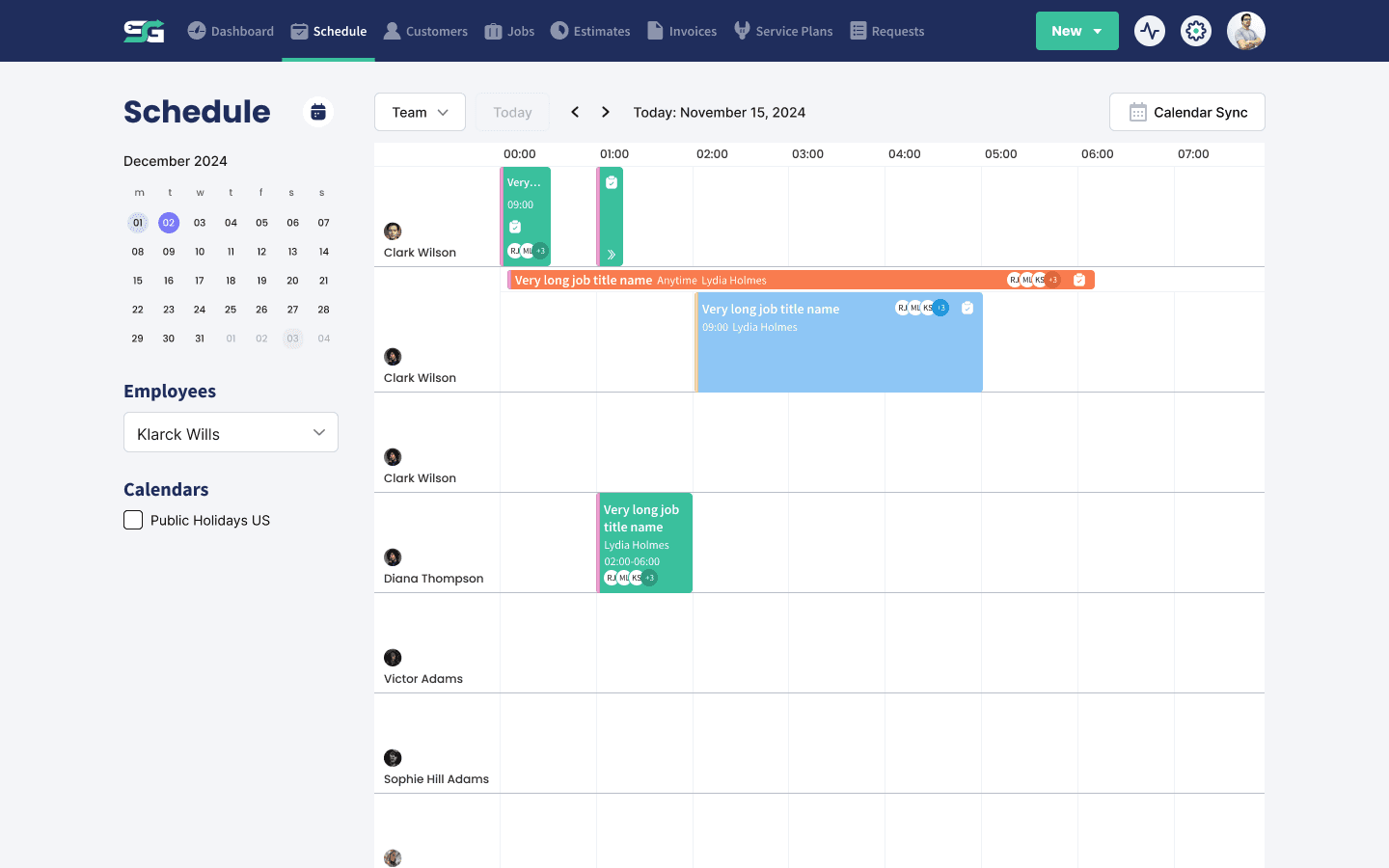
What you set in Settings is what the crew sees in the field.
Carries to iOS and Android: The role decides what shows up in the app, not the honor system.
Less to explain: Techs open the app to the work that is theirs, without the clutter.
Safer on a shared phone: A phone left in a van does not hand over your customer list.
Wrap Up: Why Use Servgrow Roles & Permissions
Hiring should not mean handing over the business. With roles and permissions you decide exactly what each person can see and do, hide your pricing from the people who do not need it, and build the roles your business actually runs on. It takes a few minutes to set up and it applies everywhere, on the web and in the app.