Optimized Routing
Less time driving, more jobs finished
Put the day on a map, build the route in the order the truck should actually drive it, and send the crew out knowing exactly where they are going next. Fewer miles, lower fuel costs and room in the day for one more job.
How Optimized Routing Benefits Your Business
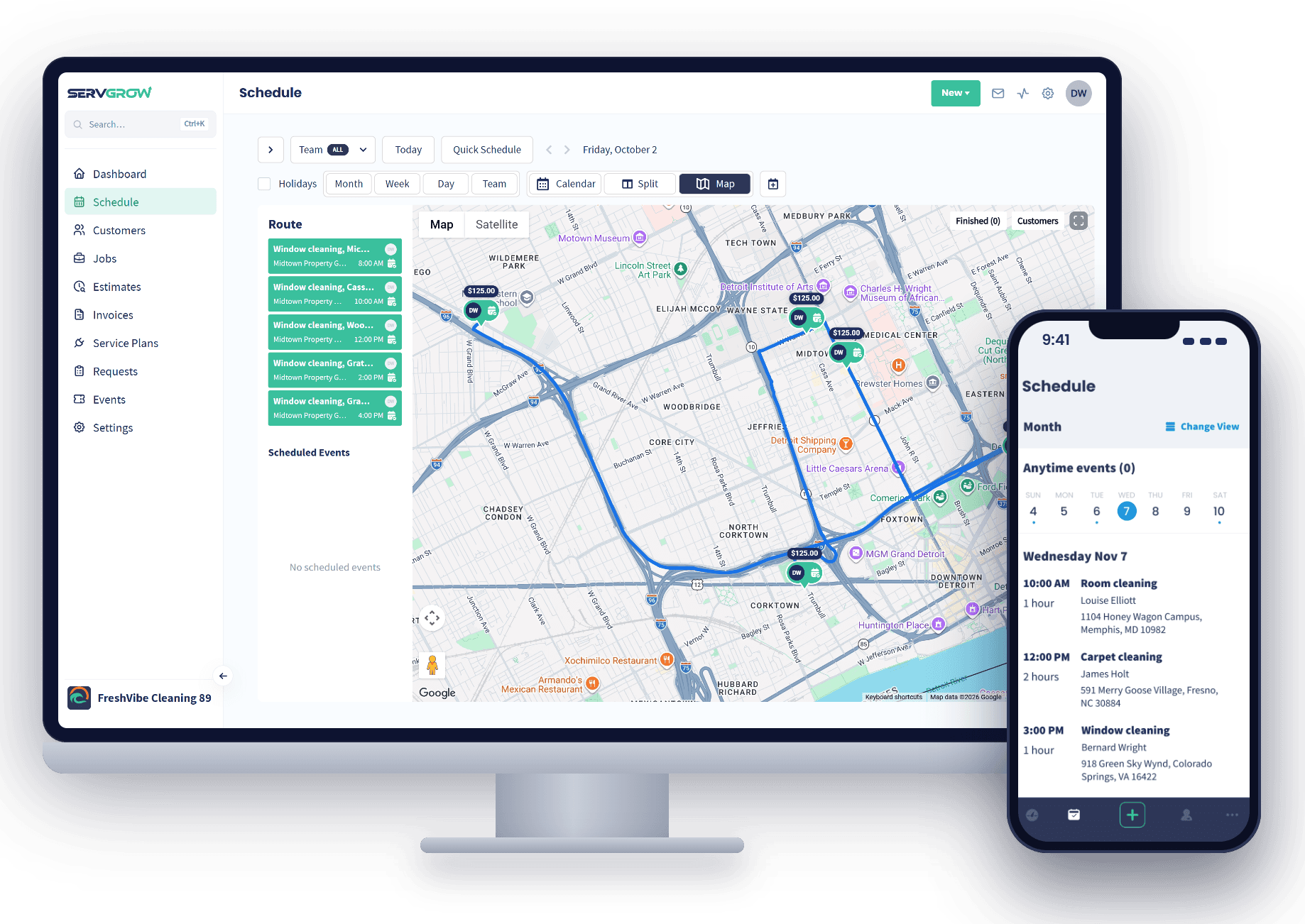
Most crews lose an hour or more a day to the order the jobs were booked in: across town for the first stop, back past the shop for the second, and out again for the third. That is fuel, wages and a job you could have fit in, gone before lunch. Optimized Routing puts every stop on a map and lets you build the route the way the truck should really drive it, so the day runs in a tight loop instead of a zigzag. Your crew spends the day working instead of driving, customers get more reliable arrival times, and the same team finishes more work without adding a truck.
See the Day
The Whole Route on One Map
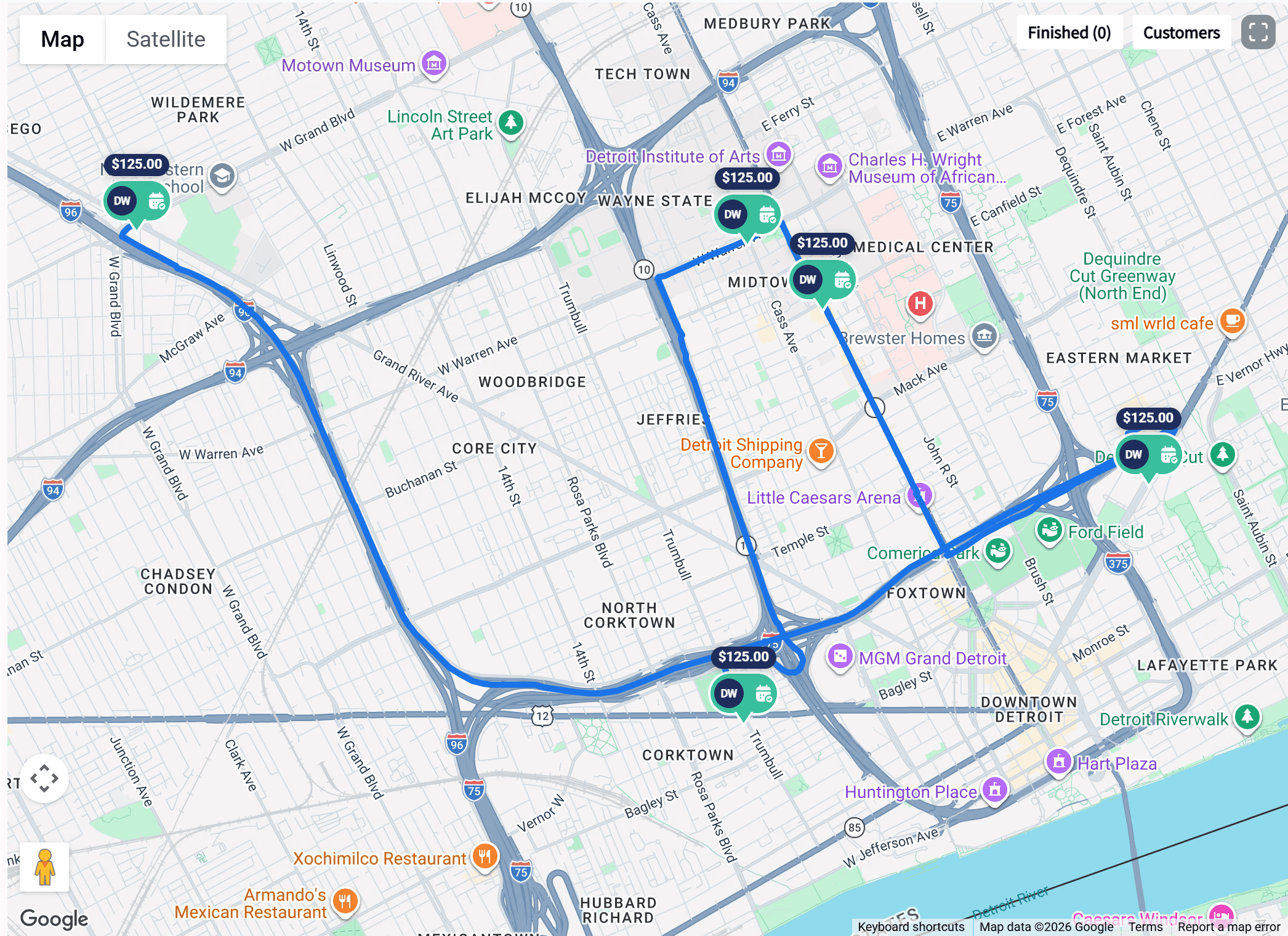
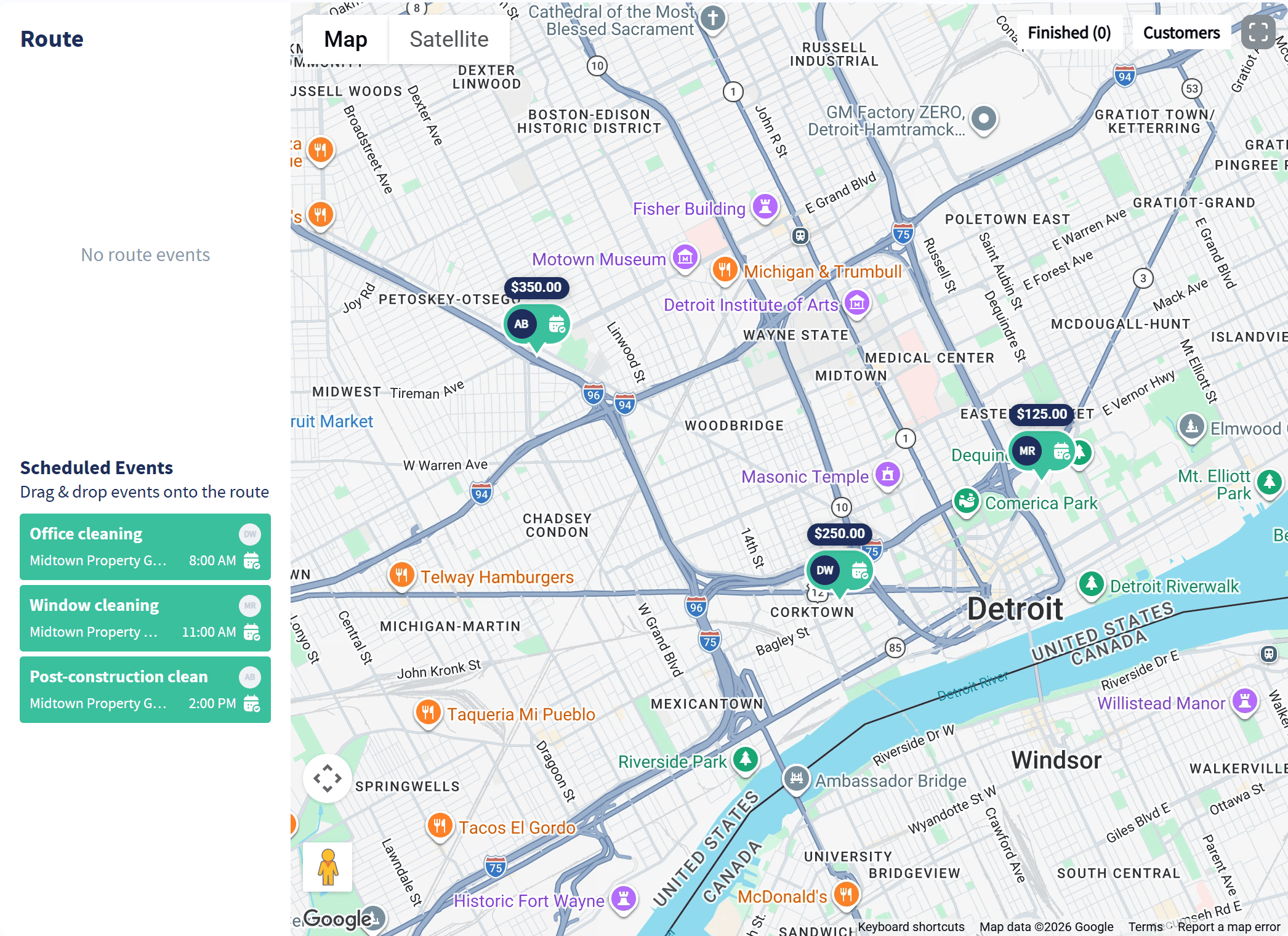
Every stop, in order, with the line the truck will follow.
The route drawn out: The day is mapped from stop to stop, so you can see at a glance whether it makes sense.
The order beside the map: The route list shows each job, customer and arrival time in the order the crew will drive it.
Know who and how much: Every pin shows the assigned tech and the value of the job.
Build It Fast
Drag Jobs Onto the Route
The day's jobs wait below the route, ready to drop into place.
Drag and drop to build it: Pull each scheduled job onto the route and the map draws the run as you go.
Customize the order: Move stops around until the day flows the way it should.
Nothing gets missed: Jobs booked for a set time are included in the route, so the fixed appointments are planned around, not forgotten.
Split View
The Day and the Route Side by Side
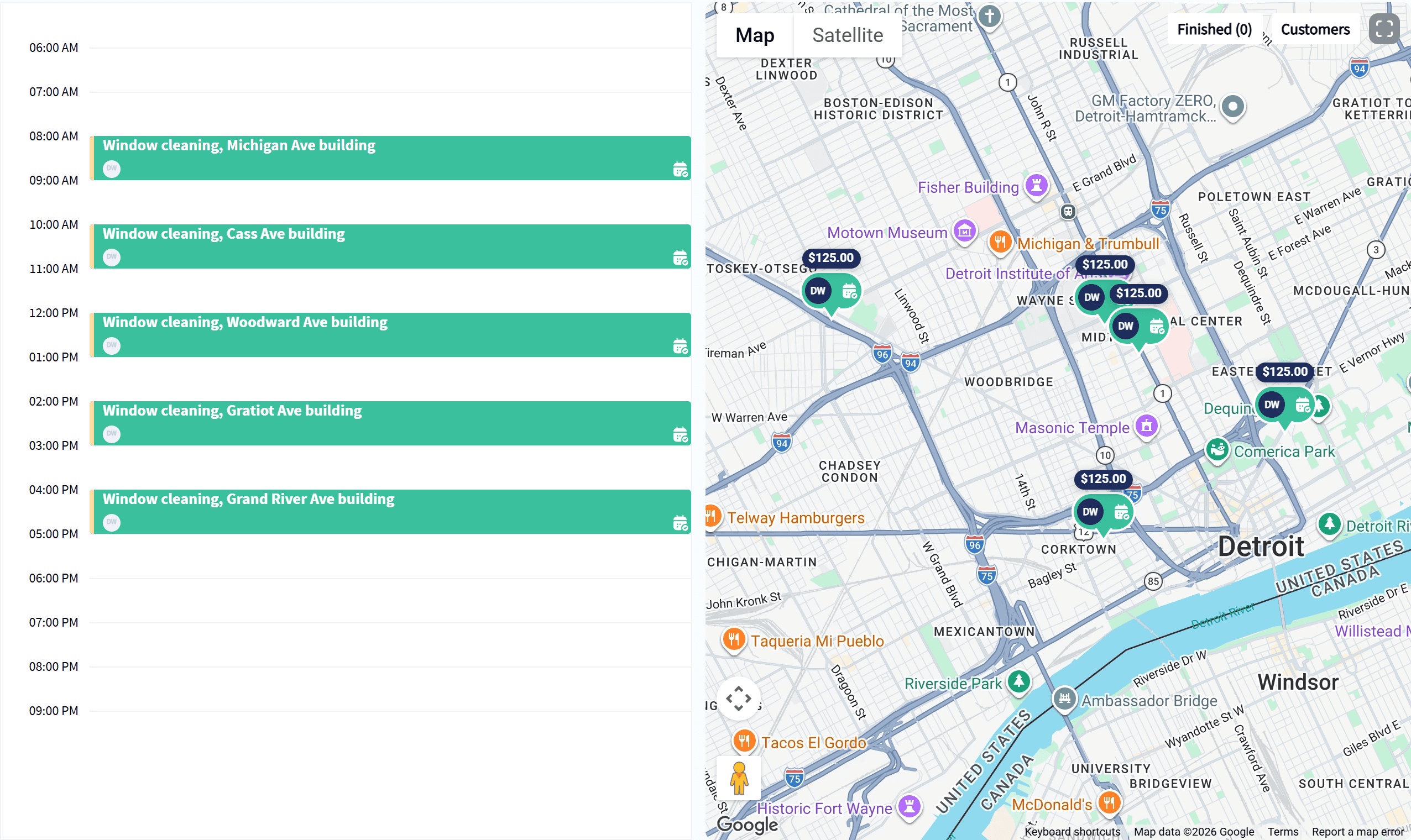
The calendar on one side, the map on the other.
Times and places together: See when each job happens and where it is at the same moment, without switching screens.
Spot the backtracking: A stop out of order jumps out on the map before the truck ever leaves.
Same view the office and field share: Changes you make on the schedule show up for the crew on their phones.
Your Rules
Set Up Routing Your Way
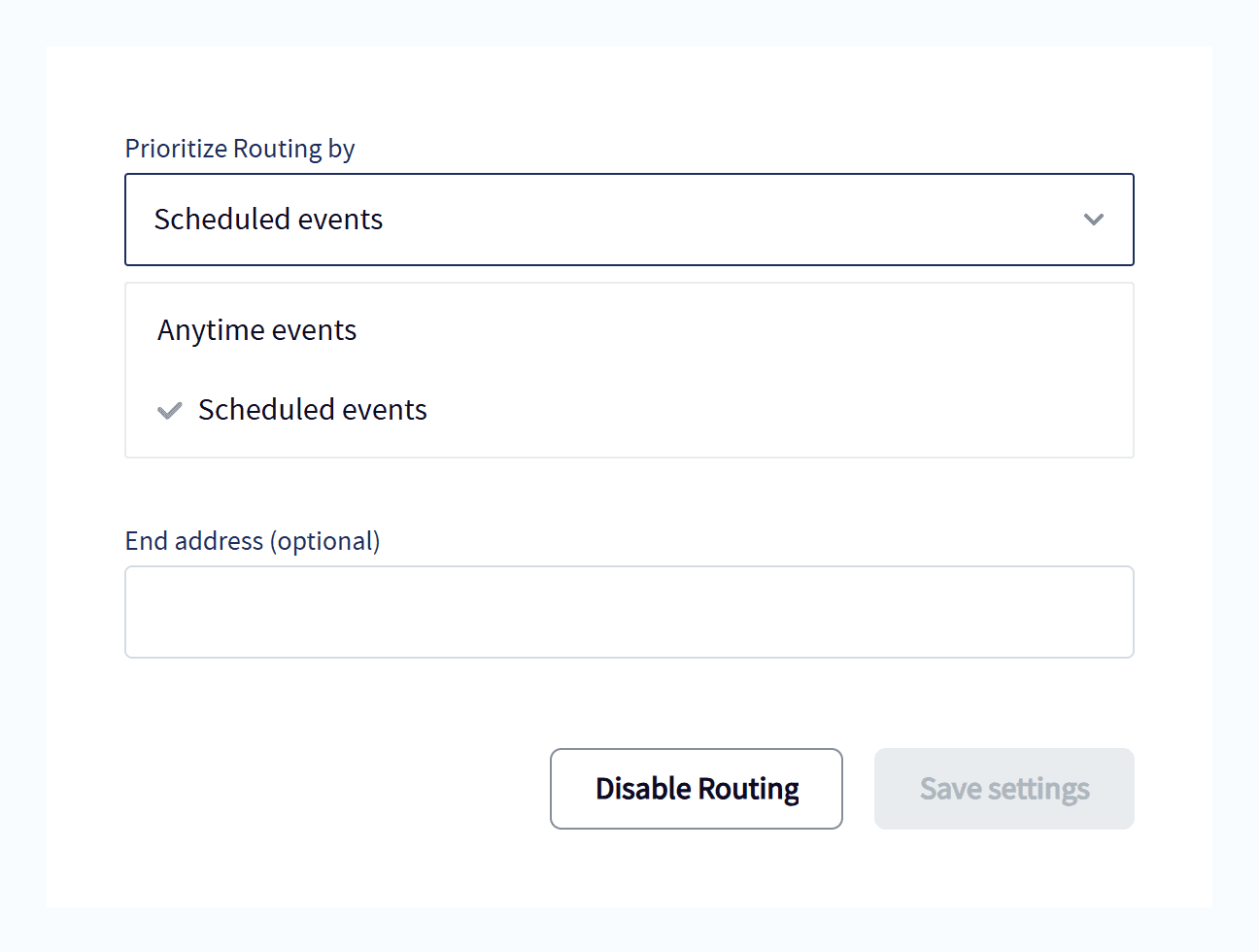
A few settings, and every route starts and ends where it should.
Anytime jobs routed for you: Prioritize anytime events and they are routed automatically around the rest of the day.
Or plan around set times: Prioritize scheduled events when appointment windows come first.
Start and end addresses: Set where the day begins and ends, like the shop or a crew lead's home, for precise planning.
Wrap Up: Why Use Servgrow Optimized Routing
Every mile a truck drives between jobs is money you do not get back. Optimized Routing puts the day on a map, lets you build the tightest route in a few drags, and plans around start and end addresses and fixed appointments, so your crews drive less and finish more. It sits right inside the schedule you already use, and the route is on every tech's phone the moment you set it.