Team Chat & Notifications
Keep the office and the crew on the same page
A gate code buried in someone's personal texts. A tech who never heard the 2 o'clock moved to Friday. A supply run nobody claimed. Little misses like these eat hours every week and make your business look disorganized to the customer standing at the door. Servgrow Team Chat keeps your office and field crew talking inside Servgrow, on the web and in the mobile app, and Team Notifications tell each tech the moment a job they're on changes.
Why Your Team Needs One Place to Talk
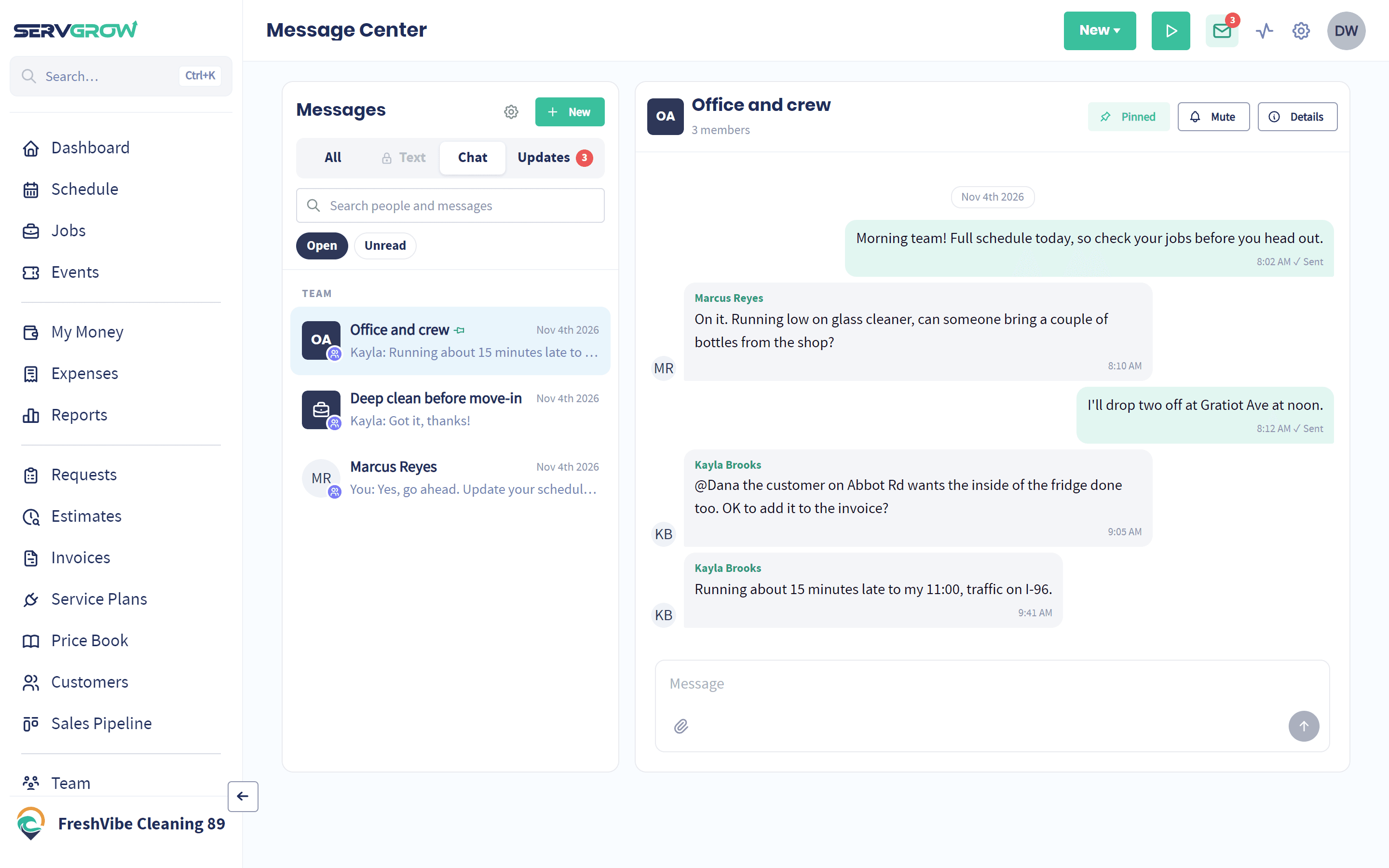
Most crews run on a mix of group texts, phone calls and whoever happens to be in the shop. It works until it doesn't. Job details get buried under family photos, the new hire isn't in the right thread, and when someone leaves, the job history on their phone leaves with them. Every missed message turns into a wasted trip, a late arrival or a customer who has to explain the job twice. Putting team conversations inside the app that runs your schedule fixes that. The chat sits next to the job, the alerts come straight from the schedule, and the conversation stays with your business.
Team Chat
Group Chats and Direct Messages
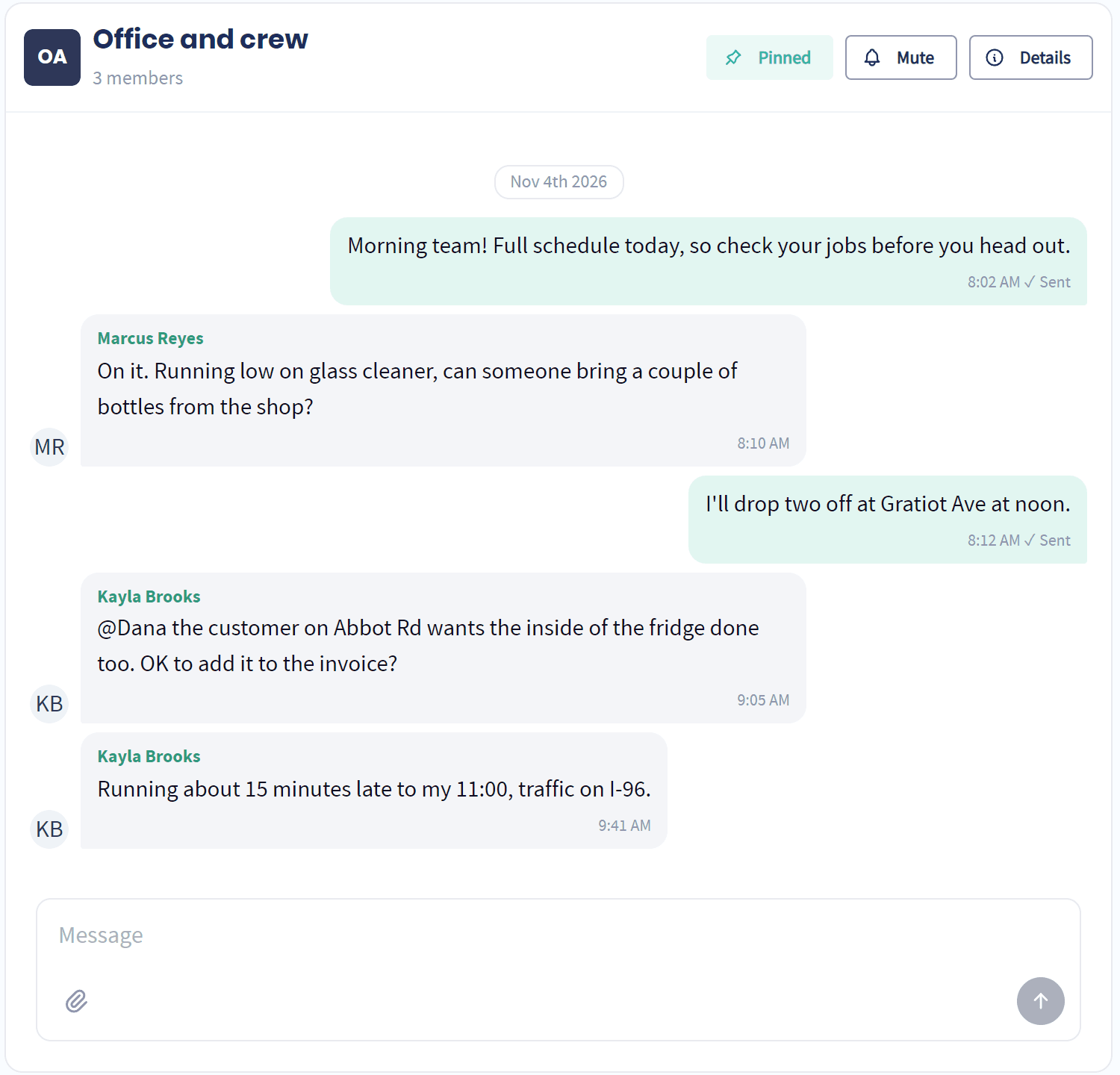
Message one person, a whole crew or the entire company, right inside Servgrow.
One on one or a group: Start a direct chat with a teammate, or a named group for your install crew, the office or everyone.
Mentions that get through: Type @ and a name, and that person is notified even if they muted the chat.
Photos and files: Send a picture of the finished work, a part number or a document right in the conversation.
Busy chats on top: Pin the chats you live in and mute the noisy ones.
Job Chats
A Chat for Every Job
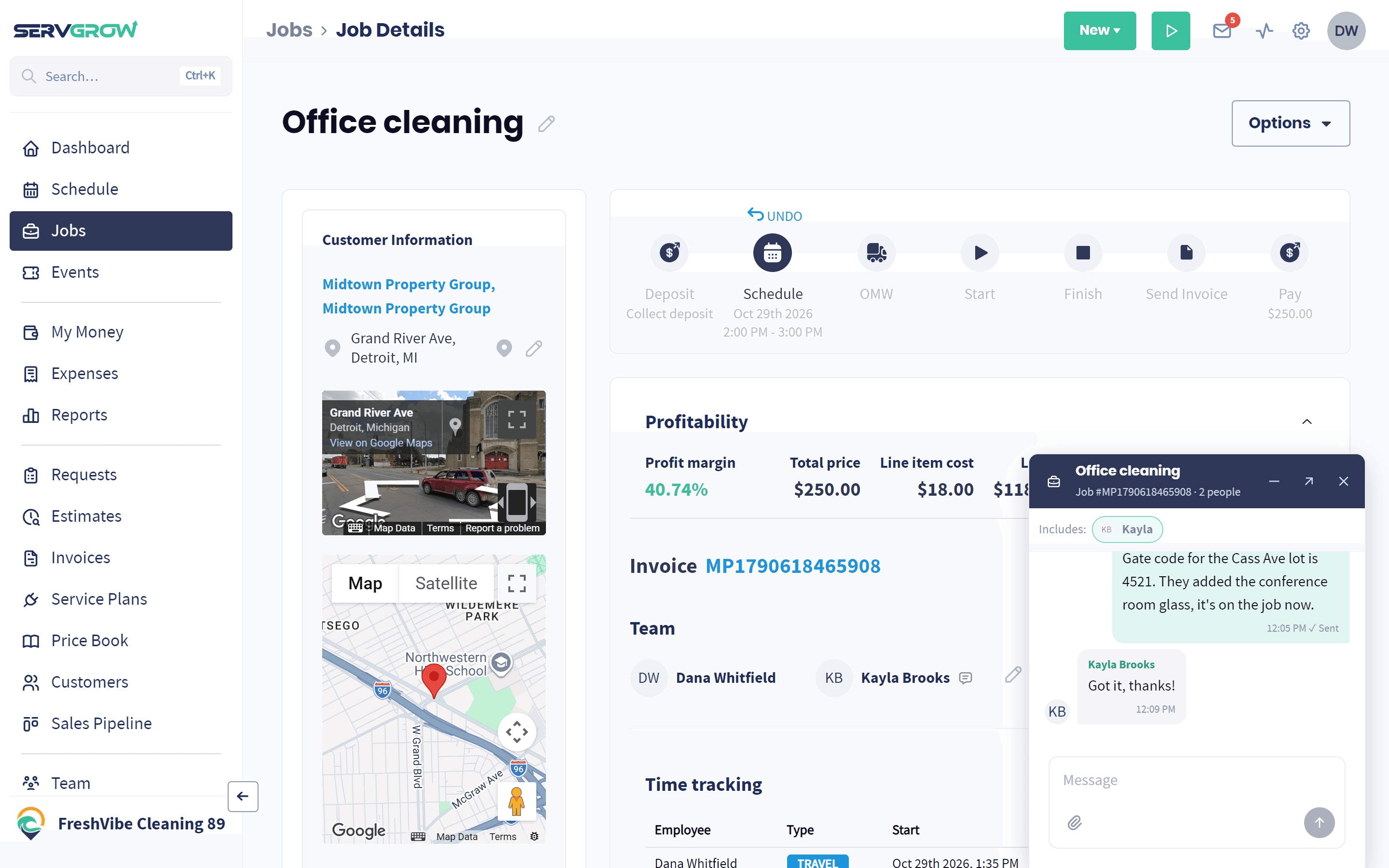
Every job has its own chat with the team assigned to it, so the details stay with the work.
One click from the job: Open the job and click Chat with the job team.
Gate codes where they belong: Access codes, parking notes and customer requests stay with the job instead of on somebody's personal phone.
Easy to find later: Job chats sit in the Message Center marked with the job number.
Team Notifications
Instant Alerts When a Job Changes
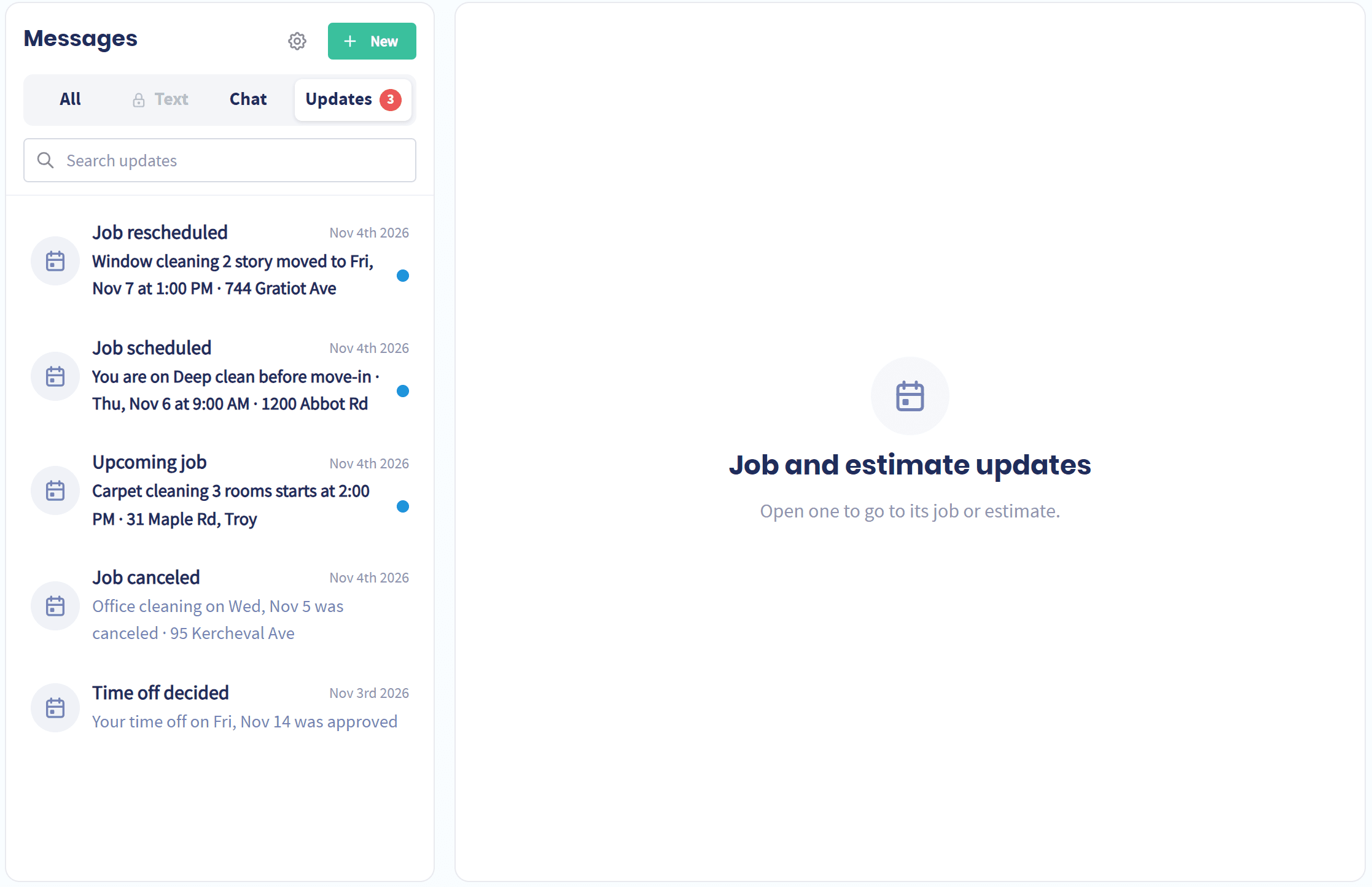
When the office moves a job, the tech on it should hear about it right away, not by pulling up to an empty driveway.
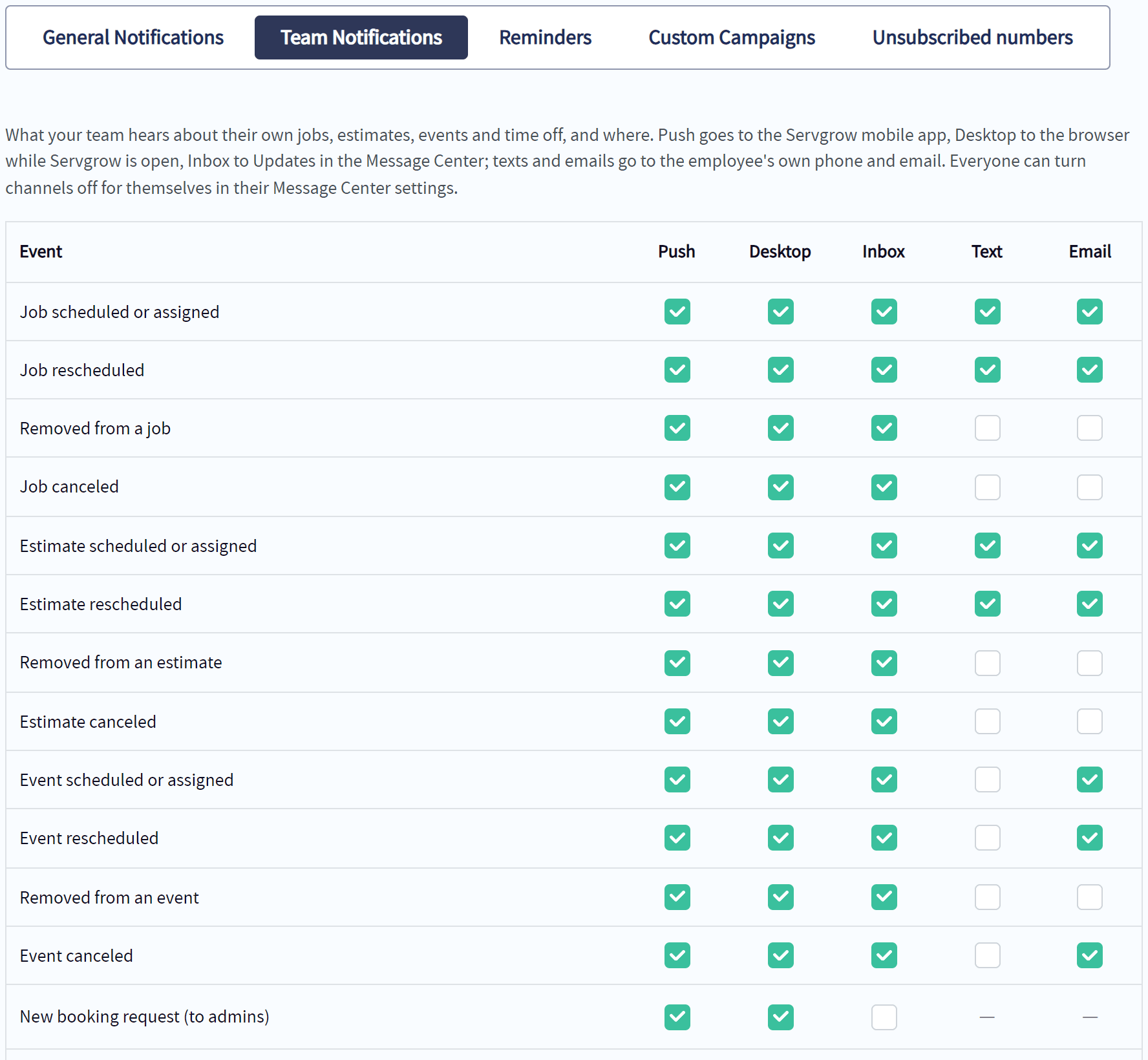
Every change that matters: Job scheduled or assigned, rescheduled, removed or canceled, plus the same for estimates and events, and answers on time off.
The channel that reaches them: Push on their phone, a desktop pop-up, the Message Center, text or email. You choose which changes go out and how.
A reminder before every job: Techs get a nudge before each job starts, at the time you set, so nobody misses a start time.
New bookings for the office: Admins hear the moment a customer books online.
Settings
Everyone Hears What They Need, and Nothing Else
You set what goes out for the company. Each person can quiet what they don't want.
Choices per change: Tick push, desktop, inbox, text or email for each kind of change.
Personal settings: A tech who would rather get push than texts can switch texts off for themselves without changing it for anyone else.
Your history, your rules: Company Admins decide how long team chat messages are kept, from 90 days to for good.
What is Team Chat for Field Service?
Team chat for field service is messaging built into the software that runs your jobs, instead of a separate texting app. Office staff and technicians message each other one on one, in groups or in a chat tied to a specific job, and team notifications send each person an alert when a job they are assigned to is scheduled, moved or canceled. Because it lives next to the schedule, the right people are already in the right conversation, job details stay attached to the job, and nobody has to forward screenshots of the calendar to keep the crew informed.
Wrap Up: Fewer Phone Calls, Fewer Wasted Trips
Every call the office makes to tell a tech something the app could have told them is time neither of you gets back. With Team Chat and Team Notifications, changes reach the crew the second they happen, questions get answered in the job they belong to, and your customers meet a team that clearly knows what is going on.