Automation Workflows
Set it up once. Servgrow does it every time.
Every job, estimate and invoice creates work for somebody in the office: a follow-up, a reminder, a nudge to pay, a tag so the team knows where things stand. Automation Workflows do that work for you. Build each one once on a simple board and Servgrow runs it for every customer, every day. It comes with every Servgrow plan.
How Automation Workflows Benefit Your Business
A busy service company runs on hundreds of small follow-ups a month. Someone has to thank the customer, chase the quiet estimate, remind the slow payer and notice who has not booked since spring. In most businesses that someone is the owner, late at night, and a lot of it never happens. Automation Workflows hand that work to Servgrow. Each workflow watches for a moment in your business, sends the right texts and emails, tags the customer so your team can see what is going on and stops as soon as it has done its job. You get the hours back, and the follow-up stops depending on anyone's memory.
Triggers
More Than 20 Moments That Can Start a Workflow
If it happens in Servgrow, a workflow can respond to it.
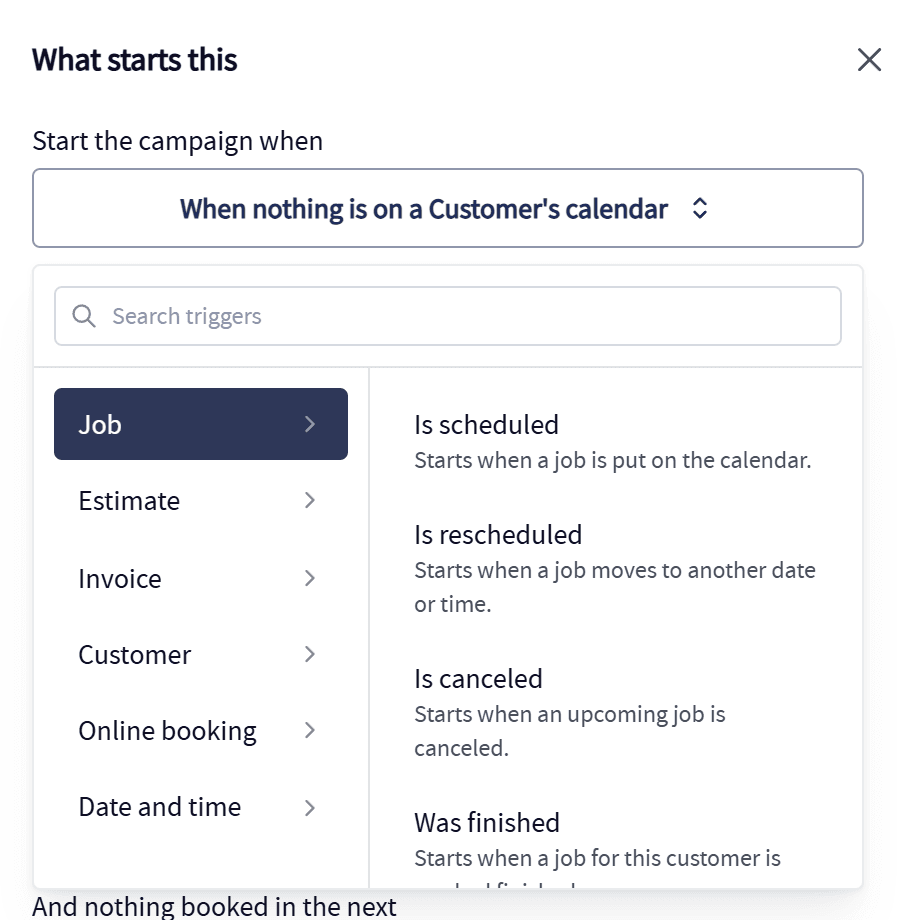
Jobs and estimates: Put on the calendar, moved, canceled, finished, approved or turned down.
Invoices and payments: Sent, coming due, past due, partly paid, paid in full, or a deposit coming in.
Customers: Added to your list, given a tag, losing a tag, or coming up on a birthday.
Quiet customers: Nothing new created, or nothing on the calendar, for as long as you choose. Checked once a day.
Bookings and dates: A request from your online booking form, or a date and time you set.
The Board
Build It on One Board, Top to Bottom
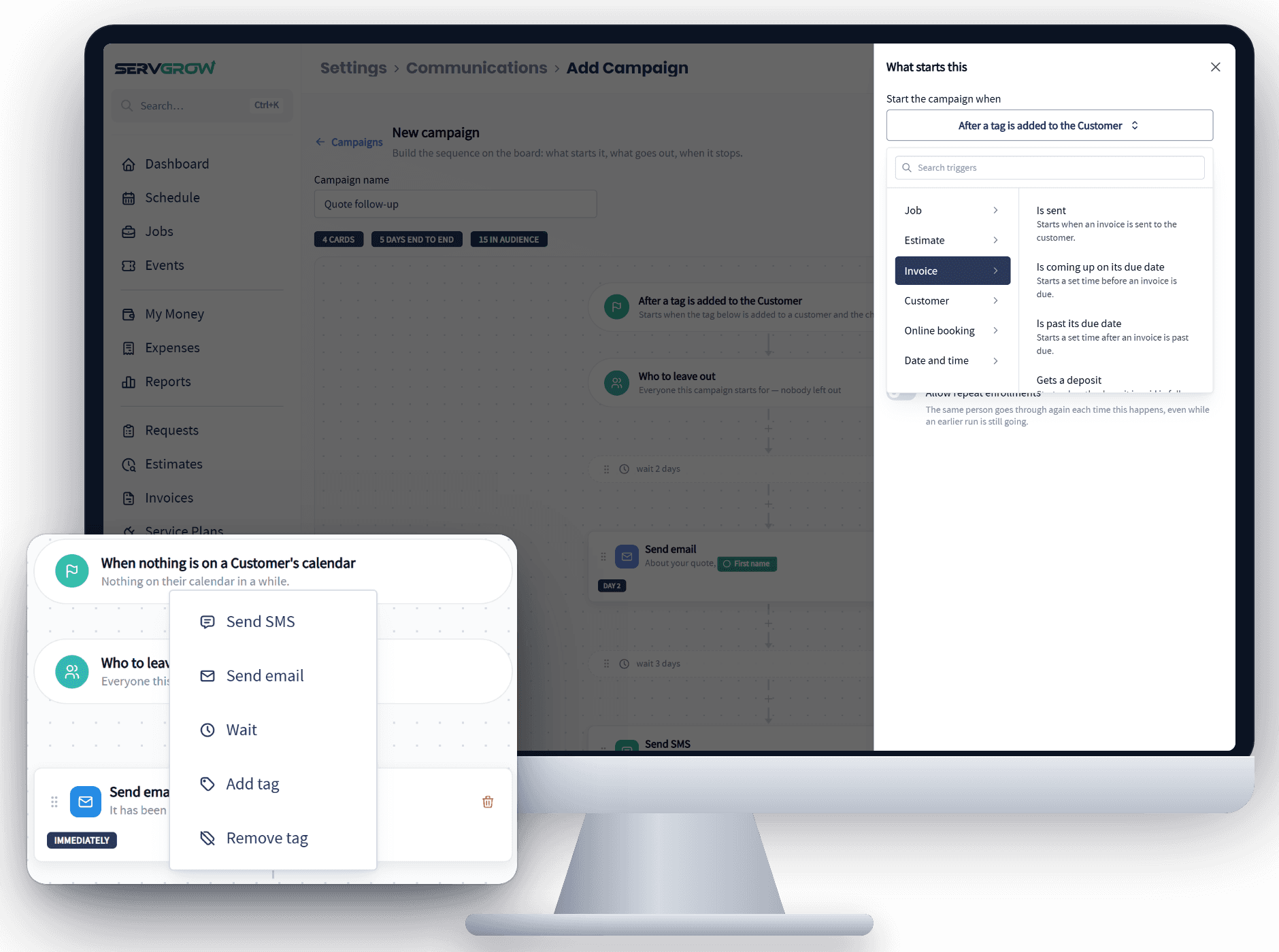
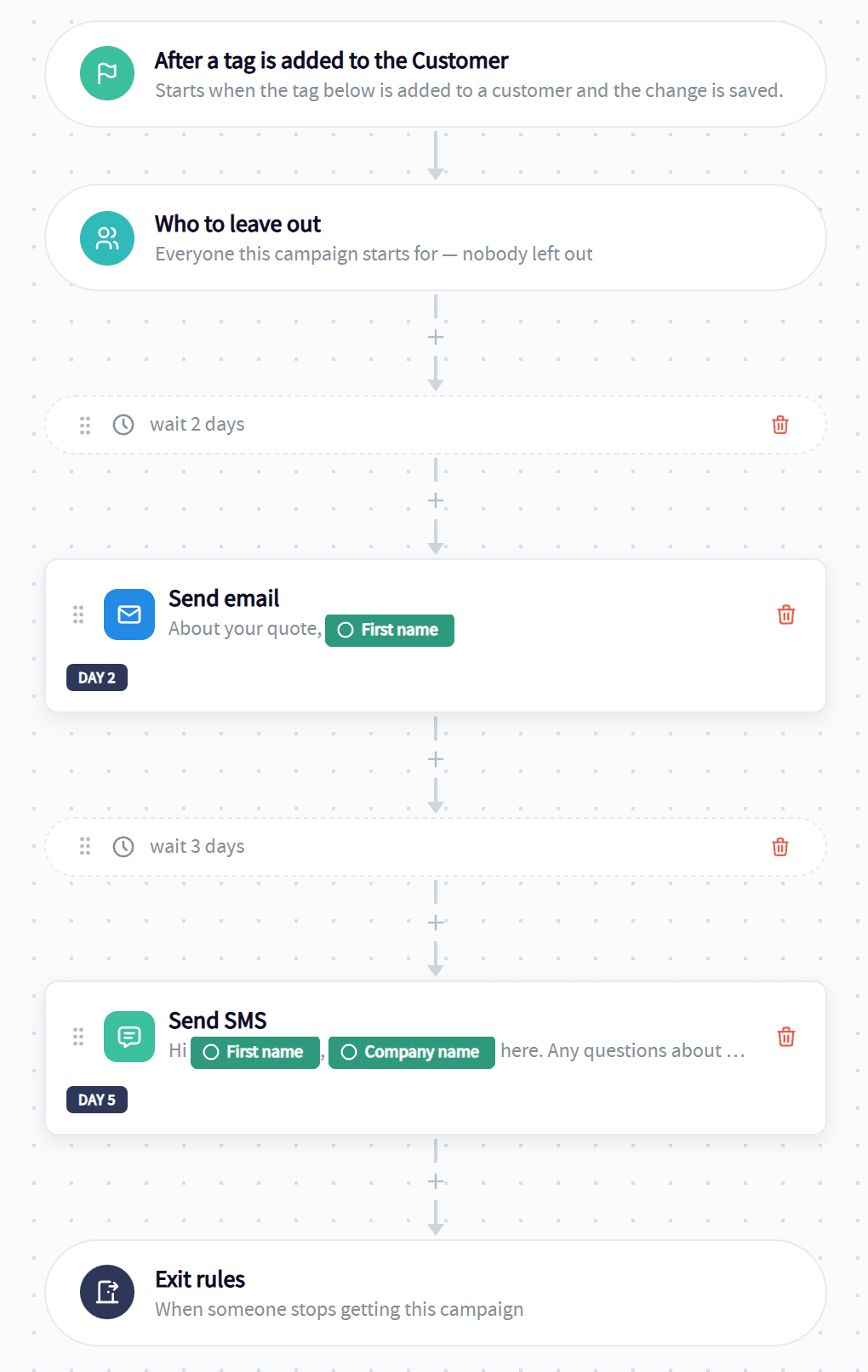
A workflow reads like a checklist: what starts it, who is left out, what happens and when, and when it ends.
Five kinds of steps: Send an email, send a text, wait, add a tag or remove a tag, in whatever order the job needs.
Drag to reorder: Move a step up or down, delete it, or add a new one between any two.
The whole plan at a glance: The board counts its steps, the days from first message to last and the customers it matches today.
Build now, switch on later: Save a workflow as a draft and set it live when you are ready.
Tags
Tags That Keep Everything Moving
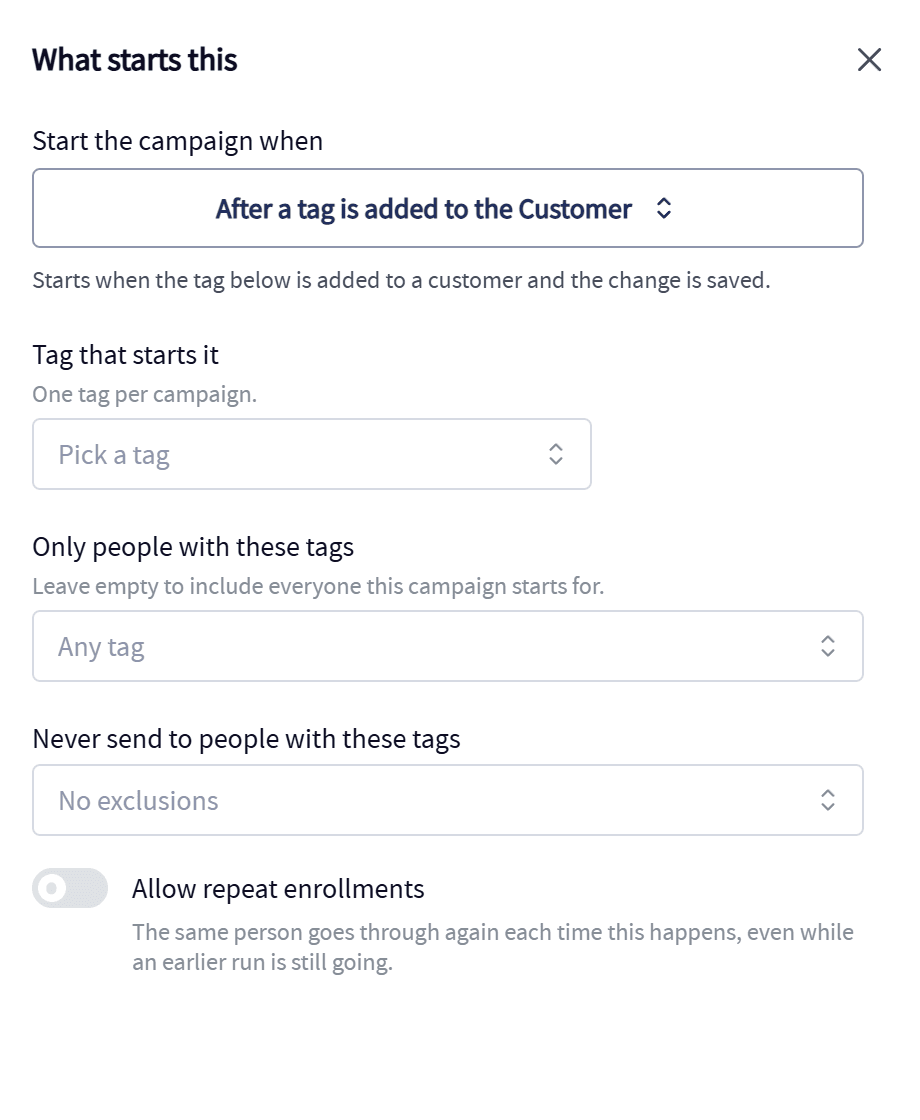
Tags are how your office knows where every customer stands, and workflows read and write them for you.
A tag can start a workflow: Tag a customer Quote sent and the follow-up begins without anyone pressing a button.
A step can add or remove one: Mark a customer Win-back sent, or take Active plan off when a plan ends.
A tag can end a workflow: The moment Booked or Paid goes on, the messages stop.
Tags that add themselves: Customers are tagged automatically when they buy a service from your price book.
See who is in it: Optional tags go on while a customer is in a workflow and after it lets them go, so the team can see who is being written to.
Exit Rules
Workflows That Know When to Stop
Nothing puts a customer off faster than a sales message after they have already said yes.
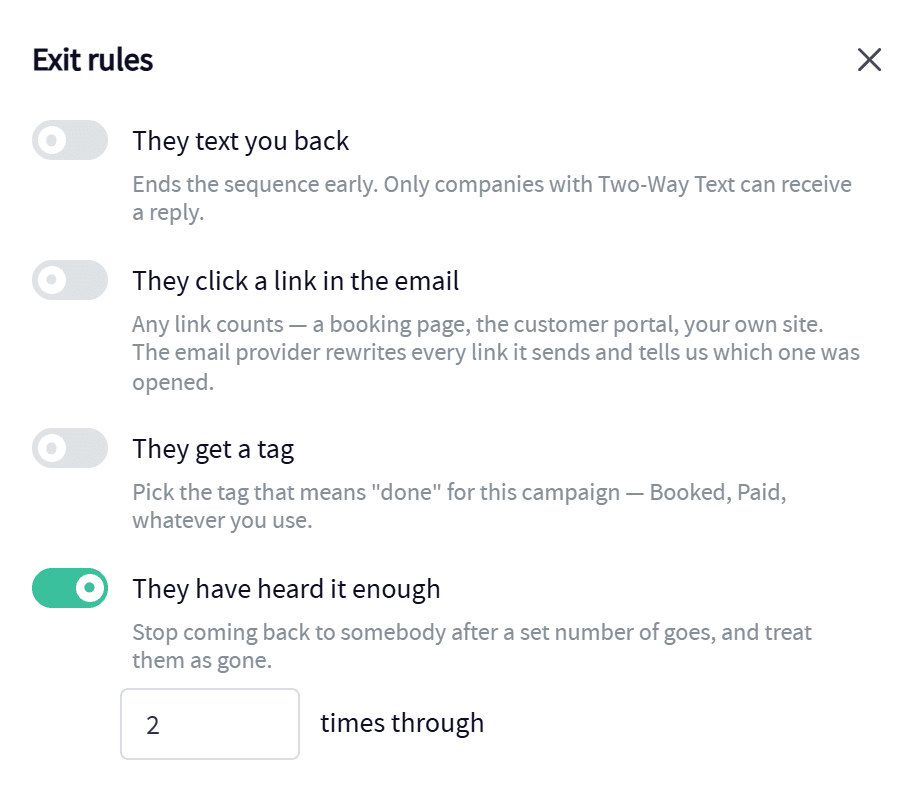
When they reply: A text back takes that customer out of the workflow.
When they click: A click on your booking link or portal link counts as an answer.
When they get a tag: Pick the tag that means done for this workflow.
When they have heard enough: Cap how many times one customer goes through it, so nobody is written to forever.
Or every time it happens: Allow repeat enrollments and a customer goes through again after every finished job.
Built In
Automations Built Into Servgrow
Some of the busiest workflows in a service business are already part of Servgrow. Switch them on, adjust the wording, and Servgrow warns you if a workflow of yours would send the same news twice.
Online bookings: A booking can take a deposit and land on your schedule as a job or estimate without a call from the office.
Appointment reminders: Customers hear from you before every visit and can confirm it by text.
On My Way texts: One tap lets the customer know your tech is on the way.
Estimate follow-ups: Unanswered estimates get chased, and customers get a reminder before an estimate expires.
Invoice follow-ups: Unpaid invoices get polite reminders until they are settled.
Recurring billing: Service plans book their visits and charge the card on file on their own.
Ideas
Workflows for Every Goal
Start with the one that fixes your biggest headache.
Get paid faster: Three days before an invoice is due, a friendly heads-up with the portal link. Three days after, a firmer one.
Win more estimates: When an estimate is turned down, wait two weeks and ask what held them back.
Fill the calendar: When a customer has had nothing booked for six months, an email, then a text a week later.
Sell more to every customer: When a tag like Lawn care customer goes on, wait two weeks and offer aeration or overseeding.
Welcome every new customer: The moment someone joins your list, a welcome with your number and a link to their portal.
Integrations
Connect the Rest of Your Tools
When a workflow needs to reach past Servgrow, Zapier and the Servgrow API take it the rest of the way.
Zapier: Pass events like a scheduled or finished job to hundreds of other apps, and bring new customers into Servgrow from them, with no code.
The Servgrow API: Read and write your own Servgrow data and build exactly the automation your business needs.
Works Together
Workflows Send the Campaigns You Write
Automation Workflows and Custom SMS & Email Campaigns are two halves of the same board. Write the message with AI help and your branding, then let the workflow decide who gets it and when.
Custom SMS & Email Campaigns: Ready-made campaigns, AI writing help, branded emails and texts customers actually read.
Automated Follow-Ups: The follow-ups most businesses switch on first, from post-job check-ins to birthday notes.
Wrap Up: Why Use Servgrow Automation Workflows
The difference between a busy owner and a buried one is what happens without them. Automation Workflows take the follow-ups, reminders, payment nudges and tagging off your plate and run them the same way every time, for every customer. Build a workflow once, decide when it stops and get back to the work that pays. It comes with every Servgrow plan.