Start Here: Set Up Your Account
How to Update Your Subscription Plan in Servgrow
Updated October 4, 2022 · 1 min read
You have fourteen days to try Servgrow Pro Plus, which means we are giving you all the features of our system at no cost. After your trial ends, this plan will automatically renew on your enrolled card, and you will be charged $39 monthly.
Are you ready to grow your business with Servgrow? Here are the steps to update your subscription with us:
1. Click the cogwheel icon from the top navigation bar.
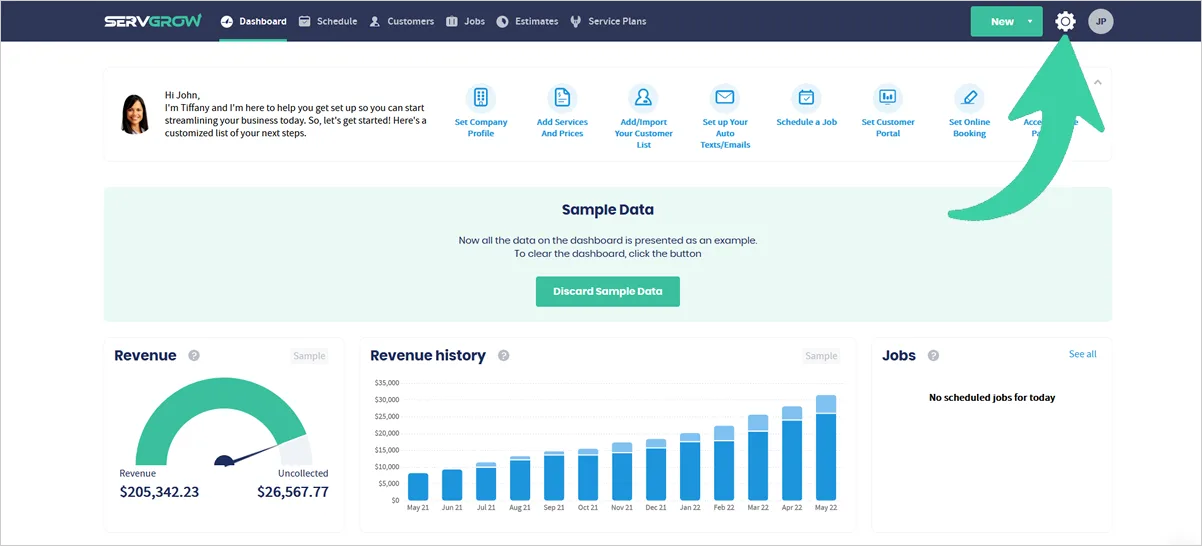
2. Then click 'Billing'.
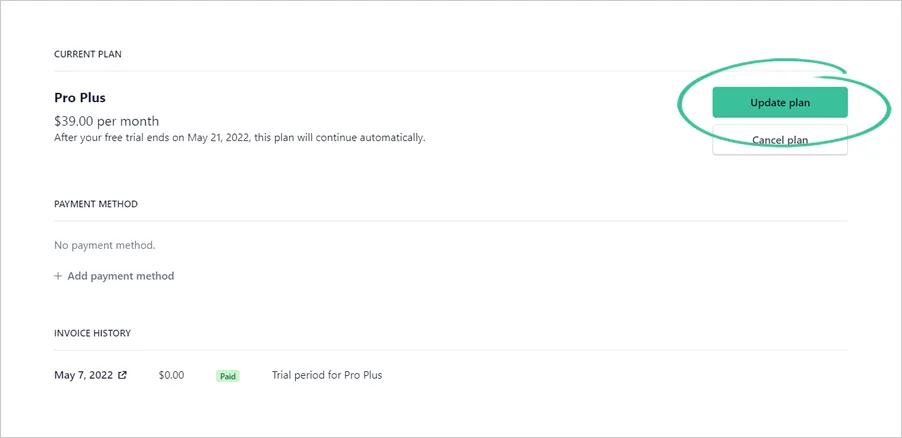
3. Click the 'Update plan' button.
You have to option to cancel the plan or update your plan. If you think Servgrow contributes to making your business grow, we encourage you to continue your subscription with us to enjoy the full features of Servgrow fully!
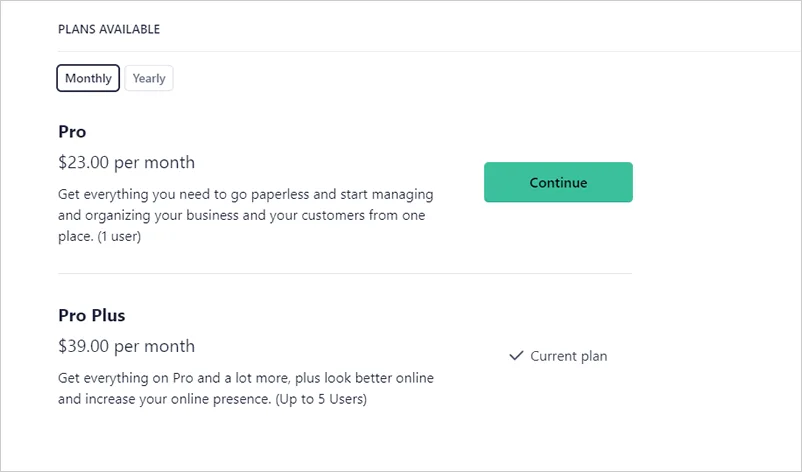
4. We have flexible plans available that perfectly fit your needs. You can either (a) pay monthly or yearly upfront. You can also upgrade or downgrade your plan to either Pro or Pro Plus.
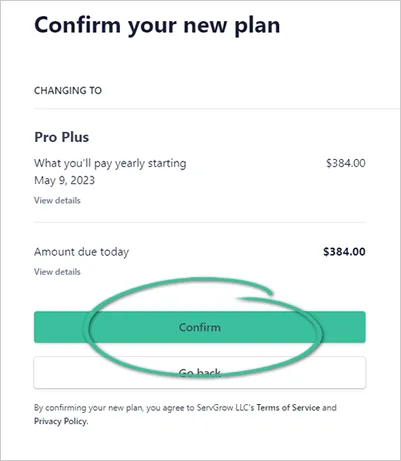
5. Review your new billing details and click 'Confirm' to update your new plan.
Was this article helpful?