AI Reports
Ask your business a question and get the list
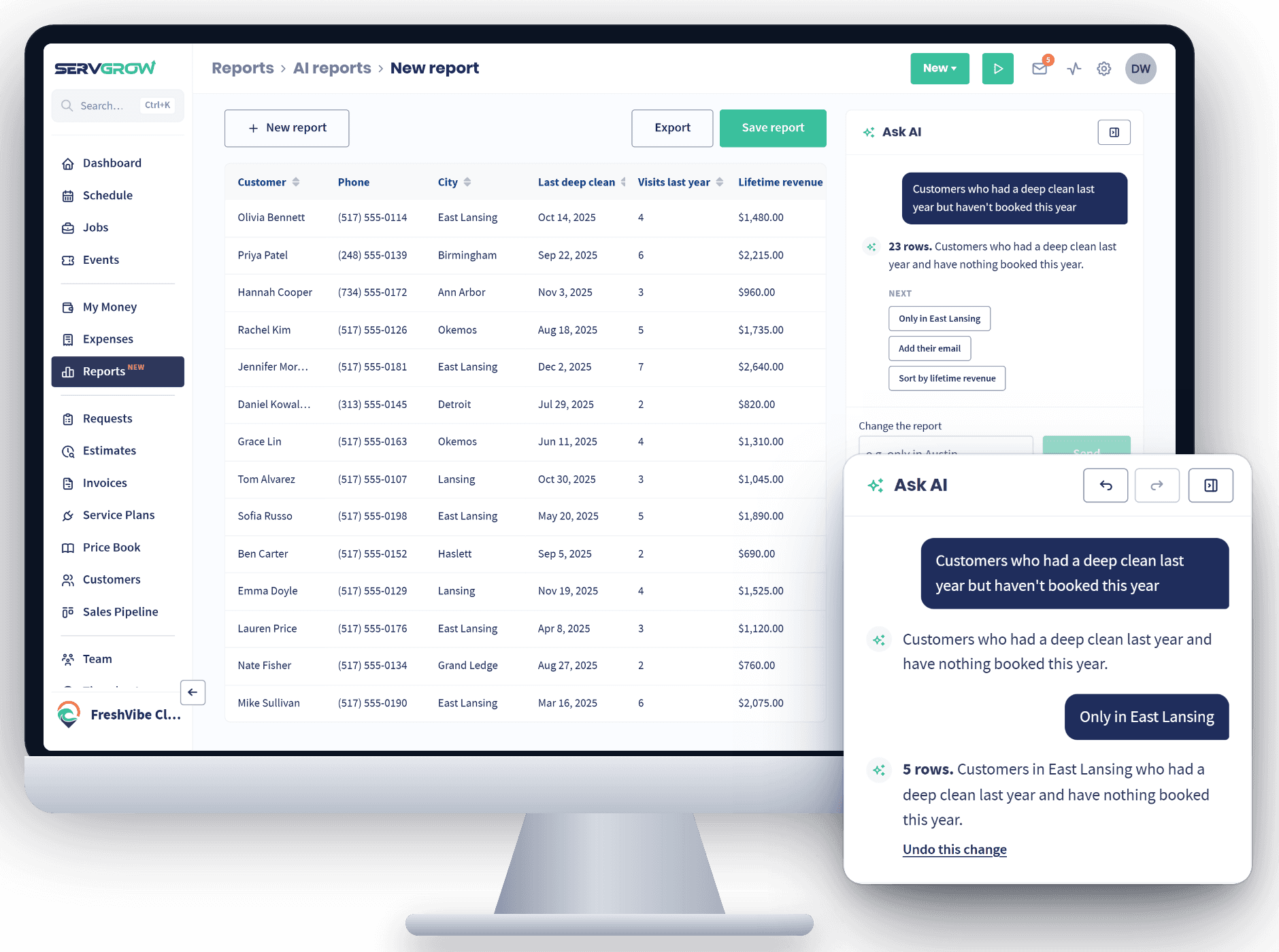
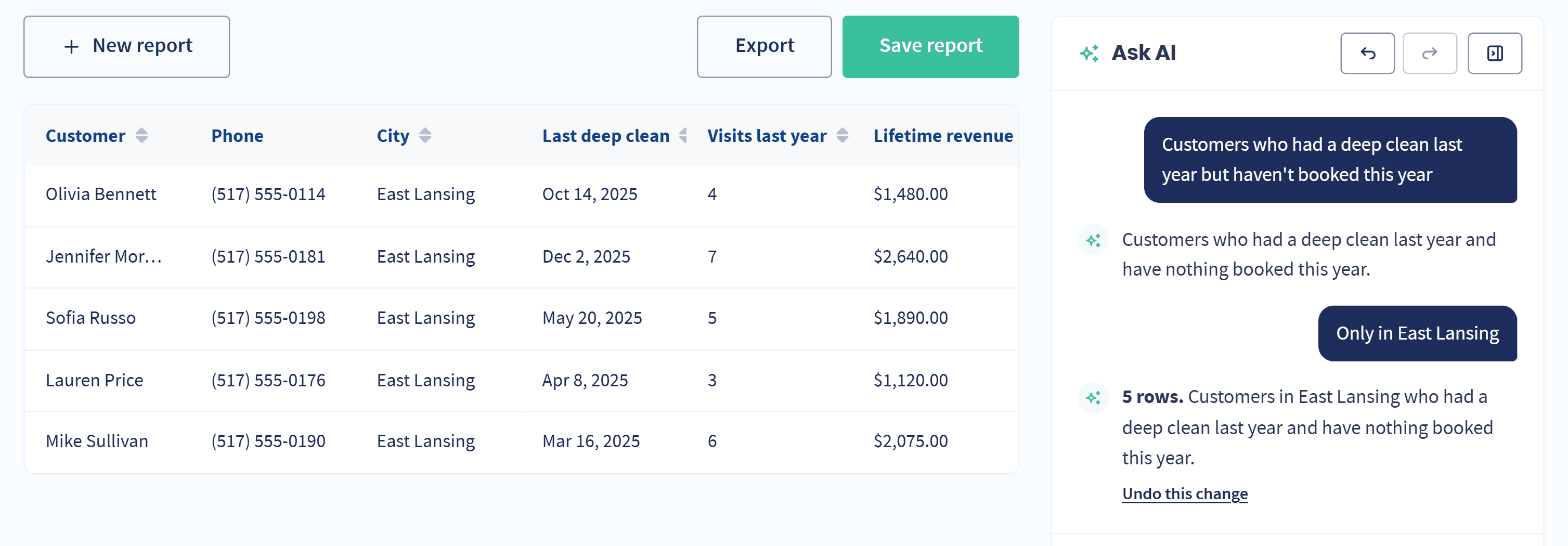
The answers you need are already sitting in your jobs, estimates and invoices. Getting them out used to mean filters, exports and an afternoon in a spreadsheet. With AI Reports you type what you want in plain words, such as “customers who had a deep clean last year but haven’t booked this year”, and Servgrow builds the list for you, with a link to every record and an export ready to go.
How AI Reports Help Your Business
Every slow week has a list hiding in it. The customers who loved last spring’s deep clean and never came back. The estimates that went out last quarter and quietly expired. The invoices that slipped past their due date while everyone was busy. Most owners know those lists exist but never pull them, because building a report by hand takes longer than the calls it would lead to. AI Reports turns that around. You ask the way you would ask your office manager, you get the names, phone numbers and totals in a table, and the calls can start the same morning.
Ask
Ask in Plain Words
No filters to learn and no report builder to set up.
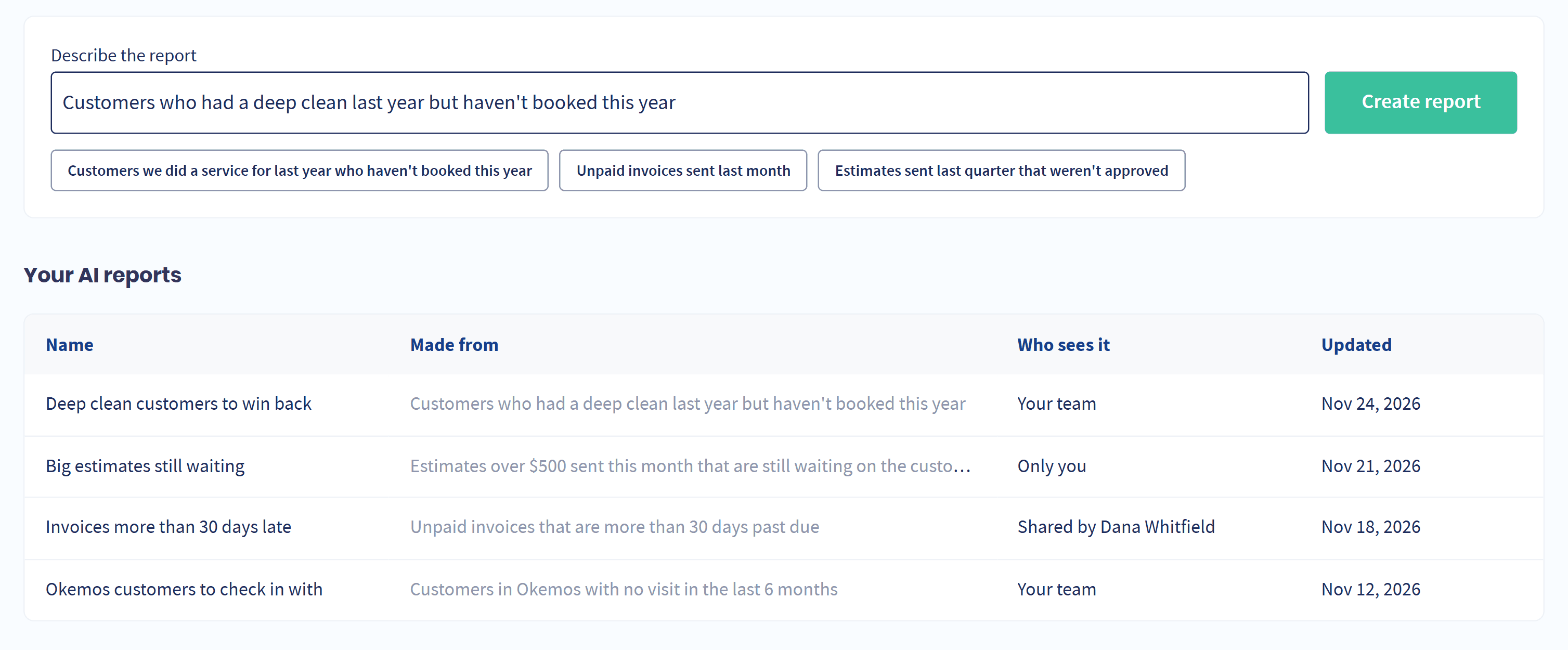
Type it like you’d say it: Describe the list you want, the same way you would ask someone in the office.
Starter questions to tap: Not sure where to begin? Ready-made questions, like unpaid invoices sent last month, are one click away.
Customers, jobs, estimates and invoices: Ask about any of them and get the details you need as columns.
Straight with you: When a question can’t be answered exactly, Servgrow says so and shows the closest list it can make.
Follow Up
Narrow It Down With a Follow-Up
The first answer is a starting point. Keep going until the list is exactly right.
Refine in a sentence: Add “only in East Lansing” or “add their email” and the table updates.
Next steps suggested: Servgrow offers follow-ups that fit the list in front of you, ready to click.
Undo any change: Went one step too far? Step back to the version you liked.
Every row opens the record: Click a name to jump straight to that customer, job, estimate or invoice.
Keep It
Save It, Share It, Export It
A good report is worth keeping. Save it once and it is there whenever you need it.
Fresh numbers every time: A saved report runs on today’s data each time you open it, so the list never goes stale.
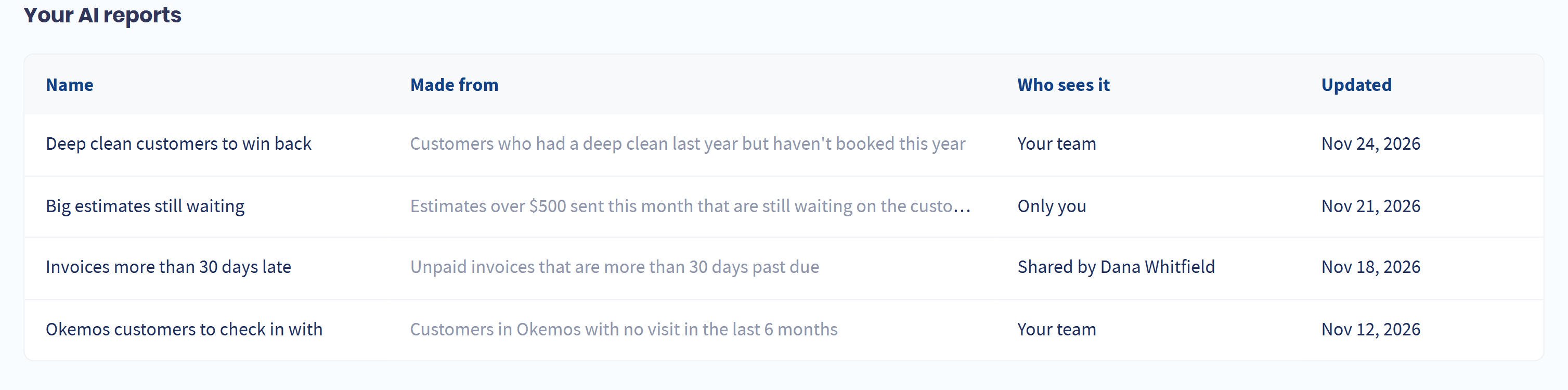
Just you, or the whole team: Each saved report shows who can see it, and you decide whether to share it.
CSV in one click: Export the list for a call sheet, a mailing or your accountant.
Names your team recognizes: Rename reports to things like Deep clean customers to win back, so anyone can find them.
Scheduled Reports
Your Numbers in Your Inbox
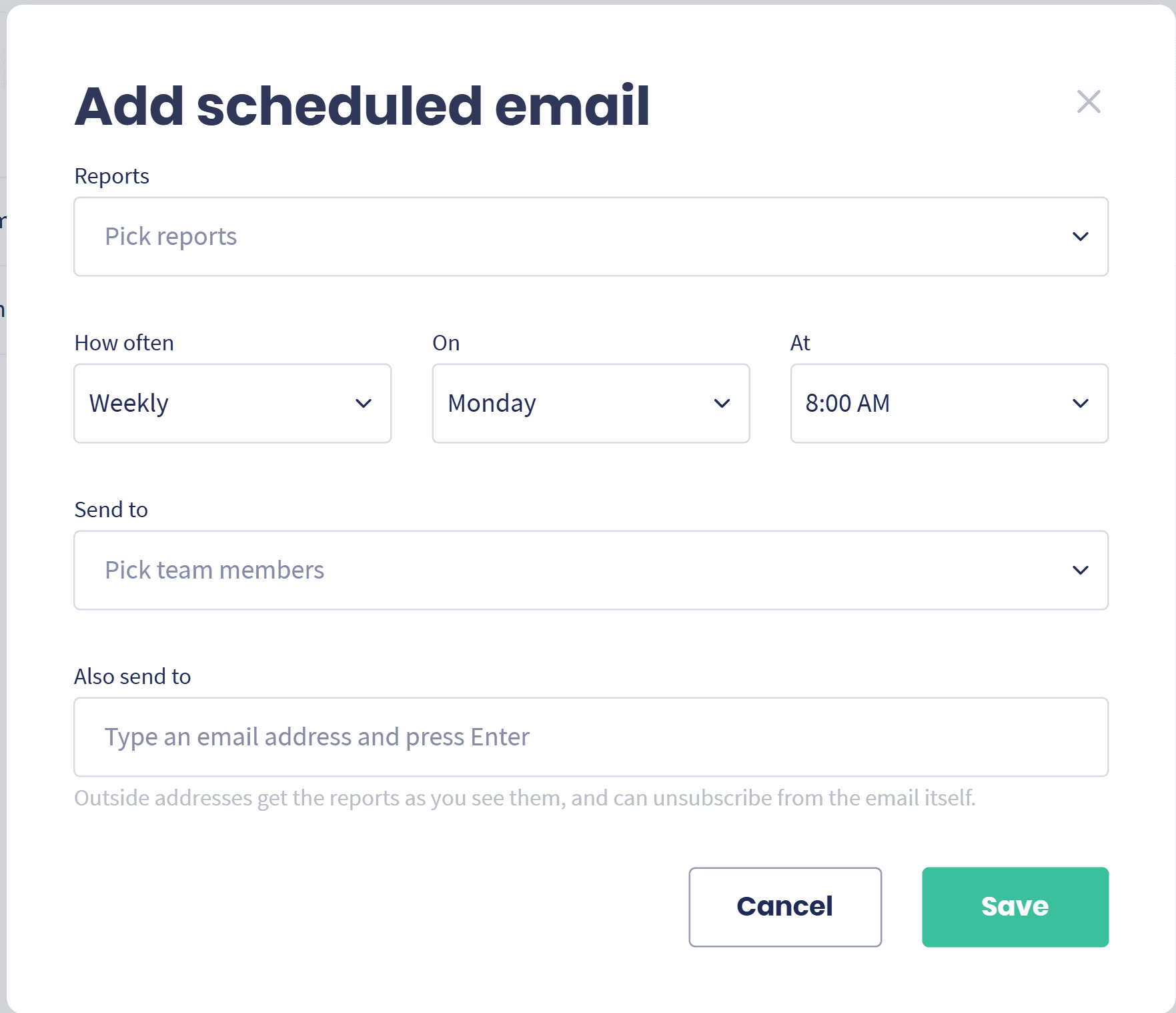
Set it once and the reports you rely on arrive on their own, daily, weekly or monthly, at the time you pick.
The whole team, or just you: Pick the team members who get each email. Everyone sees only the numbers they’re allowed to see in Reports.
Files attached: Every email carries the report as a CSV, ready to open or forward.
Your accountant too: Add outside addresses, and they can unsubscribe from the email itself.
Pause when it’s quiet: Pause, edit or delete a schedule from its row whenever you like.
Lists Worth Asking For
Customers who had a service last year but haven’t booked this year, for a win-back text. Estimates sent last quarter that weren’t approved, for a round of follow-up calls. Unpaid invoices sent last month, before they get any older. Customers in the town your crew is already working in tomorrow, for an easy add-on visit. Each one takes a sentence to ask and hands your team a short list of people to contact.
What is an AI Report?
An AI report is a list built from your own business data by describing it in everyday language instead of setting filters by hand. In Servgrow you describe the customers, jobs, estimates or invoices you’re after, and the AI works out which records match and which columns to show. What comes back is a normal report: sortable, exportable and saved like any other, built on the same records your team uses every day.
Wrap Up: Stop Guessing Who to Call
The next job usually comes from a customer you already have. AI Reports finds them, keeps the list current and puts it in front of the people who will act on it. Ask the question, make the calls and fill the schedule.